


Try Amazon Prime free for 30 days
Fast free delivery on heavy items, plus Prime Video, Prime Music and member-only deal prices.
I still remember the first time I watched a LIDAR robot vacuum map my living room. I’d set it loose, sat down with my coffee, and expected the usual bumping-around routine. Instead, it did one slow lap around the perimeter of the room, paused for a second, and then started cleaning in these neat, organized rows. No crashing into chair legs. No getting stuck under the coffee table. It knew exactly where it was going.
My old robot, the one I’d used for years before that, definitely did not do that. It would just sort of wander until it hit something, back up, turn a little, and head off in another direction. It covered ground eventually, but “eventually” was doing a lot of work in that sentence.
If you’ve been reading robot vacuum reviews and keep running into the word “LIDAR” without a clear explanation of what it actually means, you’re in the right place. Let me break it down the way I’d explain it to a friend at the kitchen table.
So What Is LIDAR on a Robot Vacuum, Exactly?
LIDAR stands for Light Detection and Ranging. Don’t worry about the technical name. Here’s the simple version: the robot has a small spinning sensor, usually that little bump or turret you see on top, and it shoots out a laser beam really fast, hundreds of times per second.
That laser bounces off everything around it: your couch, your walls, your dining room chairs, your kid’s backpack on the floor. Each bounce comes back to the sensor at a slightly different speed depending on how far away the object is. The robot collects all those tiny measurements and uses them to build a detailed map of your home.
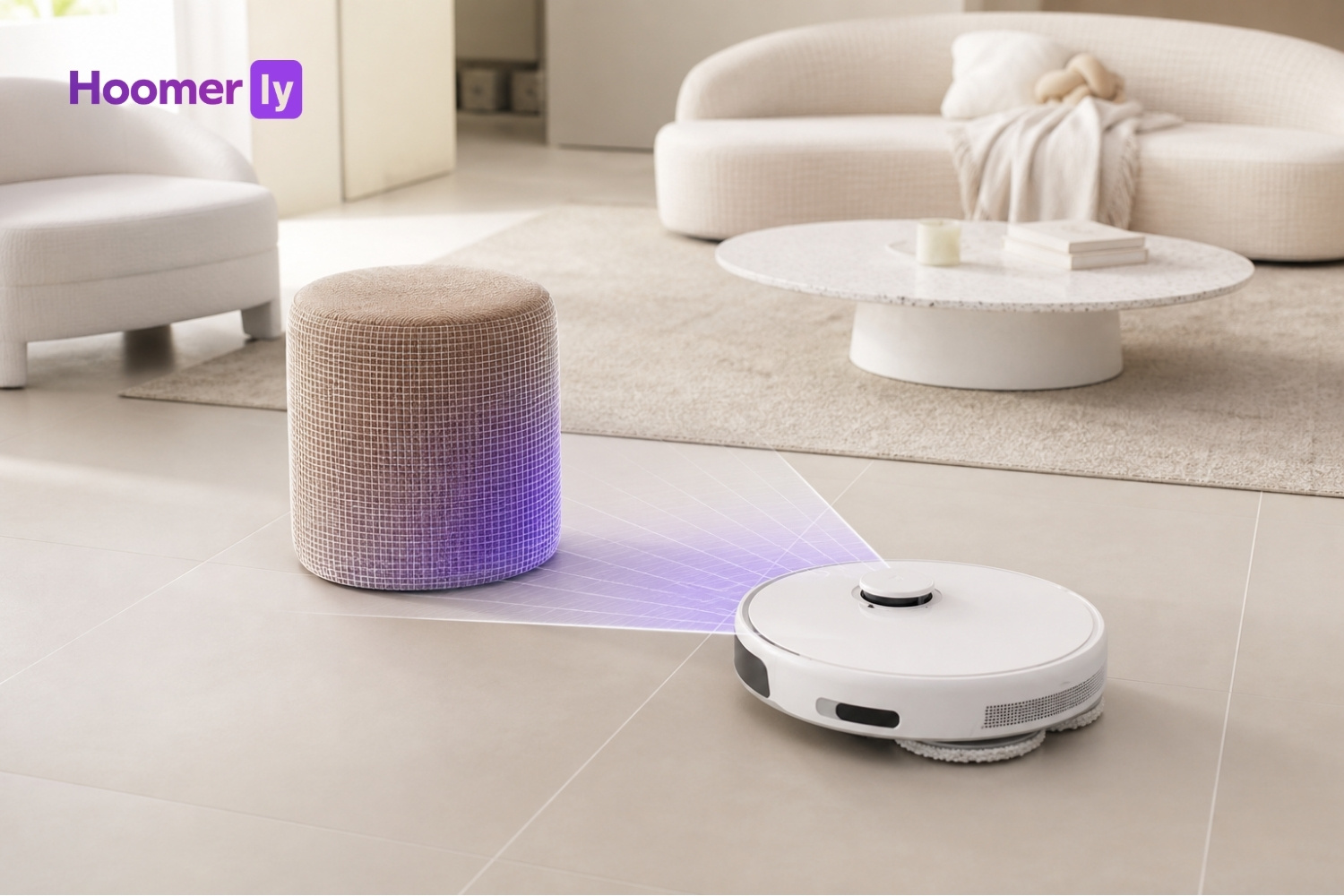
Think of it like holding a flashlight and spinning it in circles really fast in a dark room. Every time the light beam hits something, you know exactly how far away that thing is. Do that fast enough, and you have a complete picture of the whole room, in real time.
The result is a floor plan the robot actually understands. It knows where your rooms are, where the walls are, and where it’s already cleaned.
How Do Robots Navigate Without LIDAR?
Not every robot vacuum has LIDAR, especially the more affordable ones. These robots rely on different methods to find their way around, and honestly, it’s a bit like navigating a dark room blindfolded.
Some use what’s called random-bounce navigation. The robot moves forward until it hits something, then backs up, turns at a random angle, and goes again. It covers the floor eventually, but the path is chaotic. It’ll hit the same spot three times and completely miss a corner.
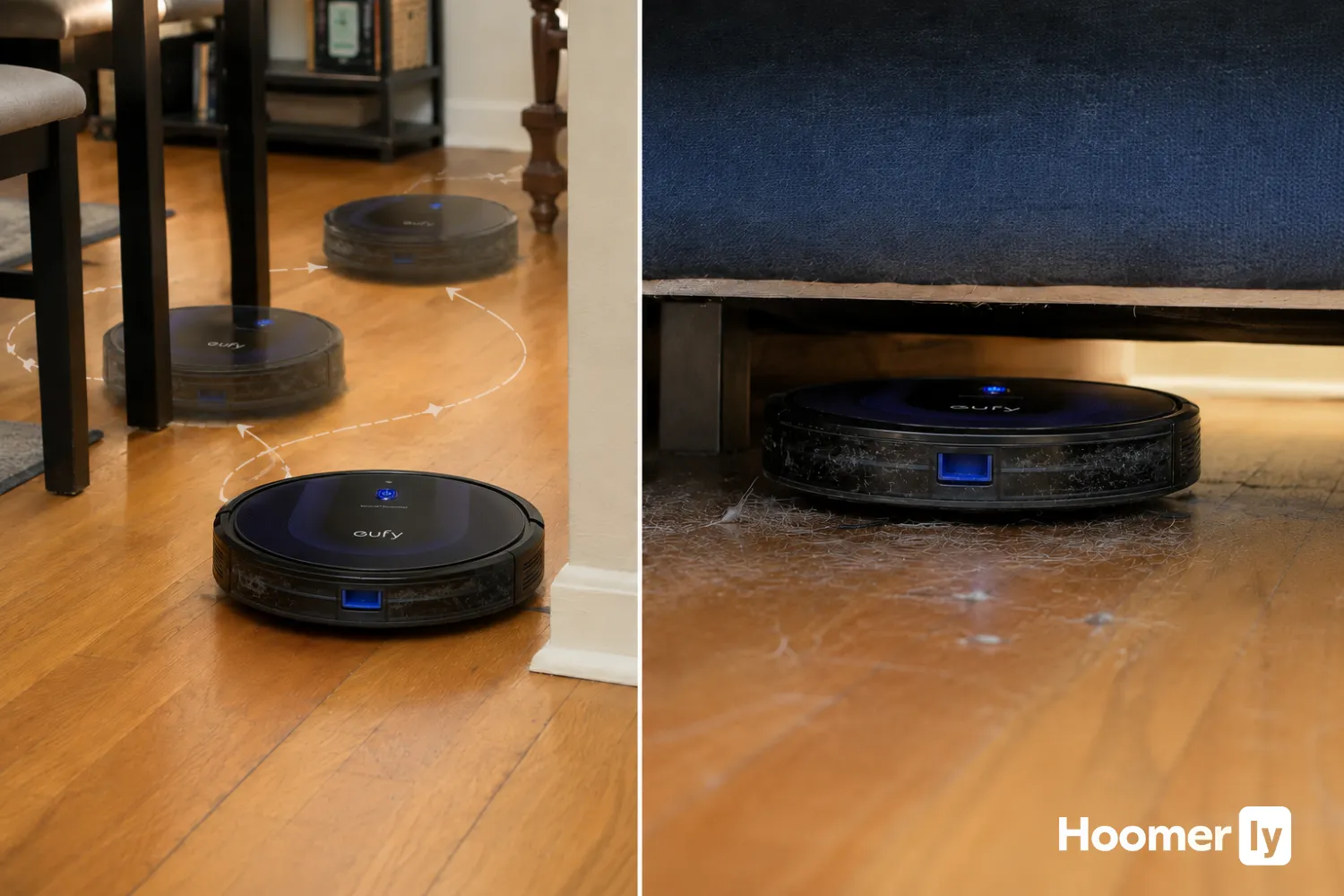
Others use gyroscopes or cameras to do a slightly better job. They can move in straighter lines and avoid some obstacles, but they’re still working without a real map. It’s more like someone who’s walked through your house a few times and has a rough sense of the layout, versus someone who has the actual blueprints.
Non-LIDAR robots aren’t terrible. For a small, simple apartment with one or two rooms, they get the job done. But they struggle in bigger homes, especially when there’s a lot of furniture or stuff on the floor.
What Does LIDAR Actually Do for Your Cleaning?
The map the robot builds is the whole point. Once it knows the layout of your home, it can clean in an organized, efficient way instead of wandering around at random.
A LIDAR robot typically does a quick mapping run first, sometimes on the first clean, sometimes in real time as it goes. After that, it knows your room boundaries and can clean in straight, overlapping rows, the same way you’d push a regular vacuum. It doesn’t skip areas. It doesn’t keep revisiting the same patch of floor.
It also handles obstacles better. Because it’s always measuring distance in real time, it can slow down before bumping into something instead of just crashing into it. My furniture has way fewer scuff marks since I switched.
For homes with a lot of furniture, pet toys, shoes by the door, or kids’ stuff everywhere, that real-time mapping makes a real difference. The robot works around the clutter instead of getting confused by it.
The Real-World Pros of LIDAR
I’ve run LIDAR robots through some pretty messy houses, including my own with three kids and a dog. Here’s what actually stands out in day-to-day use.
- Better coverage. Because the robot has a real map, it knows what it’s cleaned and what it hasn’t. You don’t end up with random missed strips of floor or forgotten corners.
- Works in the dark. This one surprised me at first. A laser doesn’t need light to work, so LIDAR robots can run perfectly well in a dark room or late at night without any issue. Camera-based robots, on the other hand, struggle when the lights are off.
- Handles clutter better. The real-time obstacle detection means the robot can actually navigate around a dog toy or a shoe that wasn’t there when it built its initial map. It’s not perfect, but it’s much better than a robot that just plows into things.
- More efficient path means less battery wasted. A robot that cleans in organized rows finishes faster and uses less battery doing it. That matters if you have a bigger home and you’re not sure if the robot can make it through on a single charge.
The Real-World Cons of LIDAR (Because There Are Some)
I want to be straight with you here, because a lot of product descriptions only talk up the good stuff.
It costs more. A decent LIDAR robot vacuum starts at around $300, and the good ones run higher. Non-LIDAR robots can be found under $200. That’s a real gap if you’re on a tight budget.
The turret means less clearance. That spinning sensor on top adds height to the robot. If you have sofas or beds with low clearance, the robot might not fit underneath. My old sofa was a no-go zone for LIDAR robots until I got a new couch. Measure your clearance before you buy.
Bright sunlight and glass can cause issues. LIDAR uses laser light, and in rare cases, very bright direct sunlight through a window or certain reflective glass surfaces can interfere with the sensor. In my experience it’s not a common problem, but it’s worth knowing about if you have a very sun-flooded room.
Who Should Actually Prioritize LIDAR?
LIDAR isn’t for everyone. Here’s how I think about who really benefits from it.
You’ll get the most out of a LIDAR robot if you have a larger home, multiple rooms, or an open floor plan where the robot needs to navigate between spaces. The bigger and more spread out your home, the more the mapping advantage shows up.
Mixed flooring is another big one. If you’ve got hardwood in the kitchen, carpet in the living room, and tile in the bathrooms, a robot with a good map handles those transitions better. It knows where it is at all times instead of getting confused at the boundary between floor types.
Pet owners and families with young kids are almost always better off with LIDAR. There is always something on the floor. Always. A robot that can actually navigate around a chew toy or a pile of Legos is worth paying more for.
And if you want to set a cleaning schedule and genuinely not think about it, LIDAR is the way to go. The robot finishes reliably instead of running out of battery mid-room or getting stuck somewhere random.
My Honest Take
LIDAR isn’t magic. You’ll still need to pick up cords off the floor. You’ll still occasionally find the robot wedged somewhere weird. It’s still a robot vacuum, not a cleaning service.
But in a busy household, the difference between a LIDAR robot and a non-LIDAR one isn’t small. The non-LIDAR robot moves dirt around. The LIDAR robot actually cleans.
If your home is one big room and you’re watching your budget, a simpler robot will do fine. But if you’ve got multiple rooms, a dog, kids, or a schedule that makes babysitting a robot impossible, the extra money for LIDAR is worth it. I’ve been in enough homes, and run enough robots, to say that with confidence.
Look for a robot with LIDAR, a good obstacle avoidance system, and a reliable app, and you’ll have something that actually earns its spot in your home.

Write Your Review
No reviews yet. Be the first to share your experience!