

The Roborock Saros 10R is the one I’d pick if robot vacuum navigation is your main priority. It scored a perfect 24 out of 24 on obstacle avoidance in lab testing, covers about 36% more floor space per charge than the average, and fits under furniture that stops every other robot in this group cold. The Narwal Freo Z Ultra is a strong follow-up if pets and pet messes are your bigger concern. Just know its height is a real limitation I’ll get into below.
Everything I Recommend
These are the five models worth looking at for robot vacuum navigation right now. I keep this updated as new options launch and older ones get discontinued or drop in price.

Pros
- Actually fits under beds and sofas that rejected every other robot vacuum I've tested
- Zero-tangling brush stayed clear through two weeks of peak shedding season without one clog
- Mop extends automatically into corners; no more dust lines where walls meet the floor
- 60-day dust bag means I'm not emptying the base every week like with my previous model
Cons
- Only connects to 2.4GHz Wi-Fi; older routers or 5GHz-only networks won't work
- At $1,099, this is a premium machine; worth it only if you have low-clearance furniture or pets
3.14-Inch Ultra-Slim Profile for Under-Furniture Cleaning
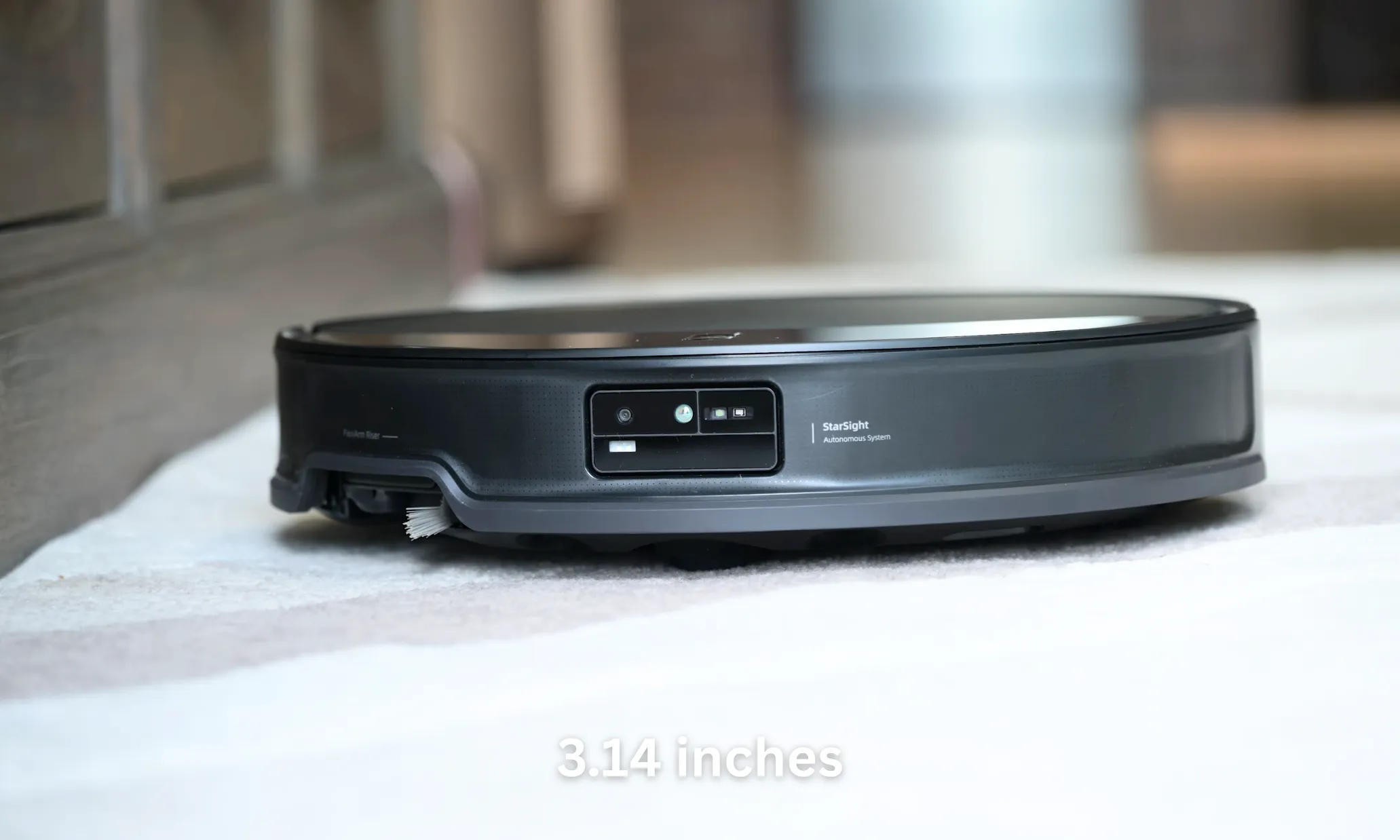
After eight years of testing robot vacuums, I can count on one hand how many actually fit under my bed or the low-slung couch in the living room. The Saros 10R's 3.14-inch height means it glides into spaces where standard models get wedged, reaching dust and pet hair that accumulate in those forgotten zones. The StarSight 3D sensing system doesn't rely on a bulky LiDAR dome sticking up from the top, so there's nothing to catch or block its path. One thing to know: the ultra-slim profile doesn't mean a smaller footprint overall, so tight hallways between furniture still require a bit of clearance.
22,000Pa HyperForce Suction with Zero-Tangling Brush Design
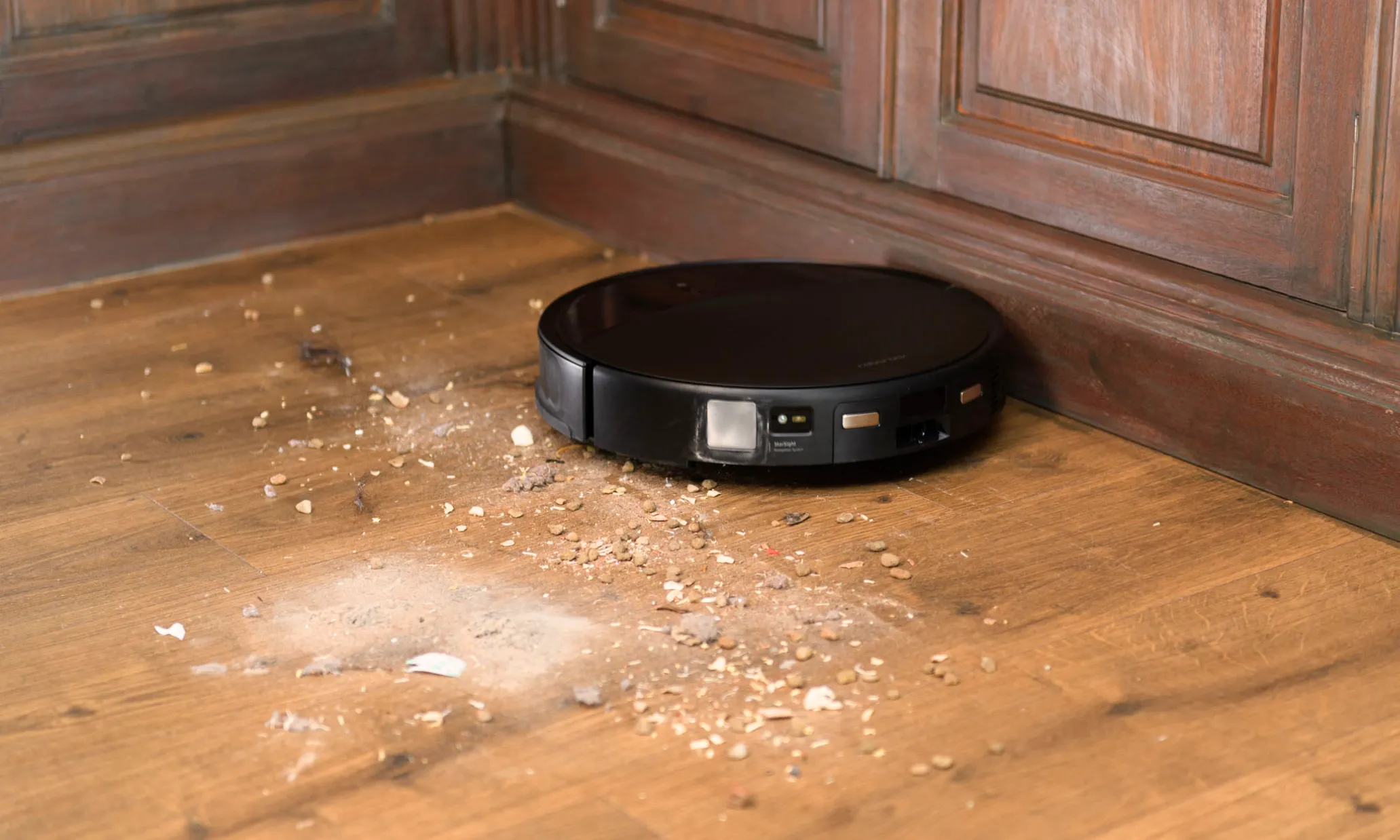
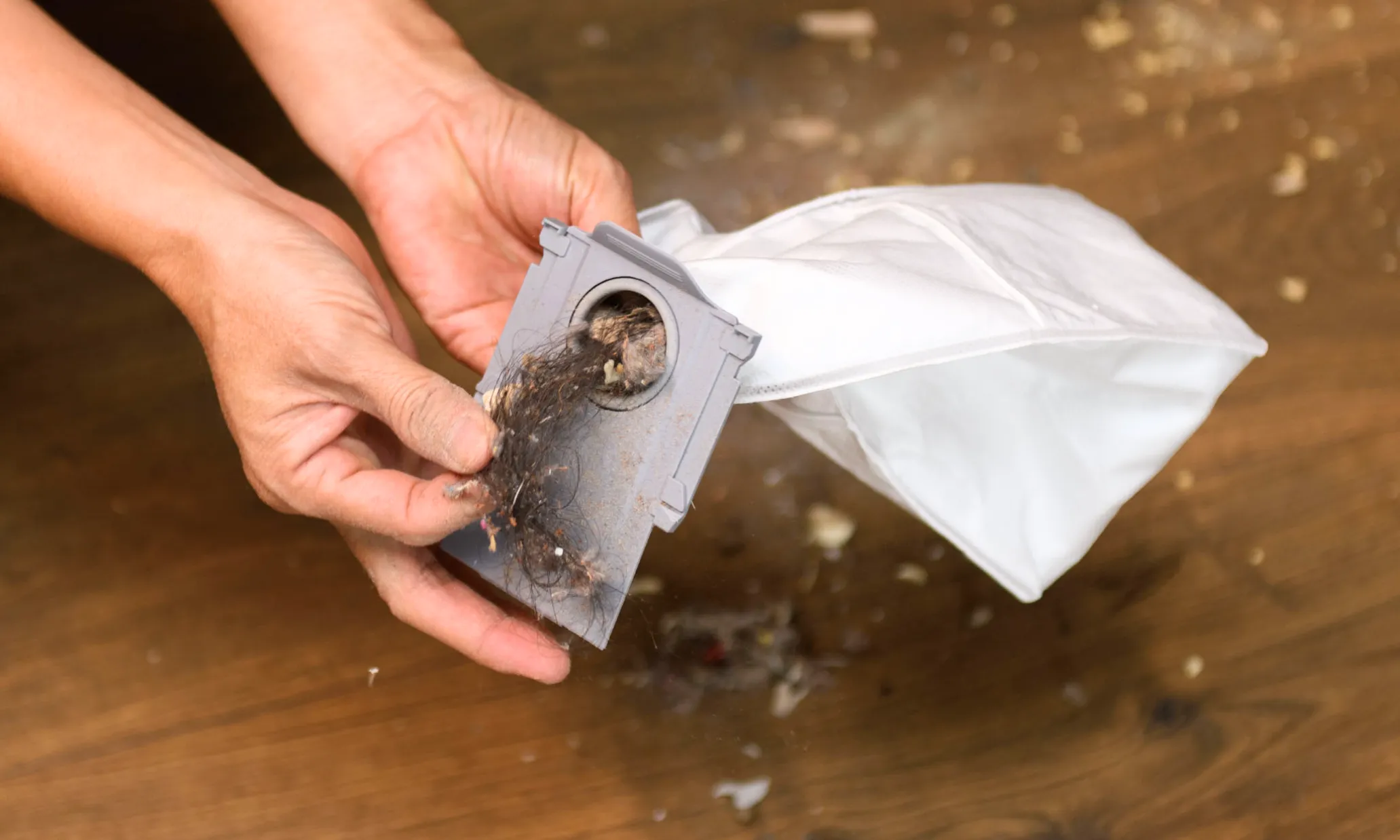
During shedding season with a long-haired cat, most robot vacuums need a brush cleaning every two or three days. The Saros 10R's DuoDivide main brush and anti-tangle omnidirectional wheels held up through a full week of heavy shedding without a single wrapped hair or jam. At 22,000Pa, the suction pulls embedded pet hair out of low-pile area rugs in one pass, something I couldn't say about the 4,000Pa model I ran before this. The side brush does wrap occasionally on long strands, but far less often than traditional designs.
FlexiArm Riser Side Brush and Mop Extends Into Corners Automatically
Corner and edge cleaning on most robot vacuum and mop combos leaves visible dust lines where walls meet the floor. The FlexiArm automatically extends as the Saros 10R detects corners, so the mop pad actually reaches into those tight spots instead of just skirting them. After weeks of daily runs, I noticed fewer dusty corners than with any previous model, though very tight 90-degree corners still get a light touch rather than a deep scrub.
Self-Emptying Dock with 60-Day Dust Capacity and Hot-Water Mop Cleaning
The 10-in-1 dock handles the jobs that usually fall on you: auto mop removal, dust collection, hot water mop washing at 176°F, hot air drying, and auto detergent dispensing. With 60-day dust collection, I'm emptying the base bag roughly once every six weeks instead of weekly like I did with my old self-emptying robot vacuum. The dock does get loud during the dump cycle (around 80dB for about 10 seconds), so don't run it while someone's napping upstairs. Refilling the water tank and detergent takes about two minutes every two weeks, which is still far less work than manually washing mop pads by hand.


Pros
- Exceptional AI vision system with dual cameras provides superior object recognition and real-world adaptability compared to single-camera competitors
- Intelligent mode switching prevents wet/dry mixing, reducing floor damage and improving cleaning effectiveness
- Powerful 12000Pa suction combined with tangle-free brush design handles pet hair without performance degradation
- Comprehensive self-maintenance system including hot-water washing, dust compression, and auto-drying minimizes manual upkeep
- Ultra-quiet operation at 53dB makes it suitable for homes with sleeping family members or noise-sensitive pets
Cons
- Requires 2.4GHz WiFi connectivity only, limiting compatibility with modern dual-band networks and potentially causing connectivity issues in congested WiFi environments
- 12000Pa suction power is lower than some competing models like the Freo Z10 Ultra at 22000Pa, which may impact performance on thick carpets
- Premium pricing reflects advanced features but may be cost-prohibitive for budget-conscious buyers seeking basic robot vacuum functionality
The NARWAL Freo Z Ultra represents a significant leap forward in autonomous floor cleaning technology. This hybrid robot vacuum and mop combo is engineered for homeowners who demand intelligent automation without constant supervision, particularly those managing pet hair or multi-surface households. The device combines dual 1600x1200 HD RGB cameras with dual AI processing chips to see and understand its environment in real-time, making cleaning decisions on the fly rather than following predetermined patterns.
What sets the Freo Z Ultra apart is its adaptive cleaning intelligence. The dual-chip AI system detects dirt types as it encounters them, automatically deploying either suction or mopping accordingly. When dust is detected, the mop lifts and suction activates. When liquid is identified, the mop lowers and suction disengages. This prevents the common frustration of robot vacuums spreading wet spills or leaving dry dust damp. For heavy messes, the system engages a matrix cleaning pattern that crosses the area both horizontally and vertically until the floor is flawless. The obstacle avoidance system recognizes over 120 different objects, maintaining safe distances of 150mm from hazards like pet accidents while getting within 8mm of safe furniture legs.
The self-maintenance system is genuinely impressive. The docking station autonomously washes the mop tracks using adaptive hot water between 104 and 140 degrees Fahrenheit, preventing scorching while removing grease, then escalates to 167 degrees for hygienic sanitization. The 2.5L dustbag compresses debris over 120 days, and the self-drying system eliminates odors by keeping wet and dry waste separated. At 53dB noise level, the Freo Z Ultra operates quietly enough for use during daytime hours without disrupting household activities. The 12000Pa suction power, while powerful, pairs with a certified tangle-free brush that maintains performance even with heavy pet hair.
One limitation worth noting is the WiFi connectivity requirement of 2.4GHz only, which may present challenges in homes with modern dual-band networks or congested WiFi environments. Additionally, while 12000Pa suction is substantial, some competing NARWAL models reach 22000Pa, which could matter for thick carpet cleaning. The premium price point reflects the advanced dual-camera and dual-chip architecture but represents a significant investment compared to single-sensor alternatives.
For pet owners, allergy sufferers, and busy professionals seeking a truly intelligent cleaning solution that adapts to real-world conditions, the NARWAL Freo Z Ultra delivers exceptional value. The combination of vision-based decision-making, comprehensive self-maintenance, and quiet operation makes it one of the most capable hybrid robot cleaners available today.
Vision and Processing: Dual 1600x1200 HD RGB cameras, dual AI chips, tri-laser navigation system
Cleaning Performance: 12000Pa suction power, 7-12N mopping pressure, quiet zero-tangling brush 2.0, EdgeSwing technology for wall cleaning
Maintenance: AI adaptive hot-water self-washing (104-167 degrees Fahrenheit), 120-day dust storage with compression, self-drying system
Smart Features: App control, voice assistant compatibility (Alexa, Google, Siri), scheduled cleaning, no-go zones, real-time object avoidance for 120+ items
Specifications: 12000Pa maximum suction, 53dB minimum noise level, 5-hour battery life, 19.1L x 17.5W x 25.3H inches, white color, disc-shaped design, ultra-slim 3.7-inch profile, 1.6-inch threshold crossing capability
Connectivity: 2.4GHz WiFi network required, battery powered with included batteries
Who Should Buy This: Pet owners dealing with shedding, allergy sufferers requiring frequent floor cleaning, busy professionals who value automation, and households with mixed floor types (hardwood, tile, carpet) that benefit from intelligent mode switching between vacuuming and mopping.
Who Might Want to Consider Alternatives: Budget-conscious buyers seeking basic robot vacuum functionality, homes with only thick carpeting (where higher suction models may perform better), and users with exclusively 5GHz WiFi networks since this model requires 2.4GHz connectivity.
Key Considerations: Verify your home WiFi supports 2.4GHz bands before purchase. Ensure adequate space for the docking station, which handles water, dust compression, and hot-water washing cycles. The 120-day dust storage means less frequent manual emptying, but the initial investment is premium-tier. For maximum benefit, homes with multiple floor types and pet hair challenges will see the best return on investment.
Maintenance Tips: Regularly check the mop track cleaning system in the dock, ensure the dustbag has adequate space before travel or extended use, and periodically verify no-go zones are properly configured to prevent unnecessary docking station access.

Pros
- Exceptional suction power for pet hair removal from both carpets and hard floors
- Advanced app interface with custom routines, room-specific cleaning, and real-time obstacle photos
- Intelligent room prioritization learns your home's traffic patterns and dirt accumulation
- Reliable customer service with responsive support and hardware replacement options
- Seamless smart home integration with major voice assistants
Cons
- Software reliability issues reported by some users including mapping failures and operational errors
- Slower cleaning times compared to competing brands like Roborock and Eufy
- Self-emptying base produces very loud noise during disposal cycle
The iRobot Roomba j9+ is a premium self-emptying robot vacuum designed specifically for pet owners who want powerful, hands-off cleaning. With its flagship status in the Roomba lineup, it combines advanced AI technology with 100% stronger suction than previous models to tackle the unique challenges of pet hair, debris, and household clutter. This vacuum is ideal for multi-pet households with mixed flooring types who prioritize convenience and intelligent automation.
The standout feature is the Dirt Detective intelligence system, which learns your home's cleaning patterns and automatically prioritizes the dirtiest rooms while adjusting suction levels and cleaning passes accordingly. The 7x faster mapping technology creates an accurate floor plan in a single run, and the PrecisionVision Navigation camera identifies obstacles in real-time, capturing photos of detected items for your review. The P.O.O.P. guarantee demonstrates iRobot's confidence in pet waste avoidance. The self-emptying Clean Base holds 60 days of debris, genuinely reducing the frequency of manual maintenance.
Build quality is solid with dual rubber brushes designed to prevent hair tangles, and the device integrates seamlessly with Alexa, Siri, and Google Assistant. The iRobot Home App provides granular control with room-specific scheduling, keep-out zones, and custom cleaning routines. Battery life reaches 180 minutes on a single charge, supporting larger home coverage.
However, user experiences vary significantly. While enthusiastic owners praise its effectiveness and smart features, others report persistent software issues including mapping failures, navigation errors, and inconsistent performance even after multiple mapping attempts. The self-emptying base also operates at high noise levels. Some users found competing brands like Roborock and Eufy more reliable, and the device takes longer to complete cleaning cycles than alternatives.
The Roomba j9+ is an excellent choice if you have pets, value app-based automation, and want a trusted brand with responsive customer service. However, potential buyers should research current reliability reports and consider the trade-off between convenience features and proven performance consistency.
The Roomba j9+ stands apart as the most pet-focused robot vacuum on the market. Its dual multi-surface rubber brushes are engineered to sweep up pet hair without tangling, while the 100% stronger power-lifting suction extracts embedded fur from carpet fibers that standard vacuums miss. The 3-stage cleaning system ensures thorough debris pickup after muddy paw prints, food spills, and outdoor adventures.
The P.O.O.P. guarantee represents a unique pet owner promise: if your robot fails to avoid pet waste, iRobot replaces it free of charge (terms apply). The PrecisionVision camera actively identifies pet toys, food bowls, and charging cords, steering clear of these obstacles automatically. Real-time photo capture lets you see exactly what the robot detected, helping you optimize your home layout for better cleaning performance.
Pet owners can create custom keep-out zones around litter boxes, pet beds, or feeding areas through the app. The Dirt Detective feature learns where your pets spend time and automatically increases cleaning frequency in high-traffic pet areas. Multiple reviewers with multiple pets reported running 2-3 units simultaneously throughout their homes for comprehensive coverage.
Performance Specs: Suction power is 100% stronger than Roomba Combo i Series models. Battery type is Lithium Ion with 180-minute runtime. The device features 2 power levels and 2 cleaning speeds for customized performance.
Cleaning System: 3-stage cleaning with dual multi-surface rubber brushes, edge-sweeping brush, and power-lifting suction. Works on both hardwood floors and carpet with automatic surface detection.
Navigation & Mapping: PrecisionVision Navigation with integrated camera. 7x faster mapping technology. Advanced row-based cleaning pattern for wall-to-wall coverage.
Smart Features: Dirt Detective powered by iRobot OS. Auto-docking with self-emptying Clean Base. 60-day debris capacity. Obstacle avoidance with real-time photo capture. Voice control compatible with Alexa, Siri, and Google Assistant.
Physical Dimensions: 13.3 inches length and width, 3.4 inches height. Weight is 7.5 pounds. Included components: 1 Roomba j9+ unit, 1 Clean Base automatic dirt disposal, 1 extra corner brush, dirt disposal bag, and filter.
Warranty: 1-year limited manufacturer warranty. 30 years of iRobot brand expertise and customer support.
Pros
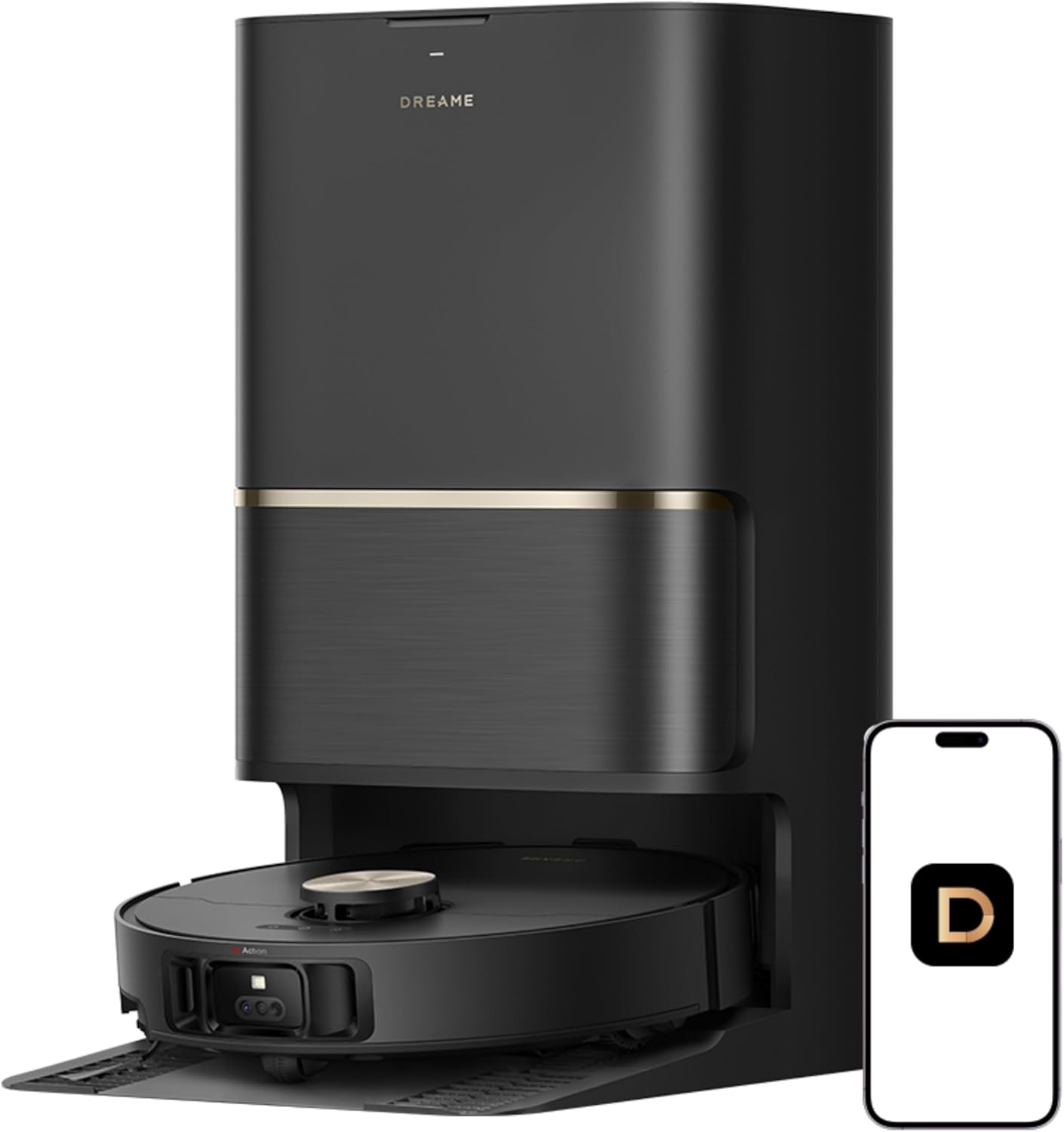
- Dock empties, washes mop, and dries pads on its own
- Pet hair stays out of the brush roll, not wrapped around it
- Climbs 6cm door tracks without getting stuck
- Avoids cables, shoes, and pet waste before bumping into them
- App zones and 5 carpet modes give real control
Cons
- Sits around $950, on the higher end for robot vacuums
- Suction trails some competitors at this price range
- Dock needs cleaning solution refilled every couple weeks
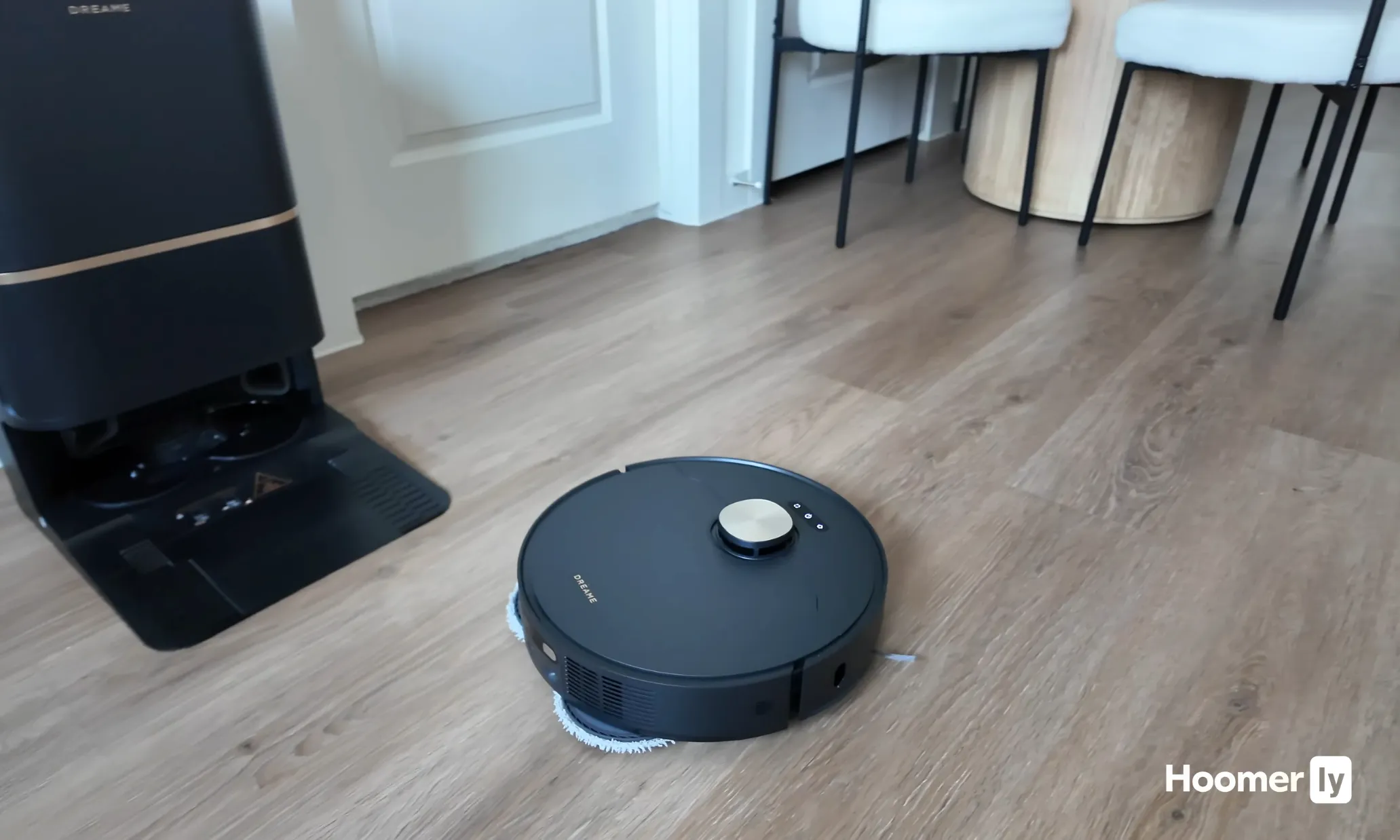
Auto-Empty Dock That Runs Itself
The PowerDock handles emptying, mop washing at high heat, water refilling, and hot air drying after every run. Honestly, after the first week I stopped thinking about it. The 100-day dustbag is real if you have hardwood floors, but with two dogs I hit it closer to six weeks. Still, going from emptying every other day to once a month is a genuine difference.
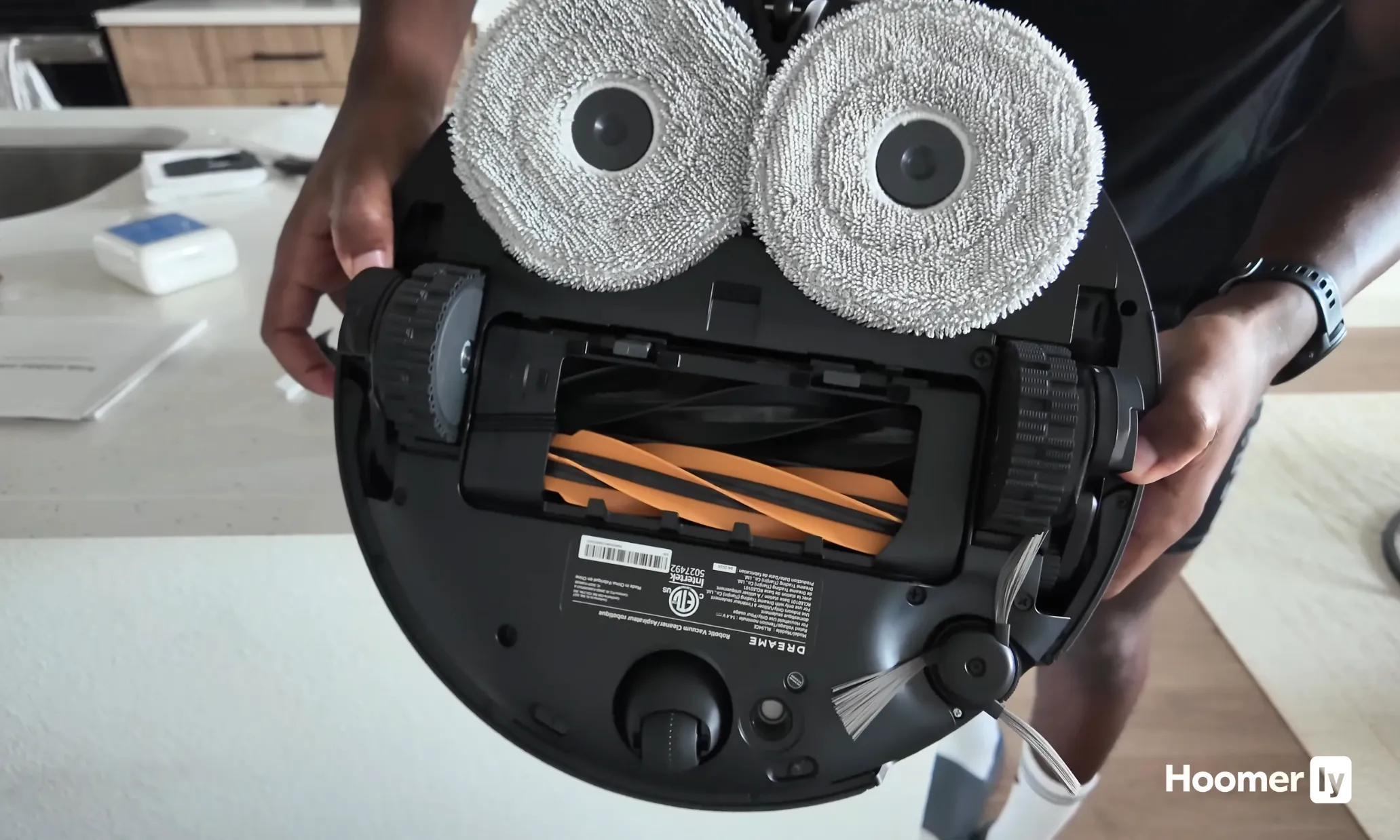
Hair Goes In, Not Around the Brush
The HyperStream DuoBrush splits into bristle and rubber sides that work together to push hair into the bin instead of wrapping around the roll. I have found that most robot vacuums in this range start losing suction after a few runs because of hair buildup. This one holds up better. After a month of daily use with two shedding dogs, the brush needed a quick wipe but nothing close to what I used to deal with.
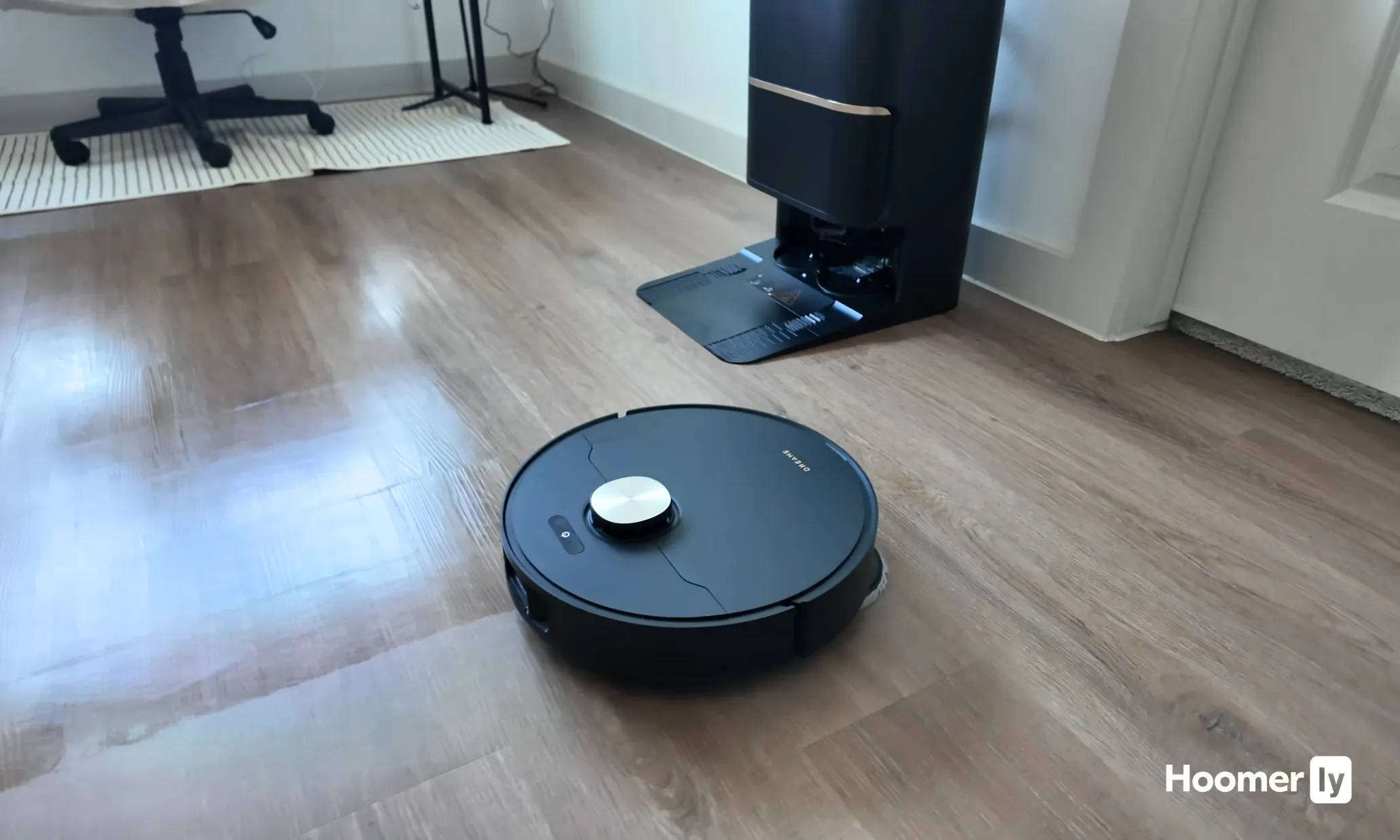
Gets Over Door Tracks Without Stopping
The ProLeap system lifts the chassis to 6cm. That clears every threshold and floor register in my house including the raised track on my sliding glass door, which has stopped three other robots I have tried. It slows before lifting so it does not ram into the track and bounce back.
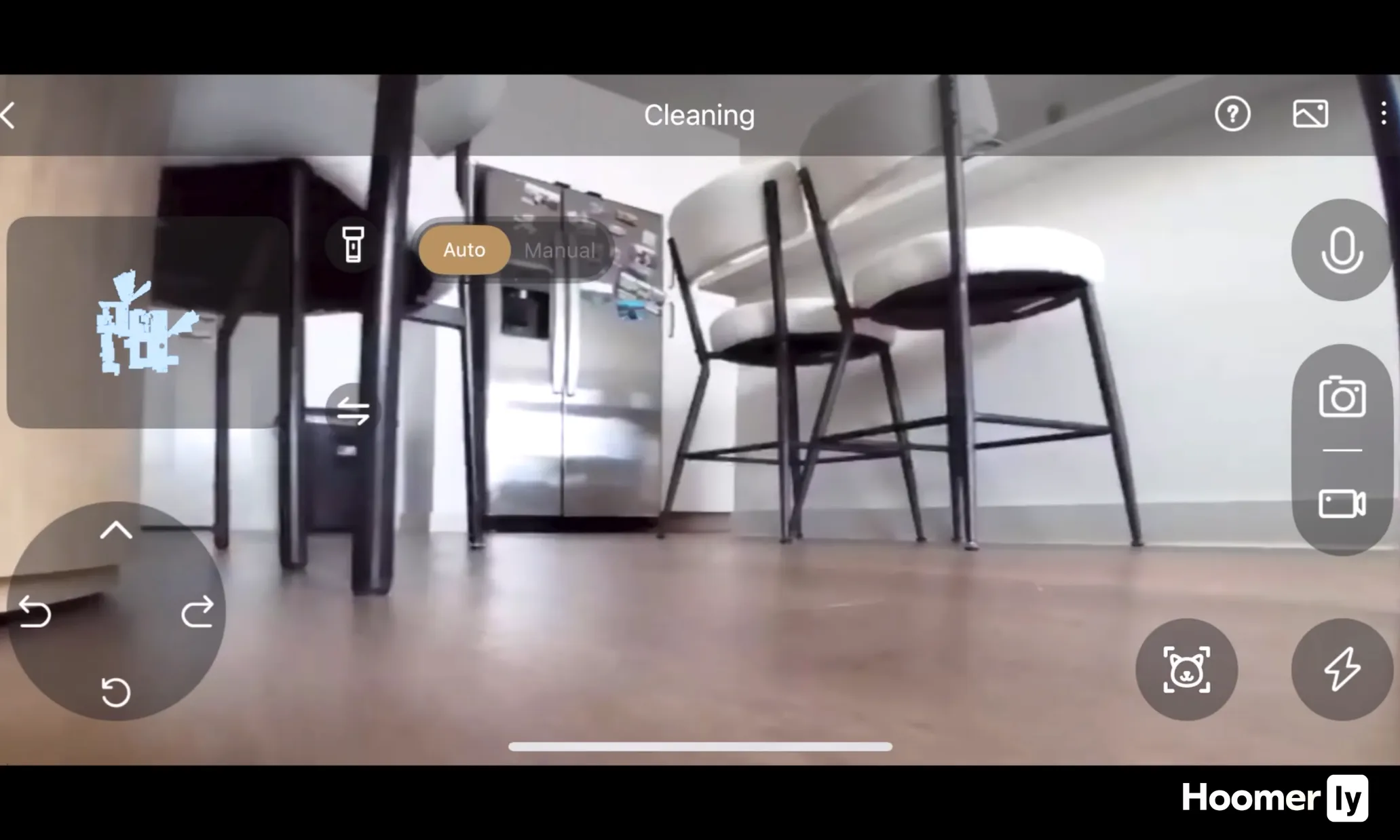
Obstacle Detection That Holds Up Day to Day
It maps toys, power cords, and shoes before getting close enough to touch them. Here is what I noticed after a few weeks: it only got stuck once, near a balled-up rug corner. For a home with kids stuff scattered around, that kind of avoidance matters more than the spec sheet makes it sound.
Reaches the Corners Most Robots Skip
The Dual Flex Arm extends a side brush outward along walls, pushing debris into the path instead of scattering it. Combined with the extended reach under low furniture, it catches the edge buildup that usually takes a second pass to clear. After the floor map fully refined, maybe run four or five, it stopped leaving lines along the baseboards.

Pros
- Extended 90-day dust collection dramatically reduces maintenance compared to weekly-emptying competitors
- Exceptional 6000Pa suction power handles pet hair, crumbs, and fine dust on all floor types
- Dual vacuum and mop functions eliminate need for separate cleaning devices
- LiDAR-based smart mapping ensures thorough, efficient coverage with editable room boundaries
- Affordable price point for a self-emptying robot with mopping capability
Cons
- Requires 2.4GHz WiFi connection, which may be problematic for users with only 5GHz networks
- 150ml water tank is relatively modest and may require refills for larger homes or frequent mopping
- 4.1 rating suggests some users experience connectivity or navigation inconsistencies
The Dreame D10 Plus Gen 2 is a hybrid robot vacuum and mop designed for homeowners seeking genuine hands-off cleaning with minimal maintenance. This mid-range model targets busy professionals, pet owners, and anyone tired of frequently emptying robot vacuum dustbins. The standout feature is its 90-day autonomous dust collection system with a 4L capacity bag, which means you'll only need to empty it roughly four times annually instead of weekly.
Performance-wise, the D10 Plus Gen 2 delivers impressive cleaning power through its 6000Pa Vormax suction motor with four adjustable levels. The floating rubber brush design is specifically engineered to minimize tangling with pet hair while maintaining strong carpet cleaning performance. The 2-in-1 vacuum and mop function works through a 150ml clean water tank with three moisture settings, allowing you to customize cleaning intensity for different floor types. LiDAR navigation combined with smart mapping technology creates detailed, editable floor plans that you can customize through the Dreamehome app, including virtual boundaries and no-mop zones for delicate areas.
Build quality appears solid with the device handling hard floors, carpet, wood, and tile surfaces effectively. The anti-collision sensors and precision obstacle avoidance provide reliable navigation around furniture and pets. However, the 150ml water tank is somewhat limiting for larger homes, requiring occasional refills during extended mopping sessions. Additionally, the system requires a 2.4GHz WiFi connection, which may present challenges for households with only 5GHz networks.
The Dreamehome app integration provides robust control with multi-floor mapping, scheduling capabilities, and customizable cleaning zones. This level of automation justifies the set-and-forget appeal, though some users report occasional connectivity hiccups based on the 4.1 rating.
Final verdict: The Dreame D10 Plus Gen 2 represents excellent value for pet owners and busy households prioritizing convenience and low maintenance. The 90-day dust collection combined with 6000Pa suction and mopping capability creates a compelling package at this price point. It's ideal for those willing to sacrifice slightly smaller water tank capacity for dramatically reduced maintenance frequency.
Brand: Dreame
Model: D10 Plus Gen 2
Suction Power: 6000Pa Vormax with 4 customizable levels
Dust Collection: 4L automatic self-emptying capacity (90-day interval)
Water Tank: 150ml clean water tank with 3 flow settings
Navigation: LiDAR with precision laser mapping and obstacle avoidance
Surface Compatibility: Hard floors, carpet, wood, tile
Special Features: Anti-collision, automatic dust collection, washable filter, 2-in-1 vacuum and mop
App Control: Dreamehome app with multi-floor mapping, virtual boundaries, and no-mop zones
WiFi Requirement: 2.4GHz network connection
Color: White
Who Should Buy This? The D10 Plus Gen 2 is ideal for pet owners, busy professionals, and households with mixed flooring who want true hands-off cleaning without weekly maintenance. It suits homes up to 2-3 stories thanks to multi-floor mapping capabilities.
Who Should Look Elsewhere? If you have a 5GHz-only WiFi network or need a large water tank for frequent wet mopping, consider alternatives. Similarly, homes with very high pet hair volume might benefit from models with larger dust capacity.
Key Considerations: Verify your WiFi supports 2.4GHz before purchasing. Measure your home layout to ensure the 150ml water tank suits your mopping needs. Consider the self-emptying station placement when planning installation, as it requires nearby power access and floor space.
Maintenance Tips: Replace dust bags every 90 days as needed, clean the washable filter regularly, and keep the water tank clean between uses. The floating brush design minimizes hair tangling, but occasional manual cleaning is recommended for optimal performance.
Robot vacuum navigation has moved fast in the past two years. The gap between a budget LiDAR model and a premium AI-camera model isn’t just about specs on paper. It shows up the first time your robot either avoids a dog toy or grinds it across your hardwood floor.
What separates a good navigation system from a frustrating one comes down to two things: how accurately it maps, and how well it reacts to what’s actually on the floor. Those are different skills. A robot can draw a perfect floor plan and still run straight into a charging cable.
Below I’ve broken down each pick with the things I actually watch for: how it handles furniture legs, whether it finishes a full run on one charge, what the app is like to actually use, and where each one falls short. No navigation system is perfect at every price.
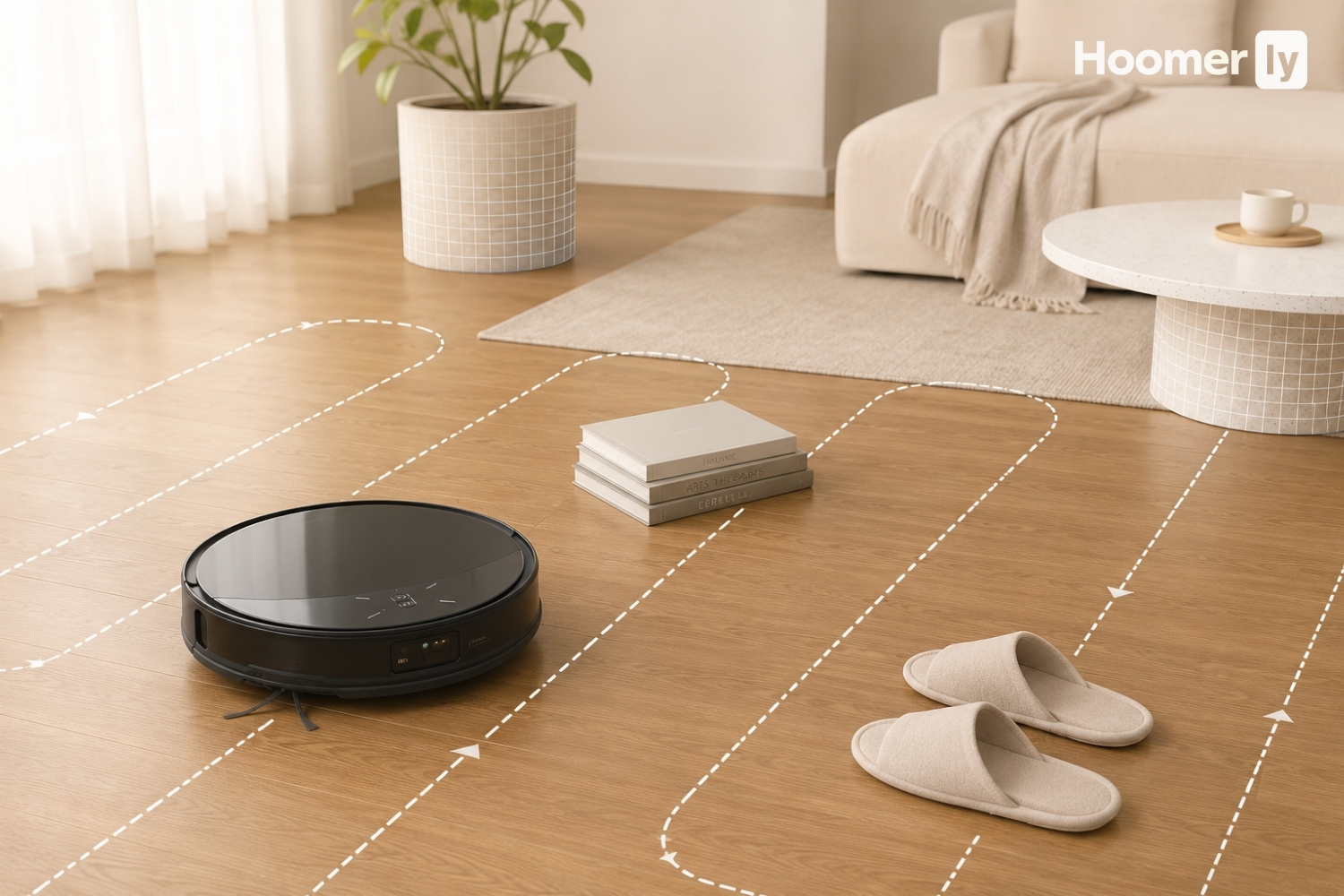
My Top Pick
Here’s how I’d slot each one before we get into the full breakdowns.
Best Overall Navigation Roborock Saros 10R at Amazon ↓ Jump to Review
Best Obstacle Avoidance for Pets Narwal Freo Z Ultra at Amazon ↓ Jump to Review
Best Hardware + Corner Cleaning Dreame X60 Max Ultra at Amazon ↓ Jump to Review
Best Value Navigation Dreame L50 Ultra at Amazon ↓ Jump to Review
Budget LiDAR Mapping (With Caveats) Dreame D10 Plus Gen 2 at Amazon ↓ Jump to Review
I’ve been through enough robot vacuums to know the spec sheet doesn’t always tell the real story. I’ve had robots that looked impressive on paper get completely stuck on the threshold between my kitchen and the living room. I’ve had budget models surprise me. So my approach is straightforward: I watch how the robot handles the messy parts of a real home, the furniture legs, the charging cords, the spots my dogs have claimed as their own, and I go from there.
This guide is for people who care about robot vacuum navigation specifically, not just cleaning power. If you want the best all-around cleaning performance, I’ve covered that separately in my best robot vacuum guide. Here I’m focused on how these machines move, map, and deal with what’s in their way.
#1 Best Overall Navigation: Roborock Saros 10R
The thing that stands out immediately with the Saros 10R is the way it navigates without a spinning turret on top. Roborock went with dual solid-state 3D Time-of-Flight LiDAR built flat into the body, so it sits at just 3.14 inches tall and fits under furniture that every other robot in this group can’t reach. In lab scoring by VacuumWars, it hit a perfect 24 out of 24 on obstacle avoidance across 108 object types, including pet waste. That’s not a number I’d throw around if I didn’t have a source for it.
The coverage is genuinely impressive too. It covers roughly 1,389 square feet per charge, which is about 36% above the category average. The app scored 9.3 out of 10 from TechGearLab, and in my experience the live map and real-time obstacle display are the best I’ve seen in any robot at any price. The one honest trade-off: carpet pet hair pickup is only around 56%. So if your main concern is deep-cleaning a carpeted bedroom, this isn’t the right pick. But for robot vacuum navigation and whole-home coverage, nothing else at this price level touches it. Around $1,600, with sales that have dropped it closer to $1,000.
#2 Best Obstacle Avoidance for Pets: Narwal Freo Z Ultra
The Narwal Freo Z Ultra scored 23 out of 24 on obstacle avoidance in VacuumWars lab testing and earned their “Best for Pets” award in 2024. It recognizes 120 object types, handles pet waste avoidance reliably, and maps a full floor in under five minutes with its dual-chip AI system running navigation and obstacle processing in parallel. For a home with pets, that fast initial map is genuinely useful. It covers around 1,236 square feet per charge, which is solidly above average.
But the height. It’s 4.3 inches tall. That’s the tallest robot in this group, and if your furniture sits lower than about 5.5 inches from the floor, the Narwal doesn’t get under there. I’ve seen this trip people up more than any other spec. The app is also feature-heavy in a way that can feel overwhelming, and some users report it doesn’t always execute scheduled tasks reliably. If your home has furniture it can actually access and you’re okay spending some setup time on the app, the pet avoidance performance justifies the price, which is usually around $850 to $1,100 depending on when you catch it.
#3 Best Hardware and Corner Cleaning: Dreame X60 Max Ultra
The X60 Max Ultra has the most impressive hardware spec list in this group. It’s the slimmest at 3.13 inches, handles the highest thresholds at up to 88mm, recognizes 280 or more object types through its binocular stereo AI cameras, and has extending Dual Flex Arm side brushes that physically reach into corners. VacuumWars ranked it number one on their 2026 Top 20 list. The retractable spinning LiDAR, called VersaLift, is a clever solution: it drops into the body so the robot can access low-clearance spaces, then pops back up in open areas.
The trade-offs are worth knowing before you spend around $1,500 to $1,700. Coverage per charge is below average at roughly 950 square feet, which is the cost of all that hardware running at once. Navigation path efficiency also runs about 10% below the category average. And the app is genuinely complex. Gizmodo described the setup process as requiring a 30-minute session to get the default settings performing the way they should. If you go in knowing that and take the time, the hardware is exceptional. For robot vacuum navigation in homes with lots of thresholds or tight corners, this one earns its price. For someone who wants something that just works out of the box, the setup curve is real.
#4 Best Value Navigation: Dreame L50 Ultra
The L50 Ultra is the robot I’d tell most people to buy if they want solid navigation without the premium price. It’s ranked number one on VacuumWars’ Top 20 overall robot list, with a score of 3.96 out of 5 against a category average of 2.58. The 3D structured light sensor combined with a direct Time-of-Flight LiDAR gives it better depth reading than you’d expect at this price. Pet hair pickup on carpet is 100%, and carpet deep-clean scores in the top 5 all-time. The ProLeap system climbs thresholds up to 60mm, which handles nearly any transition between rooms. Around $850, and it goes on sale.
The navigation path efficiency is actually 14% above average at 0.80 square meters per minute. The limiting factor is battery range: ProLeap pulls extra power, so coverage per charge sits around 823 square feet, which is below average. For a mid-size home that’s usually fine with a dock recharge mid-run. But in larger open layouts it’s worth knowing upfront. The app is cleaner and more approachable than the X60 Max Ultra’s, with room and zone control that doesn’t require a manual to figure out. This is the one I’d put in my own house for pet hair performance and value combined.
#5 Budget LiDAR Mapping (With Caveats): Dreame D10 Plus Gen 2
The D10 Plus Gen 2 does one thing really well: it maps accurately. The 2D spinning LiDAR produces clean, reliable floor plans, it stores up to three maps, and the app handles scheduling and zone cleaning without issues. The 5,200 mAh battery gives it the longest runtime in this group at 285 minutes. At around $280 to $300, it’s the only option here that brings real LiDAR mapping at a genuinely budget price. If your floors are clear and your home is straightforward, it does a solid job.
Here’s what you have to accept going in: there is no AI obstacle avoidance. None. The only thing standing between this robot and a charging cord or a dog toy is a physical contact bumper. In TechGearLab’s evaluation it hit every one of six simulated pet accidents in a row and earned the label “cord eater.” It cannot mop and vacuum in the same run because the mop plate doesn’t lift over carpet. You’ll need to pre-clean the floor before every run if your home has cords, small objects, or pets that leave messes. For the right home, it’s a fair deal. But go in with clear eyes about what “budget robot vacuum navigation” actually means at this price point.
What to Look for in Robot Vacuum Navigation
LiDAR Type: 2D vs 3D, and Why It Matters in Practice
Standard 2D LiDAR scans a single horizontal plane, which is enough to draw a floor map but tells the robot nothing about object height. 3D LiDAR or structured light sensors add depth, so the robot can distinguish a low wire from a chair leg from a dog bowl. In real use, 2D LiDAR means more collisions with things on the floor. If you have pets, kids, or anything that doesn’t stay put, 3D sensing is worth paying for.
Obstacle Avoidance Is Not the Same as Mapping
A robot can have a perfect floor map and still run straight into everything in its path. Mapping tells it where the walls are. Obstacle avoidance tells it what to do about the charging cable your kid left on the floor twenty minutes ago. These are separate systems, and a lot of budget models only invest in the mapping side. The VacuumWars 24-point scoring system is one of the cleaner ways to compare obstacle avoidance across models, since they run the same object types against each robot in consistent conditions.
Robot Height and Real Under-Furniture Access
A difference of one inch in robot height is not a small thing. The gap between the Saros 10R at 3.14 inches and the Narwal Freo Z Ultra at 4.3 inches means the Narwal physically cannot access a lot of common furniture. Measure the clearance under your couch, bed frame, and side tables before buying. If anything sits lower than about 5.5 inches, a taller robot will just bump against it every run.
Coverage Per Charge vs Path Efficiency
These are two different numbers that both matter. Coverage per charge tells you how much floor area the robot actually cleans before the battery dies. Path efficiency measures how logically it moves, whether it’s covering ground in straight rows or wandering in circles. A robot can be efficient in its path but have a smaller battery, which means it finishes less floor. The Dreame L50 Ultra is the example: 14% above average path efficiency, but below-average coverage because the ProLeap system draws extra power.
App Features That Actually Change How You Use It
Live maps, room labeling, no-go zones, and room-specific scheduling are now standard on most mid-range and premium models. The real differences show up in how granular the control gets and how long it takes to actually set up. The Dreame X60 Max Ultra has the most detailed per-room settings in this group. The Dreame L50 Ultra has cleaner defaults that work well without much configuration. Neither is wrong, but they suit different kinds of owners. If you want to set it once and forget it, the simpler app wins.
My Pick
For most homes, the Roborock Saros 10R is the pick for robot vacuum navigation. The combination of perfect obstacle avoidance scoring, slim 3.14-inch height, above-average coverage, and the best app in this group adds up to something that actually performs the way the spec sheet suggests it should. The carpet pet hair limitation is real and worth knowing, but if you have mostly hardwood or mixed floors with area rugs, it doesn’t come up much. Around $1,600 is a real commitment, but it has dropped lower on sale, and at that point it’s genuinely hard to argue against.
The Dreame L50 Ultra is what I’d recommend to anyone who wants strong robot vacuum navigation without crossing into premium pricing. At around $850, you get VacuumWars’ top-ranked overall robot, solid obstacle avoidance, the ProLeap threshold system, and 100% pet hair pickup on carpet. The coverage per charge is the trade-off you accept. The Dreame D10 Plus Gen 2 earns its spot for anyone with a clean, obstacle-free floor and a tight budget, but be straight with yourself about whether your home actually fits that description. My full best self-emptying robot vacuum guide covers dock options if that’s the next thing you’re weighing.
And if carpet cleaning is a bigger priority than navigation for you, I have a dedicated breakdown in my best robot vacuum for carpet guide that covers what actually matters on pile surfaces.
FAQs
Does better robot vacuum navigation mean better cleaning?
Not automatically. Navigation controls how the robot moves through your home. Cleaning performance depends on suction power, brush design, and roller type. A robot with excellent navigation can still have mediocre suction, and vice versa. The Roborock Saros 10R is the best navigation robot in this group but only picks up about 56% of pet hair on carpet. The Dreame L50 Ultra has weaker navigation specs but tops the cleaning charts overall. The two things are related but they’re not the same.
Is LiDAR navigation always better than camera-only navigation?
LiDAR is generally more reliable in low-light and consistent in performance because it uses laser pulses rather than relying on ambient light. Camera-only systems have improved a lot and work well in brightly lit homes, but they can struggle at night or in dim rooms. Most premium models now combine both, which is the approach you see in the Saros 10R and the Narwal Freo Z Ultra. At the budget end, camera-only means you’re usually getting less accurate mapping and slower reaction to obstacles.
Can robot vacuum navigation handle a multi-floor home?
Every robot in this group supports multi-floor mapping. You carry the robot to each floor, run an initial mapping session, and the robot saves a separate map per floor. Some, like the Roborock Saros 10R and the Dreame X60 Max Ultra, store multiple floor maps persistently in the app. The limitation isn’t the mapping. It’s that you still have to physically move the robot between floors unless you have a dock on each level.
How often does robot vacuum navigation need to remap a home?
Most modern robots with persistent maps don’t need to remap unless the floor layout changes significantly, like moving furniture around or adding a new room divider. The Narwal Freo Z Ultra is particularly fast at this, creating a full floor map in under five minutes. If you’re just rearranging a few chairs, the robot typically updates its map on the fly during the next run without needing a full reset.
What’s the difference between no-go zones and virtual barriers in robot apps?
No-go zones are areas you draw on the map in the app where the robot won’t enter at all. Virtual barriers are lines the robot won’t cross, which is useful for keeping it out of a specific doorway or away from a pet feeding area without blocking an entire room. Most mid-range and premium robots support both. The Dreame X60 Max Ultra and the Roborock Saros 10R offer the most granular control over both, down to per-room and per-zone settings in the same cleaning run.

Write Your Review
No reviews yet. Be the first to share your experience!