

The short answer on a genuine 5GHz robot vacuum right now: the Narwal Flow is the only one I’d call a true flagship. Real dual-band connection from setup through everyday use, suction that actually outperforms the category average, and a mop system that does more than leave a wet streak on your floor. It’s around $900, which stings. But if 5GHz connectivity is the point, it’s the only one here that fully delivers on every level.
Everything I Recommend
These are the robot vacuums worth looking at if 5GHz Wi-Fi compatibility matters to you. I keep this list updated as new models launch and older ones get discontinued or drop in price.

Pros
- LiDAR mapping cleaned my whole first floor in one pass with zero missed corners or repeated coverage
- 6000Pa suction pulled cat hair out of the area rug that my upright always left behind
- Self-empty base means touching the dust bin once every 6 weeks instead of daily emptying
- Mop mode with adjustable water flow actually scrubbed the dried apple juice spill without leaving streaks
Cons
- Mop pad needs manual rinsing between runs or it dries crusty and smears old grime on the next clean
- On max suction, the noise level is loud enough that running it during nap time isn't realistic
6000Pa Suction with Automatic Carpet Boost
On hardwood and tile, the standard suction handles daily crumbs and dust without much fuss. Switch to a rug or carpet, and the robot vacuum automatically ramps up to 6000Pa to pull pet hair and ground-in debris that usually needs an upright afterward. The one quirk: max suction runs loud enough that morning runs during quiet hours aren't ideal.
LiDAR Navigation with Multi-Floor Mapping
The first run mapped my entire first floor in a single pass, including the awkward kitchen island and the tight hallway leading to the bedrooms. Unlike bump-and-go models that bounce around and miss spots, this LiDAR robot vacuum remembers the layout and cleans methodically the second time onward. Saving up to 5 different floor plans is genuinely useful if you have multiple levels or a finished basement.
90-Day Self-Emptying Dustbag Capacity
The 3L dustbag holds roughly 12 weeks of debris for a typical household, which means the self-emptying robot vacuum base stays quiet between dumps and you're not constantly opening the bin. During peak pet shedding season, I still empty it every 5-6 weeks instead of every other day like with my old model. The base itself is sealed, so dust doesn't cloud back into the room when it empties.
2-in-1 Vacuum and Mop with Adjustable Water Flow
The mop pad actually scrubbed the kitchen tile without needing a second pass, and the three water flow settings let you dial back the moisture for hardwood so it doesn't soak the wood. The tradeoff is that you need to manually rinse the pad between runs or it dries crusty and smears old grime on the next clean. Setting up no-mop zones in the app for area rugs takes 30 seconds and prevents the robot mop from dampening fabric rugs.
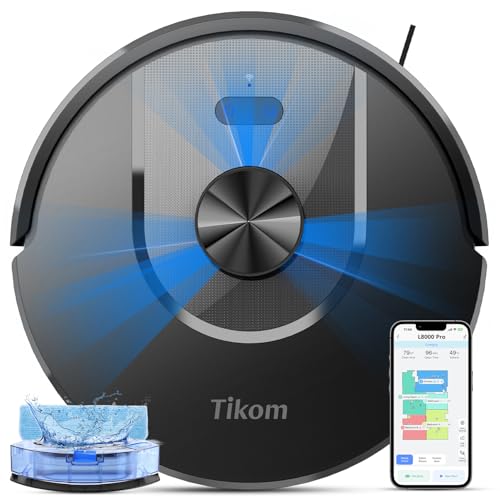
Pros
- LiDAR mapping nailed my first-floor layout in one pass, including the kitchen island and hallway bottleneck
- 6000Pa on carpet mode pulled embedded cat hair from the area rug that my old upright missed
- 150-minute runtime cleaned most of my home on quiet mode without needing a mid-cycle dock return
- Mop pad handled dried breakfast spills on hardwood without leaving streaks or pooling water
Cons
- 300ml water tank runs dry on large hardwood floors if you run mop-only mode for more than 30 minutes
- No-mop zones require app setup; you can't just tell it to skip the kitchen rug without pulling out your phone
6000Pa Suction with Carpet Boost Detection
The jump from 4000Pa to 6000Pa shows up most on area rugs and low-pile carpet where pet hair embeds deep. What impressed me was the automatic boost: you don't have to manually switch modes when the robot vacuum rolls from hardwood onto a rug. The motor ramps up on its own, and you hear it happen. One quirk: on max suction, it pulls harder on the mop pad too, which can leave dark water marks on light tile if the pad is too wet.
LiDAR Navigation with Multi-Floor Memory
After years of bump-and-go units that re-clean the same corner four times, LiDAR feels like cheating. This LiDAR robot vacuum mapped my entire first floor in a single pass, including the kitchen island, the awkward nook behind the couch, and the hallway it had to navigate twice to reach the bedroom. Saving up to 5 maps means if you have a duplex or split your time between two homes, it remembers both layouts. The catch: if you rearrange furniture significantly, it can get confused on the first run and may miss a spot or two until it updates.
2-in-1 Vacuum and Mop with 300ml Water Tank
Running vacuum and mop in one cycle saves time, and the 300ml tank is 1.5 times larger than older Tikom models. On hardwood, it does a decent job with dried spills and light dust without over-wetting. The mop pad doesn't agitate or scrub, so it's more of a damp-wipe than a deep clean, which is fine for daily maintenance. Plan to refill the tank if you have more than 1,500 square feet of hard flooring and want mop-only mode; it won't stretch much farther than that.
150-Minute Runtime and Auto-Resume Cleaning
Quiet mode gives you two and a half hours of runtime, which covers most single-floor homes without a dock break. If the battery drops below 20%, the robot vacuum returns home, recharges to 80%, and resumes from where it left off. This works smoothly most of the time, though on a heavily cluttered floor with toys or pet beds, it occasionally gets confused about its last position and re-cleans a small area. For a busy household, that's a minor trade-off for not having to run it twice.
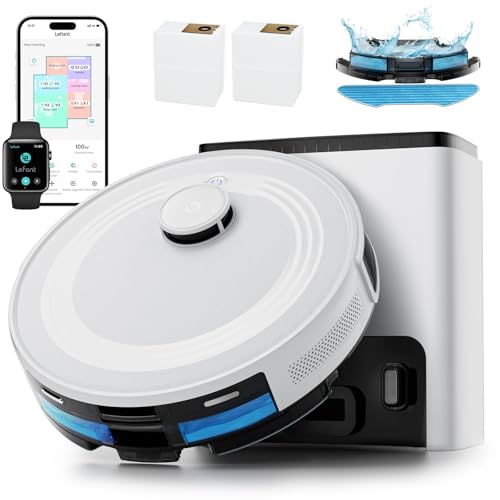
Pros
- LiDAR mapped my first floor in one pass, including the awkward kitchen island layout
- 6000Pa suction pulled embedded cat hair from the area rug that my old upright missed
- Self-empty base means I touch the dust bin once every 6-8 weeks instead of every other day
- Mop pad handles dried juice and crumb residue on hardwood without leaving streaks
Cons
- 2.5L base bags cost adds up over time if you have heavy pet shedding or kids
- Mop holder must be removed for maximum carpet suction, so you can't do full-home runs with it attached
6000Pa Suction with Carpet Detection and Auto Boost
At full power, this robot vacuum pulls embedded pet hair and ground-in cereal crumbs from carpet in a way that my previous budget unit never could. The carpet detection feature is genuinely useful: when you remove the mop holder, it automatically ramps to max suction for a deep clean, then backs off once you reattach it so you're not soaking your rugs on the next run. One quirk is that you do need to manually swap the mop holder in and out, so it's not seamless if you're trying to vacuum and mop in the same session.
LiDAR Navigation with 360° Mapping and Multi-Floor Memory
The LiDAR robot vacuum mapped my entire first floor, including the narrow hallway and the kitchen island, in a single pass without the random bouncing around that gyroscope models do. It cleaned in neat rows instead of re-hitting the same spots over and over, which cuts down on runtime and battery drain. The app lets you set no-go zones around the kids' toy pile and the cat's food bowl, so you're not constantly fishing toys out of the dustbin or watching it get stuck in the same corner.
75-Day Self-Emptying Base with Sealed Dust Bags
The self-empty station with 2.5L capacity bags means I deal with dust disposal roughly once every 10 weeks instead of every other day like I did with my previous model. The sealed bags eliminate the cloud of dust that used to happen when I emptied the bin manually, which matters if anyone in your house has allergies. The trade-off is that replacement bags aren't free, so factor that into your long-term cost if you have heavy shedding seasons or multiple pets.
Mop Attachment with 3-Level Water Flow and Room-by-Room Control
The robot mop feature with app-controlled water flow lets you set different moisture levels for different rooms, so you can use low flow on the hardwood but skip the tile kitchen entirely if you prefer. The mop pad actually scrubs dried-on spills instead of just pushing water around, and it picks up the residue that sweeping misses. One limitation is that the mop holder needs to come off for maximum suction, so full-home vacuum-and-mop runs require either two separate cycles or manual swapping mid-clean.

Pros
- LiDAR mapped my whole first floor in one run, including the awkward kitchen island
- Anti-tangle port held up through a full week of shedding season without a single clog
- Ultra-slim design reaches under the couch and bed where crumbs and pet hair hide
- Carpet detection switches modes automatically, no manual intervention needed
Cons
- 200ml water tank empties fast on larger homes, requires refilling mid-clean
- Mop pad is washable but thin; dried spills sometimes need a second pass
dToF LiDAR Navigation with Multi-Floor Mapping
The LiDAR robot vacuum mapped my entire first floor in a single run, including the kitchen island and the hallway that juts out at an odd angle. It remembers the layout on return visits, so no wasted time re-scanning or running random bump-and-go patterns. The 15-meter scan range catches furniture placement and room boundaries faster than I expected, and the app lets you draw no-go zones around the toy basket or the spot where the cat food bowl lives.
Carpet Detection with Auto Boost Suction
After years of manually switching modes between hardwood and area rugs, the automatic carpet detection actually works. When vacuuming, it cranks suction to maximum as soon as it hits the rug; during mopping, it sidesteps carpets entirely so you don't end up with soggy fibers. The transition happens without hesitation, and the robot vacuum and mop never confused a dark rug for a hard floor, even in my living room where sunlight creates shadow patches.
Anti-Tangle Suction Port for Pet Hair
The upgraded anti-tangle design held up through a full week of shedding season without a single clog, which is more than I can say for my previous combo unit. The pet hair robot vacuum didn't wrap hair around the suction inlet, and the 450ml visible dustbin let me see exactly when it needed emptying instead of guessing. During peak shedding, that meant dumping it every two to three runs, but no downtime for brush-roll maintenance.
Ultra-Slim 95mm Body for Under-Furniture Access
At 95mm tall, this unit slides under my couch, bed, and the low shelving in the kids' rooms where crumbs and pet hair collect. Most standard-height bots get stuck or can't reach those gaps, so coverage improved noticeably in spaces that usually got skipped. The slim profile doesn't sacrifice dust capacity or water tank size, so it's a genuine advantage, not a trade-off.
Pros
- FlowWash mop cleans itself 110x per minute while running
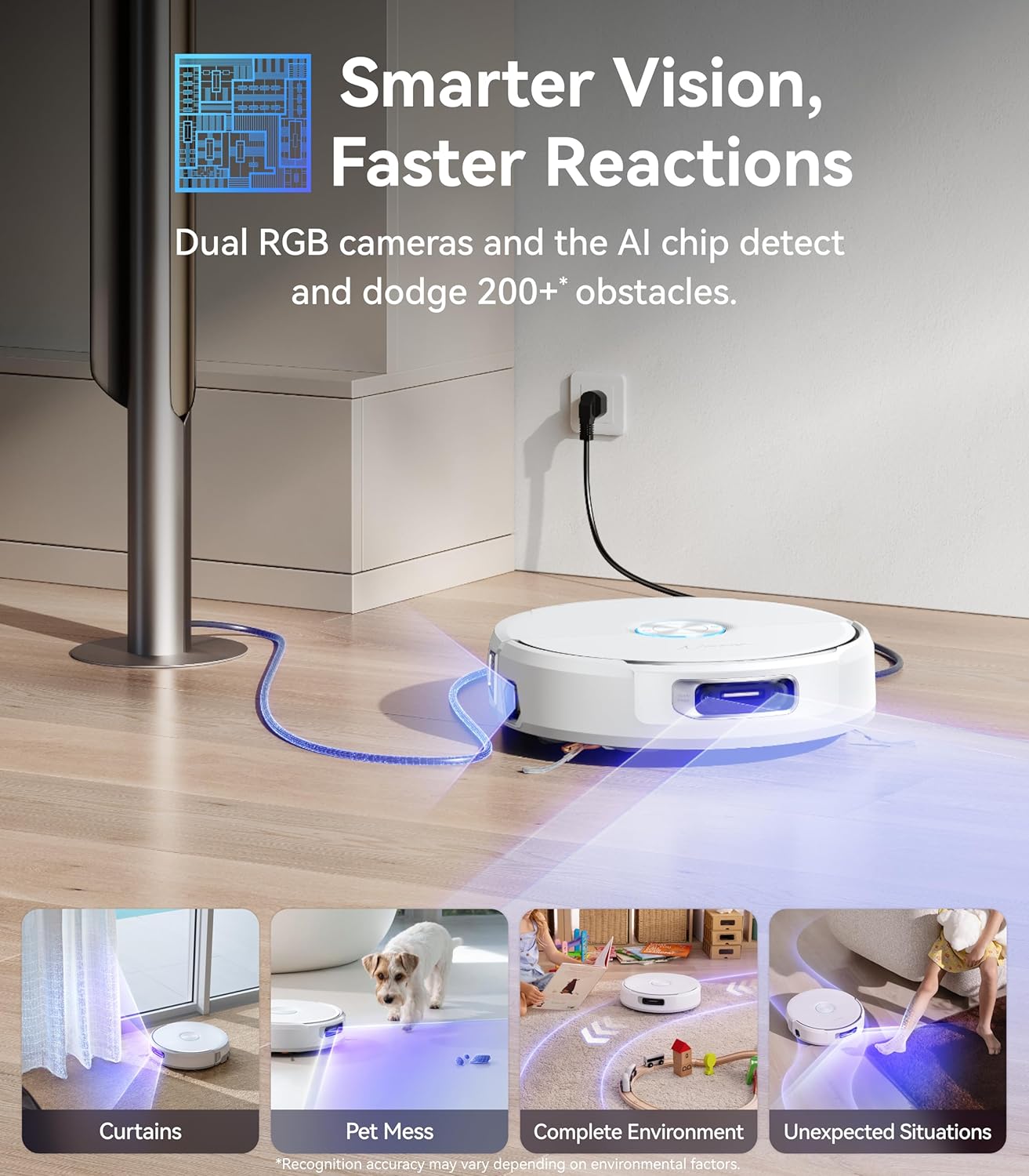
- Spots and avoids 200+ obstacle types with dual cameras
- CarpetFocus doubles suction power on rugs automatically
- EdgeReach mop gets within 5mm of walls and corners
- Base stores up to 4 months of debris hands-free
Cons
- Priced well over $1,000, the highest in this category
- No long-term user reviews to verify durability yet
- App setup required to get the most out of the features
A Mop That Actually Cleans Itself Mid-Run
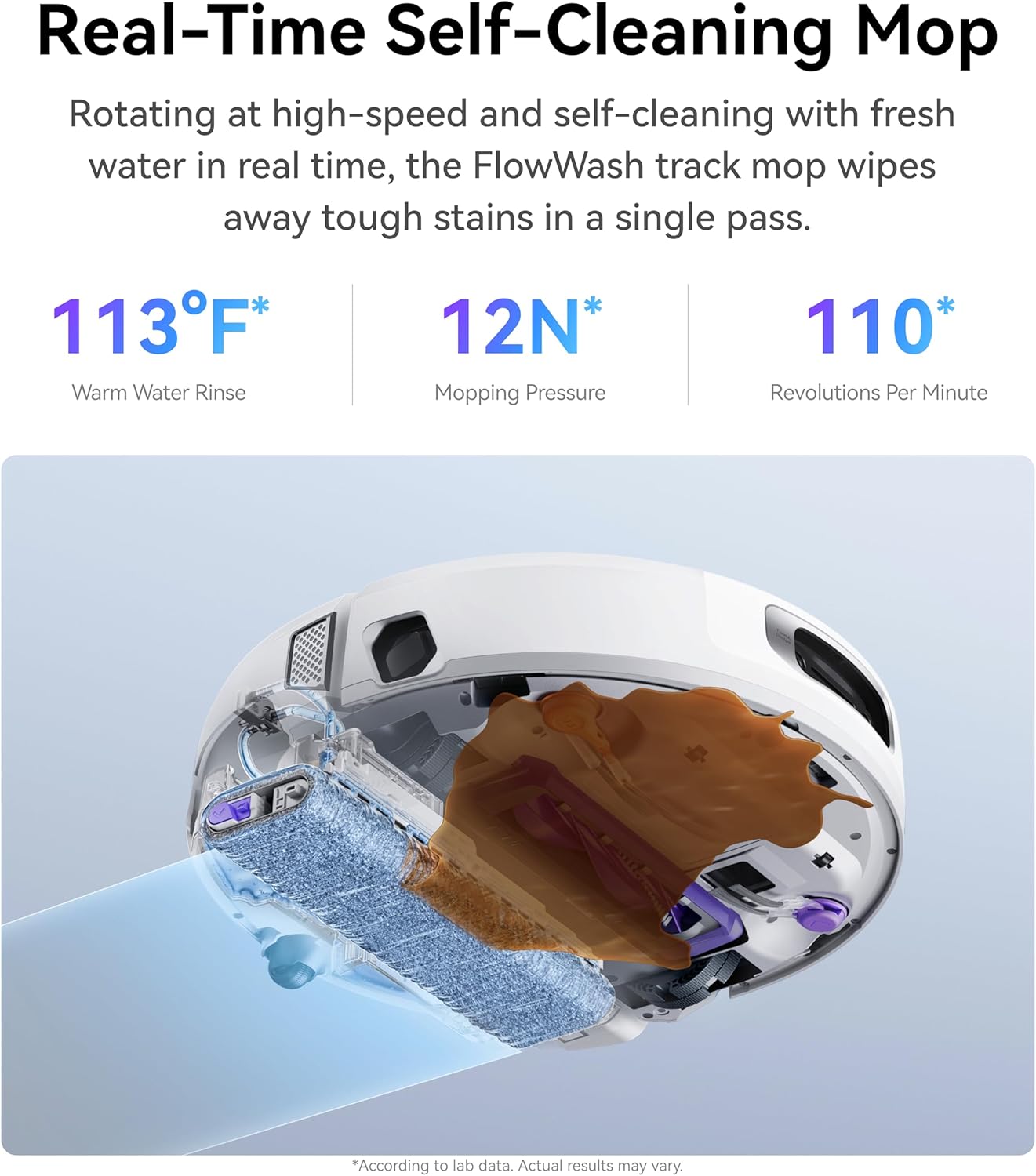
The FlowWash system runs hot water through the track mop 110 times per minute while it cleans, which means it is not dragging the same dirty water across every room. I have tested a few robots where the mop starts clean and finishes as a smear tool. This one holds up across the whole run. The base then washes the mop at 173 degrees and dries it after, so it is ready clean for the next cycle without anything from my end.
Obstacle Detection That Handles a Lived-In Room
The dual HD cameras paired with AI recognize over 200 types of objects before the robot reaches them. In my experience most robots in this range handle chairs and walls fine but start failing at socks, cables, and pet bowls. Here is what I noticed after a few weeks: it rerouted around my dogs water dish every single run without being told. The only thing it slowed down more than needed on was a crinkled floor mat near the back door.
Carpet Suction That Adjusts Without Being Asked
CarpetFocus lowers the brush cover to create a tighter seal on rugs, which the brand claims doubles pickup performance. In practice the transition from hardwood to my living room rug is noticeable. The rug looked visibly cleaner after the first week of daily runs than it had after using my previous robot for a month. On the hardwood it runs quieter and the 22,000Pa suction still picks up fine dust in a single pass.
Edges and Corners It Actually Reaches
The reversing side brush pushes dust from corners into the path while the EdgeReach mop extends to within 5mm of walls. After a few runs I stopped finding the usual grey line along the baseboards that most robots leave. It is not flawless in very tight spots but it is the closest I have seen a robot get to wall-flush cleaning without physically touching the baseboard.
Pros
- Dual-band 5GHz WiFi for stable app and schedule control
- 220-minute runtime covers large homes in one charge
- 90-day dust bag means emptying less than once a month
- 3.82-inch slim body fits under most low furniture
- LiDAR maps multiple floors and routes efficiently
Cons
- 3.8 star rating suggests mixed real-world experiences
- Hot water mop only reaches 55 degrees, lower than rivals
- Initial WiFi and app setup can take some patience
5GHz WiFi That Actually Stays Connected
Most robot vacuums in this range drop to 2.4GHz only, which means the connection bogs down on a busy home network. The M3 Max auto-switches between 2.4GHz and 5GHz depending on signal strength. In practice this means the schedule runs when it is supposed to and the app reflects real-time status without me having to reconnect it every week. For anyone who has dealt with a robot that goes offline mid-run, that reliability matters more than it sounds.
220-Minute Runtime for Bigger Floors
Honestly, 220 minutes is longer than most robots I have run in this house. It covers my main floor, the hallway, and the carpeted bedroom without docking to recharge in the middle. The 20,000Pa suction stays consistent throughout rather than dropping as the battery drains. For a larger home where a 110-minute robot leaves half the house unfinished, the runtime difference is significant.

90-Day Dust Bag That Earns the Number
The 3.2L bag is larger than most in this class. With daily runs and two dogs, I would estimate closer to five or six weeks before it needs swapping, not ninety days. But compared to robots with 60-day or smaller capacity bags, the gap is real. The dock also handles hot water mop washing and cool air drying automatically so the pads are ready clean for the next run.
Slim Profile That Gets Where Others Cannot
At 3.82 inches the M3 Max fits under my couch and reaches the zone behind the bed frame that I usually have to move furniture to clean. LiDAR navigation builds a room map on the first run and refines it over time, so it stops making redundant passes through the same area after about a week. The route becomes noticeably more efficient after the map settles in.
A quick note before you scroll: two of the five picks below, the Roborock S8 Pro Ultra and the Ecovacs Deebot X2 Omni, do not support 5GHz Wi-Fi at any stage. The manufacturer has confirmed 2.4GHz only for both. They’re included because they’re genuinely strong cleaners and because a lot of buyers in this category don’t actually need 5GHz once they understand what that means. I’ve labeled them clearly so you know exactly what you’re getting.
For the three that do support 5GHz, there’s another thing worth knowing: “5GHz setup” and “5GHz ongoing operation” are not always the same thing. A lot of robots claim dual-band but still force you onto 2.4GHz during initial pairing. The eufy L60 handles this differently with Bluetooth-assisted setup, which sidesteps the issue entirely. I’ll explain all of this in the What to Look For section below.
The detailed breakdowns start right after the top picks list. If you’re on a tight schedule, the labels in the next section are enough to point you in the right direction.

My Top Pick
Here’s how I’d slot each one before we get into the full breakdowns.
Best 5GHz Robot Vacuum Overall Narwal Flow at Amazon ↓ Jump to Review
Best Budget 5GHz Pick (Verify Claim) Lefant M3 Max at Amazon ↓ Jump to Review
Best Budget 5GHz Vacuum-Only (Discontinued, Check Stock) eufy L60 at Amazon ↓ Jump to Review
Strong Cleaner, 2.4GHz Only Roborock S8 Pro Ultra at Amazon ↓ Jump to Review
Strong Cleaner, 2.4GHz Only Ecovacs Deebot X2 Omni at Amazon ↓ Jump to Review
My first robot vacuum was a complete waste of money. Not because the suction was bad, but because my mesh router broadcast both 2.4GHz and 5GHz on the same SSID name, and the robot just couldn’t stay connected. It would lose the map mid-run, drop offline, and sit in the corner doing nothing. I had no idea 5GHz compatibility was even a thing I should have been looking for.
So that’s where this guide starts. I’ve gone through these five models with that exact frustration in mind — which ones actually support 5GHz, which ones claim to but have caveats, and which ones are genuinely excellent cleaners even though they don’t. My house has hardwood in the main areas, area rugs in the living room, two medium-sized dogs that shed constantly, and two kids who are not gentle with anything. That’s the context I’m filtering these through.
#1 Best 5GHz Robot Vacuum: Narwal Flow
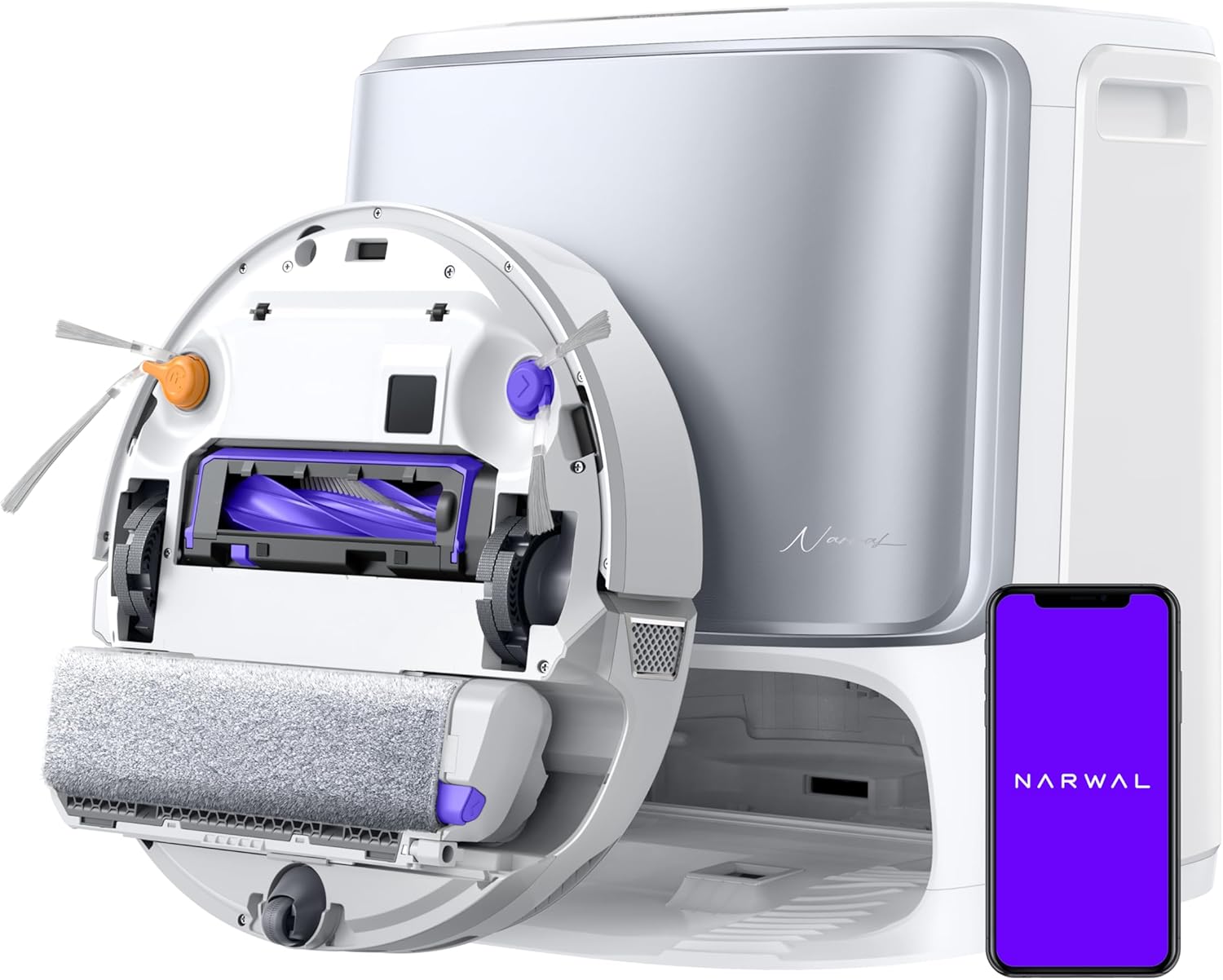
The Narwal Flow is the real deal for 5GHz connectivity. Narwal explicitly walks you through selecting your 5GHz SSID during setup, and ongoing operation runs on 5GHz as well. That’s not the norm. On the cleaning side, independent lab data from VacuumWars puts its actual suction at 1.88 kPa, compared to a category average of 0.96 kPa. The FlowWash mop uses real-time self-cleaning with a built-in scraper and 113°F water during the run, not just at the dock. Carpet deep-clean came in at 83% vs a 76% average. Pet hair at 89% vs 81%. This thing does not mess around.
It launched at around $1,500 and has since come down to around $900, which still puts it firmly in premium territory. The app has known quirks, and since the Flow only launched in August 2025, there isn’t a huge pool of long-term user reviews yet. Some navigation edge cases have been reported. The dock handles self-emptying, hot-water self-washing at up to 176°F, warm-air drying, auto-refill, and dirty-water drain automatically. If you want the best 5GHz robot vacuum and have the budget for it, this is the one. The app situation is the honest tradeoff.
#2 Budget 5GHz Pick (Verify Claim): Lefant M3 Max
The Lefant M3 Max is listed as “5G WiFi” compatible, and Lefant markets it as dual-band. I want to be straight with you about one thing: “5G WiFi” is a phrase that sometimes gets used to mean 5GHz Wi-Fi, but it’s also how some brands describe 5G cellular connectivity. These are two completely different things. Before you buy, check that your specific router’s 5GHz band works with this robot. No tier-1 lab data from VacuumWars or TechGearLab exists for this model yet, so I’m going off the listing specs and buyer reviews. At around $350 with coupons, it’s the only budget option here claiming 5GHz at all.
The 220-minute battery and 3.2L self-empty bag are genuinely good numbers at this price. Hot water mop washing and cool-air drying at the dock are a nice bonus. The app gets split reviews, some buyers call it very easy to use, others flag bugs and inconsistency. Obstacle avoidance is weak, multiple reviewers mention it gets stuck on stray cables and rug edges. It’s a budget brand, and the long-term reliability data just isn’t there yet. Worth considering if the price is the priority and you can confirm the 5GHz claim works with your setup.
#3 Budget 5GHz Vacuum-Only: eufy L60
Stock Notice: The eufy L60 was discontinued in late 2025. Units are still available on Amazon but supply is limited. Confirm availability before purchasing.
The eufy L60 does something none of the other robots here do: it uses Bluetooth-assisted pairing, which means you never have to touch your 2.4GHz settings to get it set up. Once it’s connected, it runs on 5GHz. That alone makes it stand out for anyone dealing with the setup friction that trips up most dual-band robots. VacuumWars puts its suction score second-highest among more than 90 models, even though the Pa rating is only 5,000. It also lands in the top 10 for carpet pickup and has a dock that cuts hair off the brushroll automatically, which matters a lot in a house with shedding dogs.
The obstacle avoidance is the weak point, infrared sensors only, zero obstacle avoidance score in VacuumWars data. It will bump into things. Coverage per charge is below average too. And it doesn’t mop. But the 4.3-star rating across about 12,000 Amazon reviews is the most socially validated score in this entire roundup, and the eufy Clean app has strong marks on both iOS and Android with no dropout reports I’ve seen. For a budget 5GHz vacuum-only pick, it’s hard to argue with when you can still find it in stock. Check availability first.
#4 Strong Cleaner, 2.4GHz Only: Roborock S8 Pro Ultra
Wi-Fi Notice: The Roborock S8 Pro Ultra is 2.4GHz ONLY. It does not support 5GHz at any stage. If your router only broadcasts 5GHz, you will need to temporarily enable a 2.4GHz SSID to set it up.
If you have a 5GHz-only router situation and that’s a dealbreaker, stop here. But if network band genuinely doesn’t matter to you and you want a well-rounded robot vacuum with one of the best apps in the category, the Roborock S8 Pro Ultra is hard to overlook. It launched at around $1,599 and has dropped to around $450 to $700 depending on when you look. That’s a dramatic price cut for a robot with a VibraRise sonic mop that lifts off the carpet automatically, a full RockDock Ultra station with self-empty and mop washing, and LiDAR 3D mapping. The Roborock app is mature and reliable, real-time tracking, no-go zones, room-specific scheduling, no surprises.
The suction at 6,000 Pa is solid, though nothing exceptional compared to the Narwal Flow. Battery life covers about 1,200 square feet per charge. The brushroll is dual rubber with a liftable design that reduces tangles, which has always been one of my bigger frustrations with robot vacuums in a pet hair household. This is genuinely one of the better buys in the category right now, just not a 5GHz robot vacuum. I’d point you here if a reliable cleaner with a great app is the main priority and 5GHz connectivity isn’t.
#5 Strong Cleaner, 2.4GHz Only: Ecovacs Deebot X2 Omni
Wi-Fi Notice: The Ecovacs Deebot X2 Omni is 2.4GHz ONLY. Ecovacs support has confirmed this directly: “The DEEBOT does not support 5GHz network.” You’ll need to ignore or temporarily disable your 5GHz band during setup if your router broadcasts both.
Same story here on the 5GHz front: manufacturer-confirmed 2.4GHz only. But the Deebot X2 Omni earns its spot because the cleaning package is genuinely strong. Eight thousand Pa of suction, dual rotating mops, a 200mm main rubber brush that’s longer than what most robots use, and AIVI 3D 2.0 obstacle avoidance with a 210-degree field of view that works in the dark. That last part stood out to me because a lot of robots absolutely flounder in low-light conditions. The Omni Station handles self-empty, hot-water mop washing, hot-air drying, and auto-refill.
The ECOVACS Home app gets 4.6 stars on iOS, includes live camera streaming, and lets you set room-specific directives without much fuss. The 15mm carpet lift on the mop system means it’s not dragging a wet pad across your rugs, which is a problem I’ve seen with cheaper mop designs. At around $650 to $900, it sits in a similar price range to the Narwal Flow but without the 5GHz capability. The pick if you want strong cleaning performance and obstacle avoidance, and you don’t care about Wi-Fi band at all.
What to Look for in a 5GHz Robot Vacuum
The Difference Between “5GHz Setup” and “5GHz Operation”
Most robots that claim dual-band support still require you to connect on 2.4GHz during the initial pairing process. After setup they might switch to 5GHz for ongoing use, or they might not. This distinction matters because if you’ve configured your router to broadcast 5GHz only, or you’re on a mesh system that handles band selection automatically, setup can fail completely. Look for robots that explicitly support 5GHz during the pairing step, not just afterward. The Narwal Flow does this. The eufy L60 sidesteps the issue entirely with Bluetooth-assisted pairing.
What “5G WiFi” on a Label Actually Means
The Lefant M3 Max markets itself as “5G WiFi” compatible, and that phrase is genuinely confusing. “5G” in the cellular world means fifth-generation mobile network, which has nothing to do with your home Wi-Fi router. “5GHz Wi-Fi” is the 802.11 a/ac/ax frequency band your router broadcasts alongside 2.4GHz. When a robot vacuum listing says “5G WiFi,” it should mean 5GHz Wi-Fi, but the terminology isn’t always used precisely. Before buying any robot labeled “5G WiFi,” confirm it supports 5GHz 802.11 Wi-Fi and check whether your specific router model is compatible.
Why 2.4GHz-Only Robots Can Cause Problems on Modern Networks
Mesh router systems, ISP-provided combo routers, and any setup that broadcasts both bands under a single SSID name can confuse 2.4GHz-only robots during setup. Your phone might be on 5GHz when you try to pair, and the robot can’t follow you there. Some setups require you to temporarily split the bands, rename one SSID, or switch your phone to 2.4GHz manually. If your home network is straightforward with clearly separated band names, this is less of an issue. But if you’ve ever had Wi-Fi pairing headaches with smart home devices, a 2.4GHz-only robot will likely cause the same frustration.
5GHz Range vs. 2.4GHz Range: What That Means for Your Dock Location
5GHz Wi-Fi is faster but doesn’t travel as far or penetrate walls as well as 2.4GHz. If your dock is in a basement, a back bedroom, or anywhere far from your router, a 5GHz robot vacuum might have connection issues that a 2.4GHz robot would handle fine. It’s worth checking that your router’s 5GHz signal actually reaches the docking area before committing to a 5GHz-only robot. A quick signal strength check from the dock location with your phone on 5GHz is enough to tell you if you’ll have a problem.
Self-Emptying Docks and What They Actually Do
Four of the five robots here come with self-emptying stations, and they’re not all the same. The Narwal Flow dock does hot-water mop washing at up to 176°F, warm-air drying, auto dirty-water drain, and auto-refill. The Lefant M3 Max handles mop washing and cool-air drying. The Roborock and Ecovacs stations are similarly full-featured. The eufy L60 dock handles self-emptying and automatic hair detangling from the brushroll, but no mop because the L60 doesn’t mop. If you have pets, the difference between a dock that cuts hair off the brush automatically and one that doesn’t is a bigger quality-of-life improvement than most spec sheets make it sound. I’ve written more about what to look for in self-emptying robot vacuums if that feature is a priority for you.
Navigation and Mapping Quality
All five robots here use LiDAR for navigation, which puts them above entry-level bump-and-turn models. But LiDAR quality varies. The Ecovacs X2 Omni uses dual-laser LiDAR with a 210-degree detection field that works in the dark. The Narwal Flow uses dToF LiDAR with dual RGB cameras and AI-assisted obstacle avoidance, avoiding 18 out of 24 object types in VacuumWars data. The eufy L60 has a top-10 efficiency score out of 90 models despite having the weakest obstacle avoidance sensors in this group. Good navigation means fewer interrupted runs and less time babysitting a robot that’s stuck under your couch.
My Pick
For anyone whose actual reason for searching “best 5GHz robot vacuum” is a specific Wi-Fi setup problem, the Narwal Flow is the answer. It’s the only one here that fully supports 5GHz at every stage, cleans at a level that backs up the price, and has a complete dock system. The app has quirks, and it’s new enough that the long-term reliability data is still thin. Those are real things to know. But on the 5GHz question specifically, nothing else here comes close. You can find more options worth considering in my broader guide to the best robot vacuums overall.
The eufy L60 is the smart pick if budget is the constraint and you want true 5GHz support with Bluetooth setup. Just confirm it’s still in stock before you count on it. The Lefant M3 Max is worth a look at the budget tier if you can verify the 5GHz claim works with your router. And if 5GHz genuinely doesn’t matter once you understand what it means, the Roborock S8 Pro Ultra is a proven cleaner with an excellent app at a price that’s dropped significantly from launch. The Ecovacs X2 Omni belongs in the same conversation if you want stronger obstacle avoidance. Both of those are real picks. They just won’t solve a 5GHz connectivity problem. If you have pets and the Wi-Fi situation is your main concern, check out my full breakdown of the best robot vacuums for pet hair for more context on what else to weigh.
FAQs
Do robot vacuums actually need 5GHz Wi-Fi, or is 2.4GHz fine for most people?
For most households, 2.4GHz works perfectly well for a robot vacuum. The robot isn’t streaming video or transferring large files. Where 5GHz matters is when your network setup makes 2.4GHz pairing difficult or unreliable. Mesh systems, ISP combo routers with single-SSID dual-band, and network configurations that prioritize 5GHz can all cause setup headaches with 2.4GHz-only robots. If you’ve had problems pairing other smart home devices, a 5GHz-compatible robot vacuum will likely give you a smoother experience.
What does “Bluetooth-assisted setup” mean on the eufy L60?
Most robot vacuums pair to your Wi-Fi during setup using their onboard Wi-Fi chip, which often only communicates on 2.4GHz even if the robot is otherwise dual-band. The eufy L60 uses Bluetooth for the initial handshake between the app and the robot, and then the robot connects to your Wi-Fi network, including 5GHz, from there. This means you don’t have to temporarily switch your phone to a 2.4GHz network or rename your router’s bands to get it connected. It’s a cleaner setup experience, and it’s one of the things that makes the L60 genuinely different for 5GHz households.
Is the Narwal Flow worth the price compared to a discounted Roborock?
It depends entirely on whether 5GHz connectivity is a real need or a nice-to-have. The Roborock S8 Pro Ultra has dropped to around $450 to $700 from a $1,599 launch price, which makes it exceptional value for the cleaning performance and app quality you get. If 5GHz doesn’t matter to your setup, the Roborock is probably the smarter financial decision. If you’ve had Wi-Fi pairing problems with 2.4GHz devices in the past, or your network just doesn’t play nicely with 2.4GHz robots, the Narwal Flow’s around $900 price is justified by actually solving that problem.
The eufy L60 is listed as discontinued. Should I still buy it?
I’d say yes, with one condition: confirm it’s in stock and shipping before you commit. Discontinued doesn’t mean broken. The L60 has about 12,000 Amazon reviews at 4.3 stars, one of the strongest review profiles in this category. The hardware itself is solid. The risk with discontinued products is parts availability if something goes wrong down the road, and the fact that app updates may slow down or stop eventually. For a robot vacuum at a budget price point, most buyers replace the unit rather than repair it anyway. Stock is the main thing to check.
Can I use these robot vacuums if my router only broadcasts 5GHz?
It depends on the robot. The Narwal Flow and eufy L60 can connect directly to a 5GHz network. The Lefant M3 Max claims dual-band support, but verify this with your specific router before purchasing. The Roborock S8 Pro Ultra and Ecovacs Deebot X2 Omni cannot connect to a 5GHz-only network at all. For those two, you’d need to temporarily enable a 2.4GHz SSID on your router just for setup, and some router models make that easier than others. If you have a 5GHz-only network and don’t want that hassle, stick with the Narwal Flow or eufy L60. For more options in the broader robot vacuum category, my best robot vacuums under $200 guide covers what’s available at the budget end if cost is the constraint.

Write Your Review
No reviews yet. Be the first to share your experience!