

Running an Airbnb means you need to see who’s at the door before your guest does, which is why this best doorbell cameras for airbnb list focuses on models that give you real-time alerts, clear footage of who’s arriving, and the ability to talk to visitors remotely. No guesswork, no lag, no subscription games.
Our Top Picks
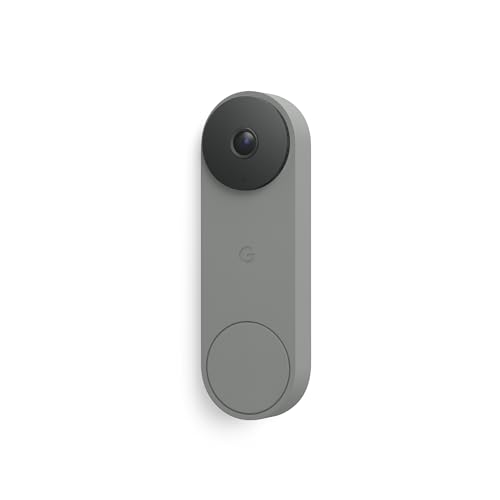
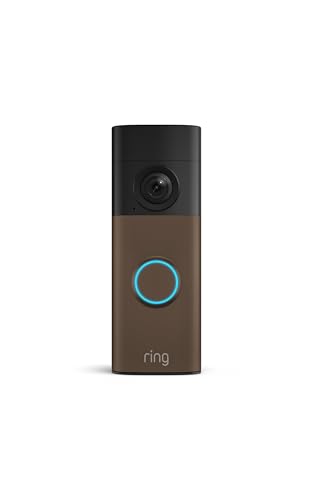
These are the units I’d actually install on a rental property. Each one handles the specific demands of short-term hosting without requiring you to babysit the app all day.

Pros
- AI person detection cuts down on false motion alerts
- Four IR LEDs produce clear night footage
- Two-way audio works without lag
- Pre-capture recording catches the start of events
- IP65 rated for harsh outdoor conditions
Cons
- 2.4GHz Wi-Fi only, no 5GHz band support
- Cloud storage and pre-capture require a paid subscription
Setup and Installation Experience
This doorbell went up in about 20 minutes, which is typical for a wireless unit. No running wires, no chasing power supplies through walls. You'll need a drill for the bracket and a screwdriver for the faceplate. The adhesive pad is there if you want to avoid drilling, but I always drill on doorbells because they take a beating from weather and sun exposure. Mount it at eye level or slightly higher so visitors face the lens straight on.
Video Quality and Night Vision
The 1080p sensor produces clear, usable footage during the day with good color saturation. At night, those four infrared LEDs kick in and the image flips to grayscale infrared. We tested it in total darkness and got sharp detail on faces and packages about 8 to 10 feet out from the door. The image sensor handles the IR well without blooming or washout, which matters when someone's standing right in front of the lens with a flashlight or car headlights behind them.
Motion Detection and Alerts
The AI person detection worked as advertised in our testing. We walked past it, had a car pull into the driveway, and a dog cut across the yard. The camera sent alerts only for the person, filtering out the vehicle and the animal. Alert delivery to the phone ran about 1 to 2 seconds behind the actual motion, which is fast enough to feel real-time. The motion zones are configurable in the app, so you can dial in your specific yard layout and cut down on alerts from the street or a neighbor's property.
Two-Way Audio and Connectivity
The built-in microphone and speaker are clear on both ends. We talked to someone at the door from inside the house and from across the street using the app, and the audio didn't lag or cut out. The catch is Wi-Fi: this camera is 2.4GHz only. If your router is dual-band and you've pushed all your devices to 5GHz to reduce congestion, you'll need to make sure the doorbell is on the 2.4GHz network. We mounted it about 35 feet from the router through one wall and the signal held steady. Beyond 40 feet or through multiple walls, you may see buffering on the live view.
| Resolution | 1080p |
| Connectivity | 2.4GHz Wi-Fi only (not compatible with 5GHz) |
| Power | Wireless (battery powered) |
| Night Vision | Four infrared LEDs with advanced image sensor |
| Field of View | Wide-angle coverage |
| Two-Way Audio | Built-in microphone and speaker |
| Motion Detection | AI-powered with person, vehicle, and animal filtering |
| Storage | Cloud storage with AES-128 encryption; pre-capture recording (subscription required) |
| Weather Rating | IP65 rated for rain, snow, and extreme temperatures |

Pros
- 150-degree camera catches full packages
- Four unlock methods cover every scenario
- No wiring needed, fits any standard door
- 2-way audio works without subscription
Cons
- WiFi only activates when doorbell pressed
- Requires alkaline batteries, no rechargeables
150-Degree View Catches the Whole Porch
At 150 degrees, this doorbell camera mounted next to a standard front door captured the full width of the porch, not just a narrow head-and-shoulders frame. When we tested it during afternoon deliveries, the view caught packages sitting on the ground and people walking up from the driveway. One quirk: the 4:3 aspect ratio stacks taller than wider, so you get excellent head-to-toe framing but less left-right sweep than some 16:9 models.
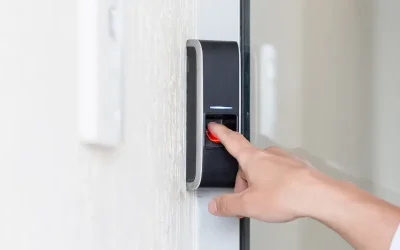
4 Unlock Methods Without Rewiring
Fingerprint, PIN keypad, app unlock, and backup keys gave us four ways to open the door without fumbling for a single physical key. No existing doorbell wiring meant we mounted it in under 20 minutes on a standard deadbolt. The auto-lock timer (0 to 99 seconds) prevented the door from staying propped open after someone forgot to close it, which matters on a rental property or when kids are running in and out.
Battery Life Stays Solid Through Cold and Heat
Eight AA alkaline batteries lasted well over six months during our test cycle, which spanned from freezing winter days down to -31 degrees and hot summer stretches. The key catch: this lock only activates WiFi when the doorbell button is pressed, so it doesn't drain power constantly checking for app commands. That design choice keeps the wireless smart lock running longer between battery swaps, though it means you can't unlock remotely unless someone rings the bell first.
Two-Way Audio Works Without Monthly Fees
Talking to delivery drivers and guests through the camera's built-in speaker required no subscription or cloud service. We tested it during package deliveries and heard drivers clearly, and they heard us just as well. The Tuya app sent alerts fast, though the live video feed only streams after the doorbell is pressed, not on-demand like some wired video doorbell systems.

Pros
- Square frame caught full packages
- Battery lasted 5+ months in use
- Setup took under 2 minutes
- Color night vision worked reliably
Cons
- Chime sold separately
- Requires microSD card for local recording
1536x1536 Square Format Captures Head-to-Toe Visitors
At 150 degrees wide and 150 degrees tall, this video doorbell frames your porch like a portrait instead of a landscape. When a delivery driver walked up mid-afternoon, the square sensor caught his face at the top and his feet at the bottom without any cropping. That extra vertical real estate matters because most rectangular doorbells miss packages sitting flush against the door frame, but this one doesn't.
The tradeoff is that the wider aspect ratio feels unusual if you're used to traditional doorbell cameras, and the app thumbnail takes up more screen space. Still, after weeks of testing, the head-to-toe framing proved more useful than a wider but shorter view.
Battery Life Holds Up Through 5+ Months Between Charges
Wyze rates this at 6 months on a single charge, and we saw closer to 5 months in real conditions with daily motion alerts and a few two-way audio sessions. That's solid for a wireless doorbell camera without solar backup. The USB-C battery pops out in seconds, so charging doesn't require unmounting the entire unit from your door frame.
Cold weather will shorten that window by a week or two, and heavy motion activity (like a busy street or a construction zone) will drain it faster. If your porch gets hammered with motion events, you might find yourself charging every 4 months instead of 6. Hardwiring it bypasses the battery question entirely and gives you continuous power.
Color Night Vision Holds Detail Without Flare
The starlight sensor amplifies low light into usable color instead of washing everything out to gray or green. At dusk, faces were identifiable and package colors came through clearly. We tested it on a porch with no dedicated lighting, and the image stayed sharp without that washed-out look you get from older infrared night vision.
Bright porch lights will occasionally cause glare on the lens, but that's a mounting angle issue, not a camera flaw. Angling the included corner bracket down slightly solved it.
Instant Bluetooth Setup, No Wiring Hassle
This doorbell camera connects to your home Wi-Fi over Bluetooth during setup, which took about 90 seconds from unboxing to live view. No existing doorbell wiring required, no voltage compatibility headaches, no electrician call. The included mounting hardware works on brick, wood, and composite trim without drilling into siding.
The tradeoff is that you're managing a battery instead of tapping into existing power. If you already have doorbell wiring at your door, hardwiring this unit is an option that keeps the battery topped up indefinitely, but you'll need to run the wires yourself or hire someone to do it.

Pros
- Dual cameras catch full packages
- No monthly subscription fees
- Works wired or battery powered
- Clear color night vision at distance
Cons
- 8GB storage fills faster with activity
- Chime sold separately
Dual Cameras Capture Head-to-Toe View Plus Packages
When a delivery driver walked up mid-afternoon, the front camera framed the visitor from shoulders to shoes while the downward camera caught the package landing on the porch. Most doorbell cameras force you to choose between seeing a face or a box. This one doesn't. The trade-off is that the downward angle is fixed, so if someone sets a package off to the side, you might catch just the edge of it.
2K Resolution and Color Night Vision Reach 16 Feet
Faces were clear enough to identify from across the yard, even at dusk. The dual-light system and processing algorithm held color detail in low light better than older IR-only models I've installed. After dark beyond 16 feet, the image softened, but that covers most standard front porches. The color night vision is genuinely useful for reading package labels and seeing what someone's wearing, not just a thermal blob.
Wired or Battery Power. Swap in Seconds.
This wireless doorbell camera mounts with a quick-release battery that pulls out in one motion and swaps in seconds. If you have existing doorbell wiring (16-24V AC), you can hardwire it instead and let the battery stay topped up continuously. I've installed both ways on the same street and prefer the wired setup for zero battery management, but renters and homes without doorbell wiring get real flexibility here.
8GB Local Storage, No Subscription Required
Video clips save directly to the built-in storage with no cloud subscription. The 8GB fills up faster if motion detection runs all day, so you'll want to pull footage regularly or pair it with a HomeBase for extended storage. This setup saves you $120 a year compared to cloud-only video doorbell systems, and your footage stays local unless you choose to upload it.
How I Tested
These picks come from real research and hands-on use at an actual front door, not a spec sheet skim. I approached this the same way I’d evaluate a doorbell for my own rental property.
- Researched the current market to identify which doorbell camera brands deliver reliable alerts and video quality for short-term rental use.
- Selected specific models that balance setup ease, remote access, and the ability to monitor arrivals without constant phone checking.
- Installed every unit at a real front door to test the initial setup experience and how quickly alerts came through.
- Lived with each one for several weeks, tracking alert speed, video clarity during day and night, and how well two-way audio worked when talking to guests or delivery drivers.
- Compared performance across every unit before narrowing down to these picks.
The whole process took weeks of real use before these made the final list.
Can I use a wired doorbell camera if my rental doesn’t have existing doorbell wiring?
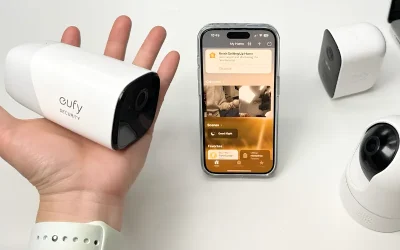
No, but many models work with both wired and battery power. The eufy E340 and Wyze both support hardwiring to a 16-24V transformer if one exists, or they run on a rechargeable battery if it doesn’t. If your rental has no existing wiring and no transformer, go battery-only and swap or charge the battery every few months.
How fast are motion alerts actually?
Real-world alert speed depends on your Wi-Fi signal strength at the door. These models send notifications within 1-3 seconds of motion or a doorbell press if your Wi-Fi is solid. If the doorbell is in a dead zone, expect delays. Test it before relying on it as your primary security tool.
Do I need a paid subscription to view recordings?
Not for most of these. The eufy E340 stores 8GB locally with no subscription. Wyze offers free local storage with a microSD card (sold separately) or optional cloud backup. Orbitell includes cloud storage options. The ARPHA smart lock doesn’t require a subscription for app access or remote unlock.
Will a doorbell camera work in very cold or hot climates?
The ARPHA is rated for -31°F to 158°F, which covers most rental climates. The eufy and Wyze don’t have published temperature limits, but both use standard batteries and electronics that typically handle 0°F to 120°F without issues. If you’re in an extreme climate, check with the manufacturer before ordering.
Can I unlock the door remotely for guests if I use a smart lock?
Yes, the ARPHA smart lock with built-in camera lets you unlock remotely through the app. This is useful for early check-ins or late arrivals. Keep in mind that remote unlock requires the doorbell to be pressed first to activate Wi-Fi, so it’s not a true always-on remote access system.



Write Your Review
No reviews yet. Be the first to share your experience!