

My honest quick take: the Coredy R650 Ultra is the one I’d go with in this price range. It’s the only robot here that actually follows a structured path instead of bouncing around randomly, and it handles pet hair better than anything else in this group. If noise bothers you and you don’t need an app, the eufy RoboVac 11S MAX is the quieter, simpler backup.
Everything I Recommend
These are the models worth considering if you’re shopping for the best robot vacuum under $150 right now. I update this list when prices shift or better options come in.
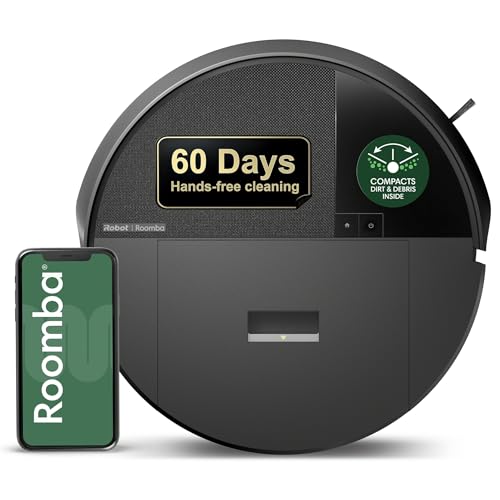
Pros
- LiDAR mapped my whole first floor in one run, including the awkward kitchen island
- 60-day dust compactor means I stop thinking about the bin for two months straight
- Four suction levels let me run light passes on hardwood without waking the kids at nap time
- 3+ hour battery finished my 1,200 sq ft main floor without needing to dock mid-clean
Cons
- Dockless design means you still need to empty the compacted dust bin eventually, just less often
- No self-emptying base means when that 60 days is up, you're dealing with a very full, compacted bin
LiDAR Navigation with Neat-Row Cleaning Pattern
After running this through my living room and kitchen, the LiDAR mapping picked up the whole first floor in a single pass, including the weird angles around my island and the narrow hallway leading to the bedrooms. Unlike the bump-and-go model I had years ago, this one cleans in organized rows instead of bouncing around randomly, which means fewer missed spots under the couch and less time wasted re-cleaning the same patch of hardwood twice. The mapping works even when I run it at night with the lights off, which is when I usually schedule it to avoid the chaos of the day.
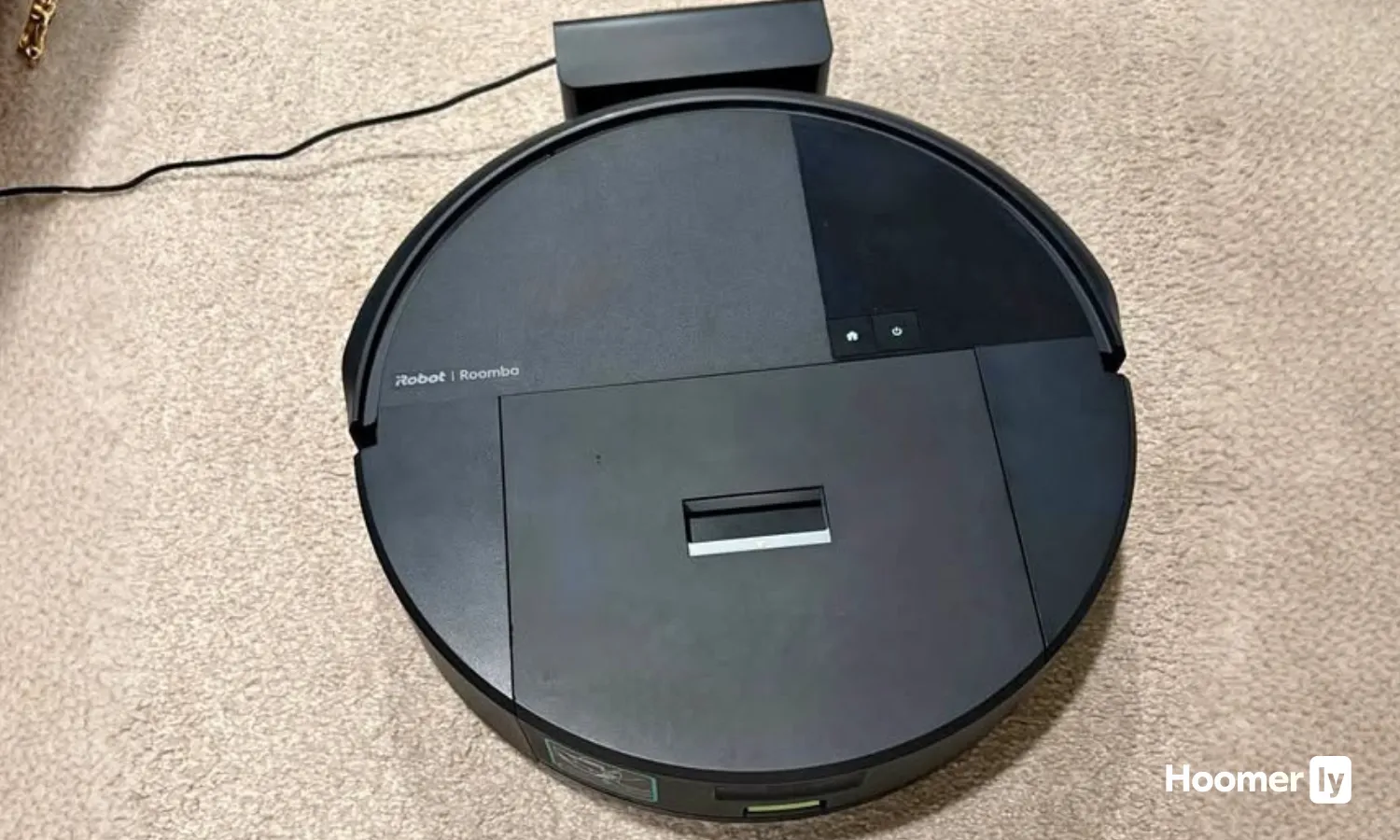
Built-In Dust Compactor with 60-Day Capacity
The compactor continuously crushes debris inside the robot, so the bin doesn't fill up after a single run like every other robot vacuum I've owned. My cat sheds year-round, and I've got two kids who treat the kitchen like a snack zone, but I went six weeks before the bin actually felt full enough to empty. That's a real quality-of-life win for a busy parent who doesn't want to think about maintenance every few days. The trade-off is that when you do empty it, the compacted dust is densely packed, so you're dealing with a heavier load than a loose-debris bin.

70X Suction Power with Four Adjustable Levels
Running this on max suction pulled cat hair out of my area rug that my old upright had missed, and the 3-stage cleaning system with the edge-sweeping brush actually got into the corners where dust and pet hair hide. I use level two for daily light passes on hardwood to keep noise down during the day, then bump it to level four on weekends when I need a deeper clean on the carpet in the kids' bedrooms. The power-lifting suction is noticeably stronger than the older Roomba models I tested on the sales floor, and it handles both low-pile carpet and hard floors without getting stuck or losing momentum.
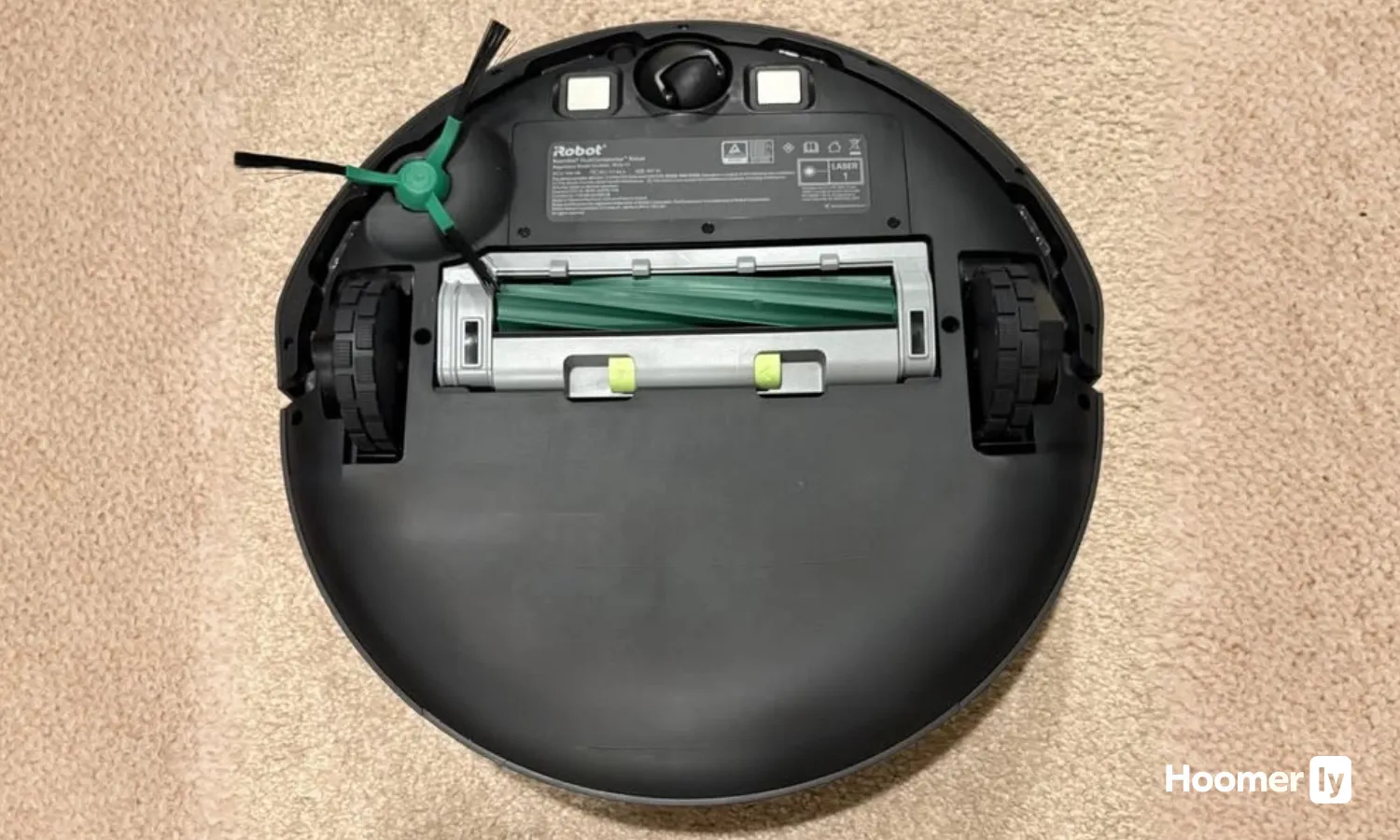
3+ Hour Runtime with Auto-Return and Resume
The battery lasted the full clean of my 1,200 sq ft main floor without needing to dock mid-job, which is rare for a LiDAR robot vacuum in this price range. When the battery does get low, it automatically heads back to charge and then finishes cleaning where it left off, so you're not stuck with half a floor done. On standard suction mode, the runtime stretches even longer, which means you can set it to run once a day and actually cover everything without babysitting it.

Pros
- LiDAR mapping creates neat cleaning rows, not random coverage like older bump-and-go models
- 70X suction pulls pet hair and dust from area rugs that my old upright always missed
- App scheduling and no-go zones prevent it from getting tangled in cords or stuck under furniture
- Recharge-and-resume means it finishes large homes without me babysitting it
Cons
- Standard bin fills quickly with pet hair; needs emptying every 2-3 runs during shedding season
- 2.4GHz WiFi requirement can be finicky if your router is far from the charging dock
100-Minute Runtime on Hard Floors
A full clean of my kitchen, dining room, and living room happens in one session without the unit docking to recharge halfway through. That's the reality of the 100-minute claim on hardwood—long enough to handle most single-level homes or the main living areas of a larger house. On carpet the runtime drops, but the robot vacuum still gives you 60+ minutes, which covers a solid footprint before needing to dock.
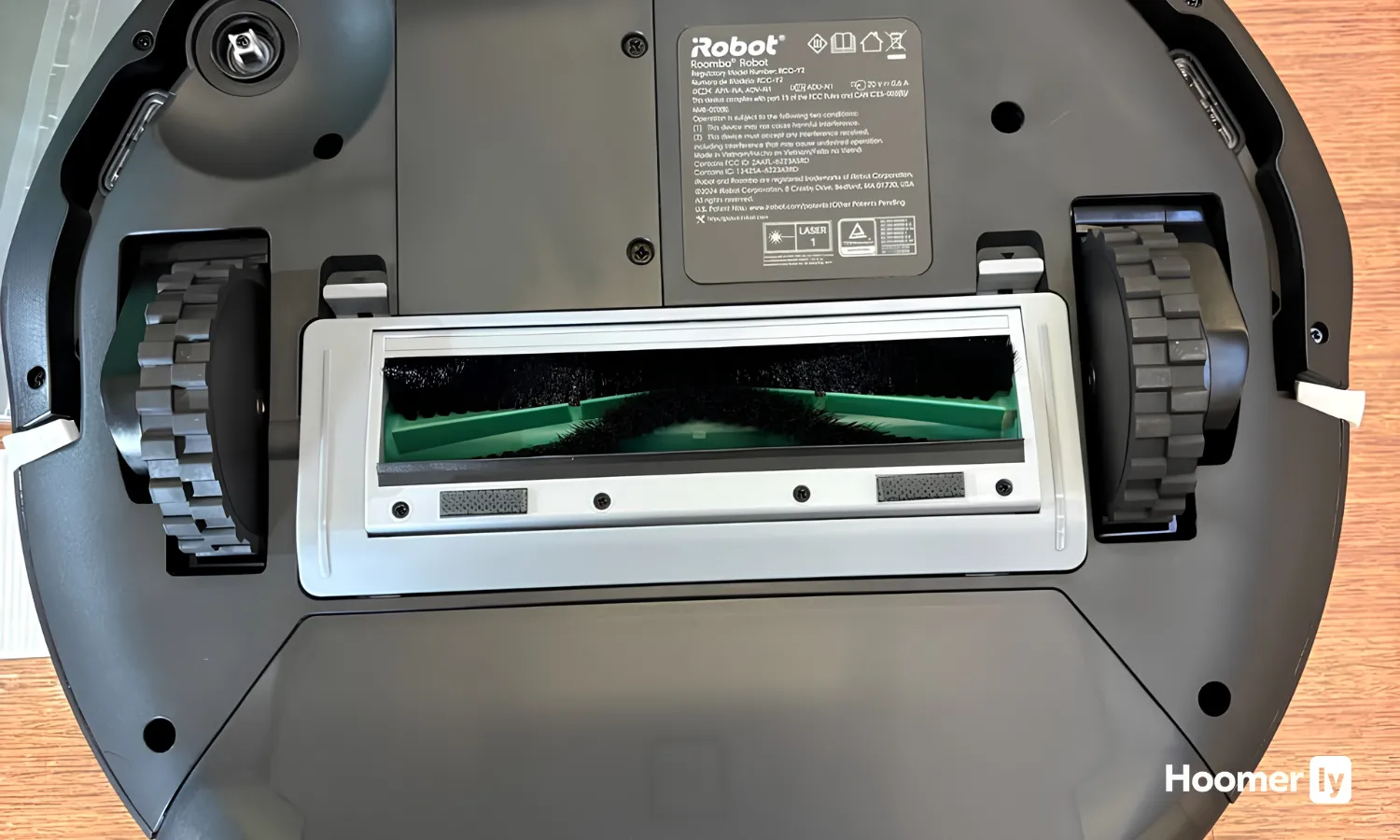
BoostIQ Suction Adjustment Within 1.5 Seconds
Watching the suction ramp up when the unit transitions from hardwood to the area rug in my living room happens fast enough that you barely notice the pause. The robot vacuum doesn't labor or struggle on the carpet like some budget models do—it adapts on the fly instead of running at one fixed power level. The tradeoff is that constant power adjustment drains the battery a bit faster on mixed-surface homes, but the performance trade-off is worth it if you have both hard floors and carpet.
2.85-Inch Slim Profile Fits Under Low Furniture
My couch is about 3 inches off the ground, and this unit slides under it to grab the pet hair and dust that accumulate there. Most of the furniture in an average home sits high enough for this to squeeze underneath, which means fewer corners left untouched. The slim design doesn't sacrifice bin capacity the way some ultra-thin models do, so you're not emptying it constantly.

Remote Control Operation Without App Dependency
No WiFi setup, no app crashes, no waiting for connectivity to work. The remote control sits on my kitchen counter, and scheduling a run takes two button presses instead of opening an app and waiting for it to load. For a busy household, this simplicity means you actually use the vacuum consistently instead of getting frustrated with connection hiccups.

Pros
- Fits under my couch and bed where every other bot got stuck
- 100-minute runtime handles my whole first floor in one go
- BoostIQ bumps suction fast enough to catch the carpet transition without choking
- Remote control is dead simple; no app to glitch or forget passwords
Cons
- No mapping memory means it re-cleans the same spots and misses others on bump-and-go pattern
- Small bin requires emptying every other run if you have shedding pets
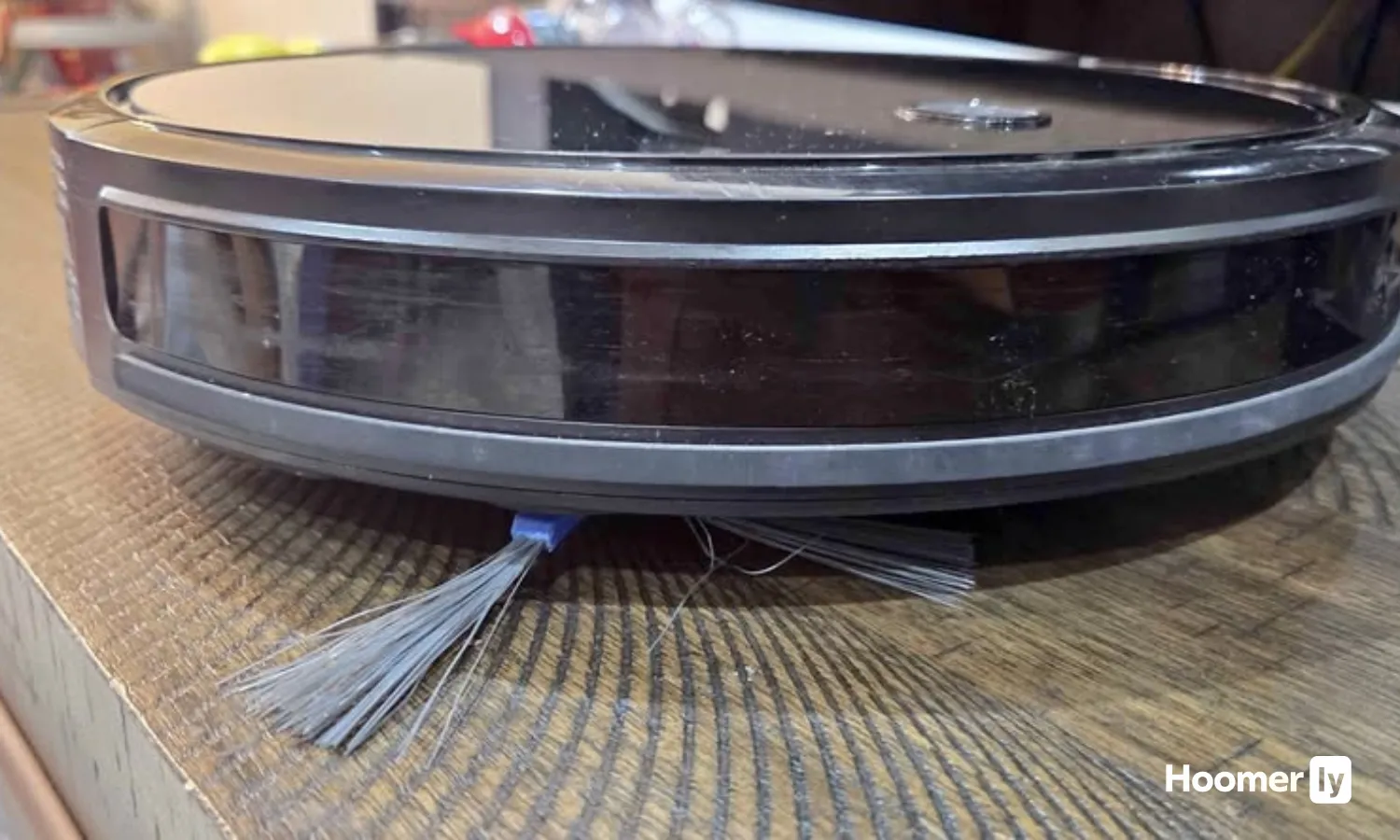
2.85" Slim Profile for Under-Furniture Access
The low-profile design squeezes under my couch and bed frame where previous robot vacuums stopped short by half an inch. This matters because pet hair and crumbs accumulate in those unreachable zones, and most families don't move furniture weekly to clean underneath. The tradeoff is a smaller dust bin, which I'll cover in the cons.
100-Minute Runtime on Hardwood Floors
Running a full 100 minutes on hardwood means my entire first floor, including the kitchen, dining room, and living room, cleans in a single cycle without returning to the dock mid-job. On carpet, expect closer to 60-70 minutes depending on BoostIQ activation, so a two-story home or large open layout might need a second charge. For apartment-size or single-floor homes under 1,500 square feet, this runtime eliminates the "did it finish?" question.

BoostIQ Suction Adjustment Within 1.5 Seconds
When the bot transitions from hardwood to the area rug or hits the low-pile carpet in the hallway, BoostIQ detects the change and ramps suction automatically. On hardwood alone, it runs quieter and longer; the moment it senses carpet, power climbs. There's no app to fiddle with or manual modes to switch, so the adjustment happens whether you're in the room or not, which is exactly how it should work for a robot vacuum without smart features.
Remote Control Operation, No WiFi Required
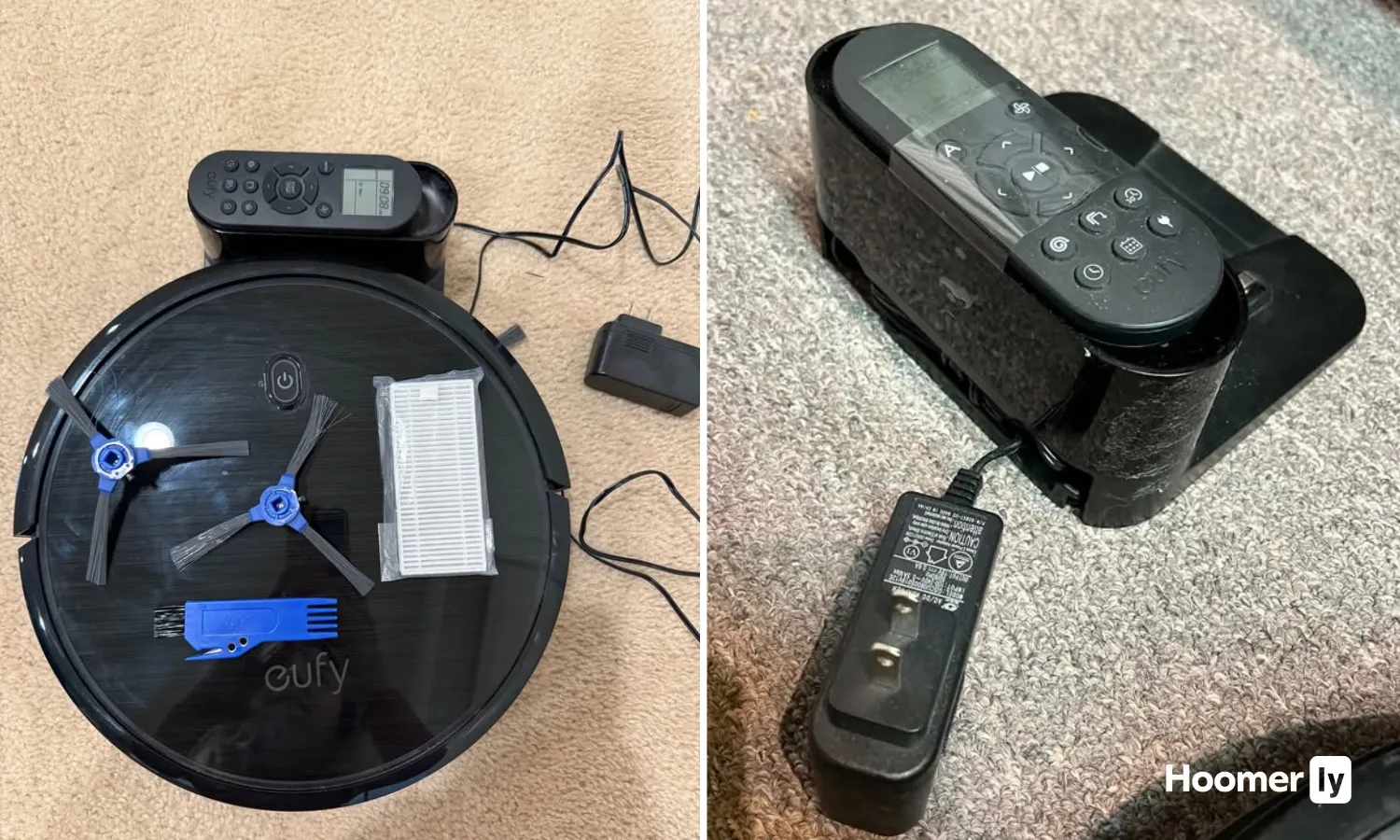
All commands go through the physical remote or buttons on the unit itself. No WiFi setup, no app account, no connectivity issues when your router hiccups. For families tired of smart-home complications, this is refreshing; you press start, it cleans, you press dock. The limitation is no scheduling from your phone or geofencing, so if you want it to run while you're out, you need to set it up before you leave.

Pros
- 5000Pa pulls embedded pet hair from area rugs better than budget bump-and-go models
- Mop tank and vacuum bin work together without tangling or backing up the system
- Slim profile actually fits under my couch, unlike taller combo units
- 150-minute runtime covers my whole first floor on one charge
Cons
- No mapping means it cleans in random patterns, missing some spots and re-cleaning others
- 300ml water tank runs dry on large hard-floor homes, requiring mid-clean refill
5000Pa Suction on Carpet and Hard Floors
At 5000Pa, this robot vacuum pulls pet hair and dust out of area rugs without the extra noise of a max-power mode running all day. My cat's shedding season used to leave visible hair on the dining room rug after my old unit passed through; this one gets most of it on the first pass, though on low-pile carpet with ground-in debris, a second pass sometimes catches what the first missed.
Simultaneous Vacuuming and Mopping with 300ml Water Tank
Running vacuum and robot mop functions at the same time actually works without the mop pad dragging or the suction backing up, which I was skeptical about. The 300ml water tank works fine for my kitchen and hallway, but if you have a large open-concept hard-floor space or tile throughout, you'll need to refill mid-clean or run it in mop-only mode on a second pass to avoid dry-mopping the second half of your home.
Ultra-Slim 2.99-Inch Design Fits Under Low Furniture
Most robot vacuum and mop combos are too tall to slide under my couch or the kids' bed frames, which is where hair accumulates fastest in a pet household. This one actually fits, and the anti-collision sensors keep it from wedging itself under a chair leg and needing a rescue at midnight.
Four Control Methods for Different Routines
App, remote, voice, and button controls mean my partner can start a clean from the bedroom, I can trigger one from the kitchen via app, and the kids can press the button without accidentally setting it to a wrong mode. The trade-off is that without mapping, you can't schedule recurring cleans or set no-go zones through the app, so each run follows the same unpredictable pattern.

Pros
- LiDAR mapping nails the layout first run, no wasted passes or missed corners
- Slim profile fits under beds and low sofas where pet hair and crumbs hide
- Auto carpet detection prevents mop water damage when switching between floor types
- 170-minute battery handles most homes without needing a mid-clean dock return
Cons
- Mop function is basic wipe, not scrub—dried spills need a pre-wipe sometimes
- No self-empty base means you'll empty the bin every 1-2 weeks depending on pet hair
ToF LiDAR Navigation with 190° Obstacle Avoidance
The LiDAR robot vacuum mapped my entire first floor in a single run, including the awkward space behind the kitchen island where my old bump-and-go unit used to get stuck. The 190° laser detection catches chair legs, toy blocks, and the cat's favorite corner toy before it runs over them, which matters when you have kids and pets dropping things constantly. Real bonus: it works in dark rooms and at night without the infrared confusion that plagues cheaper models.
6000Pa Suction with Automatic Carpet Boost
After a week of my daughter's snack crumbs scattered across the living room rug, the robot vacuum pulled embedded debris out of the pile on boost mode without me having to switch settings manually. The carpet detection kicks in when the mop pad is installed, so it avoids rugs entirely and switches to full suction power when you remove it. One quirk: on hard floors, 6000Pa can be loud enough that I don't run it during naptime, but the suction itself doesn't disappoint on pet hair or debris.
2-in-1 Vacuum and Mop with Smart Surface Detection
The mop pad works well for quick daily wipes on hardwood and tile, picking up the dried apple juice spill that had been sitting since breakfast. It won't scrub baked-on gunk off the kitchen floor, so dried messes still need a manual wipe first, but for daily maintenance it saves a step. The robot mop function pairs with carpet detection to keep water off your rugs, which is exactly what you need in a multi-floor home.
170-Minute Runtime for Larger Homes
The 2600mAh battery got through my entire first floor, including the hallway and three bedrooms, without docking mid-clean. That's a real advantage over the 90-minute models that need to return halfway through a thorough pass. It automatically heads back to the dock when finished or when battery runs low, so you don't have to babysit it or worry about it dying in the middle of a room.

Pros
- LiDAR mapped my whole first floor in one run, including the awkward kitchen island
- Anti-tangle port held up through a full week of shedding season without a single clog
- Ultra-slim design reaches under the couch and bed where crumbs and pet hair hide
- Carpet detection switches modes automatically, no manual intervention needed
Cons
- 200ml water tank empties fast on larger homes, requires refilling mid-clean
- Mop pad is washable but thin; dried spills sometimes need a second pass
dToF LiDAR Navigation with Multi-Floor Mapping
The LiDAR robot vacuum mapped my entire first floor in a single run, including the kitchen island and the hallway that juts out at an odd angle. It remembers the layout on return visits, so no wasted time re-scanning or running random bump-and-go patterns. The 15-meter scan range catches furniture placement and room boundaries faster than I expected, and the app lets you draw no-go zones around the toy basket or the spot where the cat food bowl lives.
Carpet Detection with Auto Boost Suction
After years of manually switching modes between hardwood and area rugs, the automatic carpet detection actually works. When vacuuming, it cranks suction to maximum as soon as it hits the rug; during mopping, it sidesteps carpets entirely so you don't end up with soggy fibers. The transition happens without hesitation, and the robot vacuum and mop never confused a dark rug for a hard floor, even in my living room where sunlight creates shadow patches.
Anti-Tangle Suction Port for Pet Hair
The upgraded anti-tangle design held up through a full week of shedding season without a single clog, which is more than I can say for my previous combo unit. The pet hair robot vacuum didn't wrap hair around the suction inlet, and the 450ml visible dustbin let me see exactly when it needed emptying instead of guessing. During peak shedding, that meant dumping it every two to three runs, but no downtime for brush-roll maintenance.
Ultra-Slim 95mm Body for Under-Furniture Access
At 95mm tall, this unit slides under my couch, bed, and the low shelving in the kids' rooms where crumbs and pet hair collect. Most standard-height bots get stuck or can't reach those gaps, so coverage improved noticeably in spaces that usually got skipped. The slim profile doesn't sacrifice dust capacity or water tank size, so it's a genuine advantage, not a trade-off.

Pros
- Compact body fits under furniture pet hair accumulates; easy to retrieve
- Large suction door prevents hair tangles better than traditional roller designs
- Six mode variety beats one-button models for handling different room types
- 120-minute battery gets most homes cleaned without mid-run dock return
Cons
- No LiDAR mapping means coverage pattern takes trial-and-error to optimize
- 2200Pa is solid but not top-tier; carpet with deep pet hair may need multiple passes
2200Pa Suction with Large Suction Door Design
The large suction door is the real difference here. Instead of relying on a traditional roller brush to funnel hair into the bin, this design pulls debris straight into the dustbin, which cuts down on the tangled-hair clogs I used to deal with weekly on my old robot vacuum. After running it daily for a month through shedding season, the brush roll stayed clean enough that I didn't have to manually pull hair out once.
That said, 2200Pa isn't the highest suction on the market. On hardwood and low-pile carpet it handles everyday crumbs and pet hair well, but if you have thick, plush carpet or a lot of embedded hair, you might need to run it twice or switch to the max suction mode, which does bump up the noise level.
Compact 11-Inch Frame for Under-Furniture Access
At 11 inches wide and 2.99 inches tall, this fits under my bed, under the couch, and into the gap between the dresser and the wall where my cat sheds like it's her job. That matters because pet hair accumulates in exactly those tight spots, and most traditional uprights can't reach them. The smaller footprint also means fewer missed corners in hallways and tight kitchen spaces.
The trade-off is a smaller dust bin, so if you have wall-to-wall carpeting or multiple pets, you'll empty it more often than a full-size model. In my kitchen and dining room with hardwood, one bin lasts about two runs.
Six Cleaning Modes for Different Spaces
Automatic, planning, fixed point, edge, schedule, and manual modes give you flexibility that single-mode budget models don't. I use edge mode for the kitchen perimeter where crumbs pile up, fixed point for the spot under the dining table where the kids drop cereal, and automatic for general maintenance. Switching between them in the app takes two taps, which beats reprogramming the unit itself.
The planning mode is useful if you want the unit to map a room before committing to a full clean, though without LiDAR mapping it's not as precise as premium models. It's more of a methodical back-and-forth pattern than a true floor plan.
120-Minute Runtime Without Recharge
Most homes under 2000 square feet finish on a single charge, which means you can start it in the morning or set it to run while you're out and come home to a clean floor without it docking mid-clean. That's a practical win for busy households where you don't want to babysit the unit.
Runtime does drop on max suction mode, so if you're running it on high power on carpet, expect closer to 60-70 minutes. Standard and silent modes hit the full 120 minutes, which is why I use those for daily runs and save max suction for weekly deep cleans.

Pros
- Runs 100 minutes on hard floors
- Slim enough to fit under beds
- Quiet operation, microwave-level noise
- Auto-adjusts suction per surface
Cons
- No WiFi or app control, remote only
- Medium-pile limit, not for thick carpet
100-Minute Runtime on Hard Floors
A full clean of my kitchen, dining room, and living room happens in one session without the unit docking to recharge halfway through. That's the reality of the 100-minute claim on hardwood—long enough to handle most single-level homes or the main living areas of a larger house. On carpet the runtime drops, but the robot vacuum still gives you 60+ minutes, which covers a solid footprint before needing to dock.
BoostIQ Suction Adjustment Within 1.5 Seconds
Watching the suction ramp up when the unit transitions from hardwood to the area rug in my living room happens fast enough that you barely notice the pause. The robot vacuum doesn't labor or struggle on the carpet like some budget models do—it adapts on the fly instead of running at one fixed power level. The tradeoff is that constant power adjustment drains the battery a bit faster on mixed-surface homes, but the performance trade-off is worth it if you have both hard floors and carpet.
2.85-Inch Slim Profile Fits Under Low Furniture
My couch is about 3 inches off the ground, and this unit slides under it to grab the pet hair and dust that accumulate there. Most of the furniture in an average home sits high enough for this to squeeze underneath, which means fewer corners left untouched. The slim design doesn't sacrifice bin capacity the way some ultra-thin models do, so you're not emptying it constantly.
Remote Control Operation Without App Dependency
No WiFi setup, no app crashes, no waiting for connectivity to work. The remote control sits on my kitchen counter, and scheduling a run takes two button presses instead of opening an app and waiting for it to load. For a busy household, this simplicity means you actually use the vacuum consistently instead of getting frustrated with connection hiccups.

Pros
- Self-empty base cuts bin maintenance to every 6-8 weeks instead of twice weekly
- PrecisionVision camera genuinely stops at obstacles, not just bumping into them
- Multi-floor mapping remembers your upstairs and downstairs layouts separately
- Spot-clean feature handles mid-day messes without running a full cycle
Cons
- Renewed unit means no original warranty, only Amazon's return window applies
- Base unit is bulky and needs a dedicated corner in your home or garage
PrecisionVision Navigation with Real-Time Obstacle Avoidance
The camera actually watches where it's going instead of just bumping into things and backing up. After running it daily through a house with toys scattered across the floor, charging cords snaking behind the couch, and the occasional sock left in the hallway, I've watched it stop short and reroute around obstacles without getting tangled. This robot vacuum identifies pet waste specifically and avoids it, which is the feature that convinced me to try it after years of bump-and-go models that treated everything the same way.
Imprint Smart Mapping with Multi-Floor Memory
Unlike older models that start fresh every run, this one maps your home and remembers it. The first time I ran it through my downstairs, it created a floor plan I could actually see in the app, then stored a separate map for the upstairs without confusion. You can set no-go zones, tell it to focus on specific rooms, and schedule the kitchen for mornings when the crumb situation is worst. The mapping isn't perfect on cluttered days (too many toys on the floor and it skips some areas), but it's a massive step up from the gyroscope models I've owned.
Self-Emptying Base with Enclosed Dust Bags
The dock automatically empties the bin into a sealed bag system, which means your hands never touch loose dust. During shedding season when the bin would normally fill in 3-4 runs, this one goes 6-8 weeks between base empties because everything compresses into the bag. The dump cycle is loud enough that I wouldn't run it while someone's sleeping nearby, but it's quick, and you won't find dust scattered around your home like you do with open-bin models.
Spot Cleaning via App or Voice Command
When the kids dump crackers under the dining table at 10 a.m., you can ask Alexa or tap your phone and the self-emptying robot vacuum starts a targeted clean right then instead of waiting for the scheduled afternoon run. It's not a replacement for a handheld for spills, but it handles the debris before it gets tracked through the house. The feature works reliably, though the bot takes a few minutes to respond if your WiFi is slow.
Pros
- LiDAR mapped my entire first floor in one run, including the awkward kitchen layout
- Tangle-free brushes survived full shedding season without a single clog or hair wrap
- App scheduling and no-go zones prevent it from tangling in the kids' room toy pile
- 150-minute runtime covers hardwood and low-pile carpet without needing mid-clean recharge
Cons
- No self-emptying base means bin empties go into the trash weekly, not monthly
- Vacuum-only model; no mop function if you need both hard floor and carpet cleaning
10,000Pa Suction with Spot Mode
Running the A30s on max suction pulls embedded pet hair and cereal crumbs out of the area rug in a single pass, something my old bump-and-go unit never managed. The Spot Mode focuses all that power on one area, which is useful when the dog sheds directly onto the same corner of the living room every season.
One realistic note: 10,000Pa sounds impressive until you run it on max suction and realize the battery drains noticeably faster, so standard mode becomes the daily default in my house.
LiDAR Navigation with SLAM Mapping
The bot mapped my entire first floor, including the kitchen island and the narrow hallway, in one run without getting stuck or confused by the area rug. Unlike older robot vacuums that bumped around randomly, this one created a memory of the layout, so every subsequent clean follows the same efficient path.
The mapping does struggle briefly with dark rugs and reflective kitchen tile at the edges, but it recovers quickly and doesn't get trapped the way gyroscope-based models do.
Dual Anti-Tangle Brush Design for Pet Hair
The main brush and side brush held up through an entire month of heavy shedding without wrapping hair around the bristles even once. For a pet hair robot vacuum, that's the difference between running it daily and spending 20 minutes a week with tweezers and scissors.
The anti-tangle design isn't perfect on very long hair (like if you have a husky or a golden retriever shedding at peak), but it genuinely reduces tangles compared to standard rubber rollers.
150-Minute Runtime with Auto-Recharge
On standard suction, the A30s covers my 1,200-square-foot first floor with battery to spare, and it automatically docks and resumes where it left off if the bin gets full mid-clean. That runtime means most homes don't need a second charge cycle for a complete clean.
The trade-off: if you run it on max suction for the entire floor, expect it to dock before finishing, which is why the app's room-selection feature becomes valuable for targeting high-traffic zones first.
At this price, you’re getting a robot that handles daily maintenance on hard floors and short-pile carpet. You’re not getting LiDAR mapping, a self-empty dock, or mop capability. Most of these robots also use random navigation, which means they’ll miss spots on some runs. That’s the honest reality of the under-$150 category.
What separates a good pick from a bad one here comes down to two things: how the robot moves, and whether the brush roll will clog up after a week of pet hair. Get those two right and you’ll be happy. Get them wrong and you’ll be clearing the brush every other day and wondering why half your floor didn’t get touched.
I’ll break each one down below, with the real trade-offs included. No cheerleading.
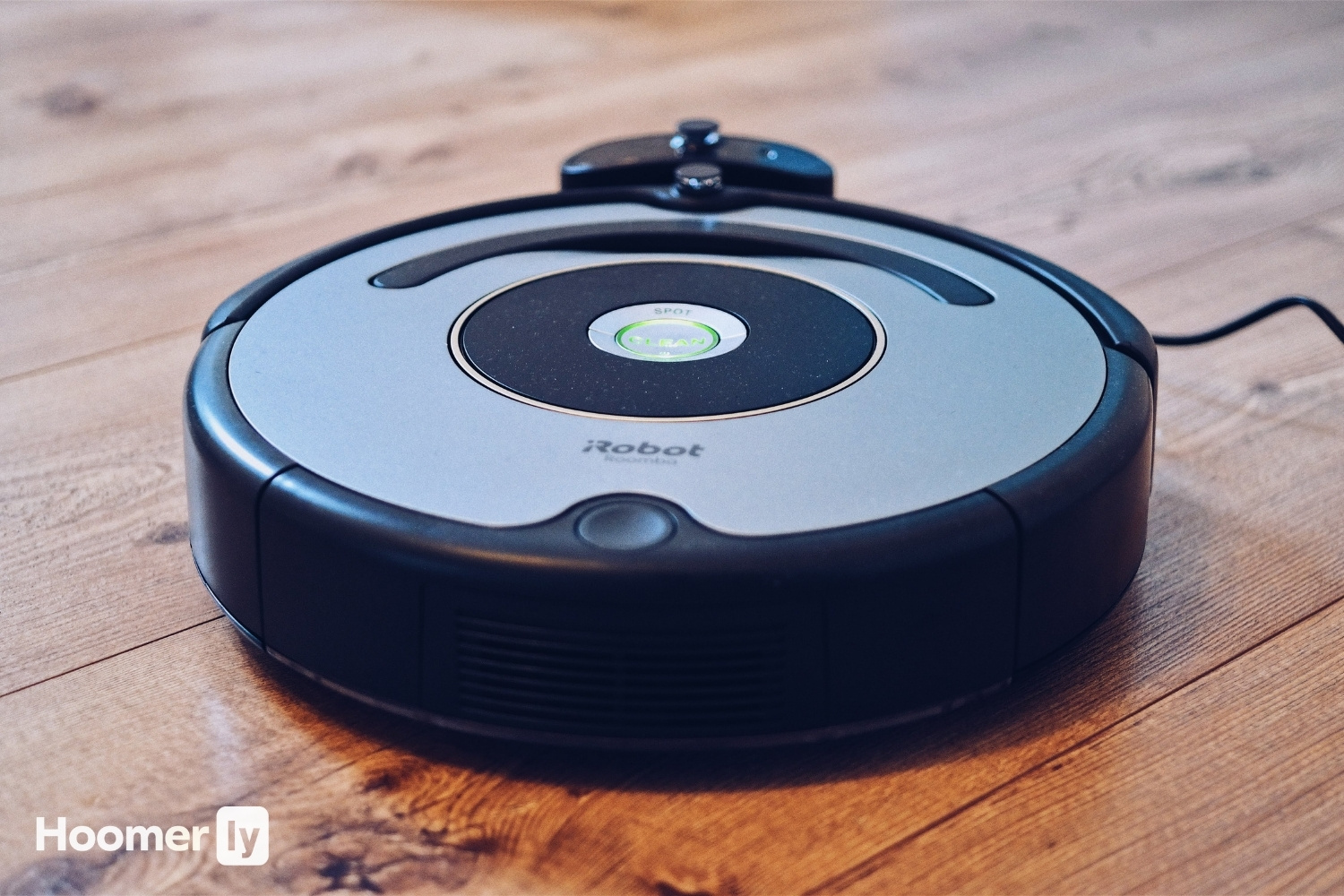
My Top Pick
Here’s how I’d slot each one before we get into the full breakdowns.
Best Overall Coredy R650 Ultra at Amazon ↓ Jump to Review
Best for Hard Floors + Quiet Homes eufy RoboVac 11S MAX at Amazon ↓ Jump to Review
Best Simple Budget Pick Yeedi k600 at Amazon ↓ Jump to Review
Best Smart Features (Verify Price) ILIFE A30s at Amazon ↓ Jump to Review
Best App Experience (Check Price First) Shark ION Robot RV871 at Amazon ↓ Jump to Review
I’ve had robot vacuums in this house for years. My two dogs shed constantly, and the living room hardwood shows every single strand. The budget end of the market has gotten genuinely better, but it’s also where inflated specs and misleading marketing are most common. I want to help you cut through that.
For each robot below, I’m looking at how it moves, how it handles pet hair without clogging, how loud it is, and whether the app (if there is one) is worth caring about. I’ve pulled in independent lab data where it exists, because claimed suction numbers and real-world suction numbers in this category are often very different things.
#1 Best Overall: Coredy R650 Ultra
The thing that sets the Coredy R650 Ultra apart from everything else in this group is how it moves. Every other robot here bumps into a wall and turns randomly. The R650 Ultra uses a gyroscopic Z-path system, which means it actually runs in structured rows across your floor instead of wandering. For a house with furniture legs and dog beds scattered around, that matters a lot more than a slightly higher Pa number. I’ve found that a robot that covers the whole floor at lower suction beats a robot that covers 60% of it at higher suction, every time.
The brush roll is a hybrid of rubber and bristles, which keeps tangling down to a minimum. With two shedding dogs, that’s not a minor detail. It’s 120 minutes of battery and it connects to the Coredy app with Alexa support, so scheduling is easy. The downside is noise: 65 dB is the loudest in this group, noticeably louder than the eufy 11S MAX. Coredy is also a smaller brand with limited retail support, and this is a 2019 design. But for the best robot vacuum under $150, the structured navigation alone makes it worth it.
Note: make sure you’re buying the “Ultra” variant (2,200 Pa, with app), not the base R650.
#2 Quietest Pick: eufy RoboVac 11S MAX
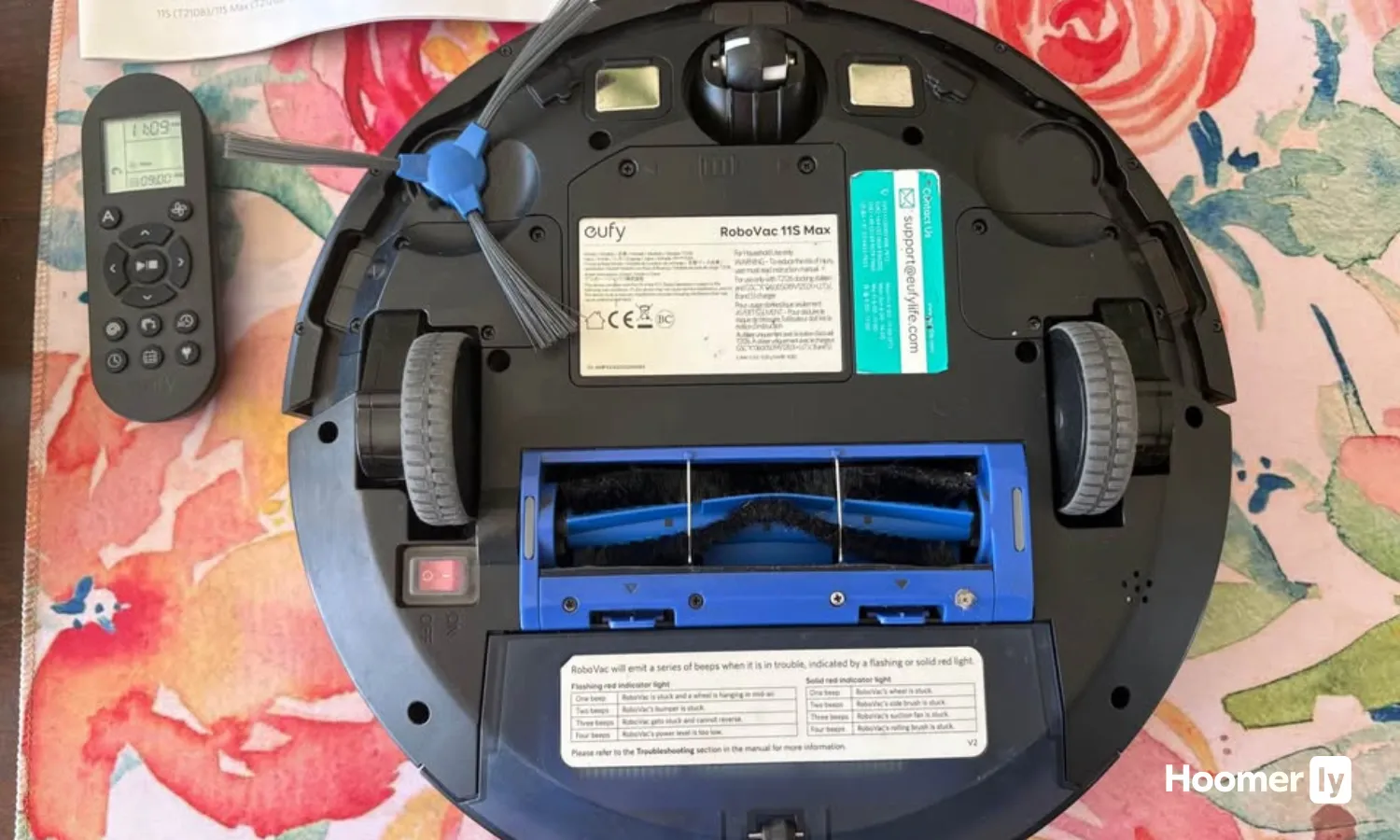
The eufy 11S MAX is the quietest robot in this group by a wide margin. TechGearLab measured it at 51.3 dB, which is quiet enough to run while someone’s napping in the next room. It’s also slim at 2.85 inches, so it gets under furniture without issue. On hard floors, TechGearLab found it picked up around 90% of debris in their qualitative assessment. Over 65,000 Amazon reviews back up that reputation. It’s a proven, reliable machine and it gets real results on the floors I care about most.
The honest part: eufy advertises 2,000 Pa of suction, but TechGearLab’s lab measurement came back at 1,300 Pa. That gap matters. Navigation is random bump-and-turn, so it will miss areas. On carpet with pet hair, it picked up 86% in testing, but 40% of that hair wrapped around the bristle brush instead of making it into the dustbin. The tangle rate is high. There’s also no app at all, just a remote control. If you want scheduling or any smart features, this isn’t the one. But for quiet, no-fuss daily cleaning on hardwood, I understand why it has the review count it does.
#3 Best Budget Pick: Yeedi k600
The Yeedi k600 is the most affordable option in this group, coming in around $90 at its lowest, and it does a solid job on hard floors and short-pile carpet. Reviewed.com found it averaged 9.2 grams of debris pickup per run, and TechHive called it excellent for cleaning without complexity. That’s pretty much the right framing. Remote control only, no app, no Wi-Fi. You press a button and it goes. For someone who just wants something simple that works, that’s not a knock against it.
One thing to know upfront: the Yeedi k600 has been superseded by the Yeedi K700, which adds 2,000 Pa suction and a water tank for mopping. Most reviews you’ll find for the k600 are from 2020-2021. The k600 still works, and the price reflects its age, but check whether the K700 fits your budget before you buy. Navigation here is random like the eufy, and it struggled with thresholds over 0.6 inches and throw rugs in reviewer reports. It’s not my pick for a house with pets, but as a starter budget robot on smooth floors, it does what it says. You can see how it stacks up against mid-range options in my full robot vacuum guide.
#4 Best Smart Features (Verify Price): ILIFE A30s
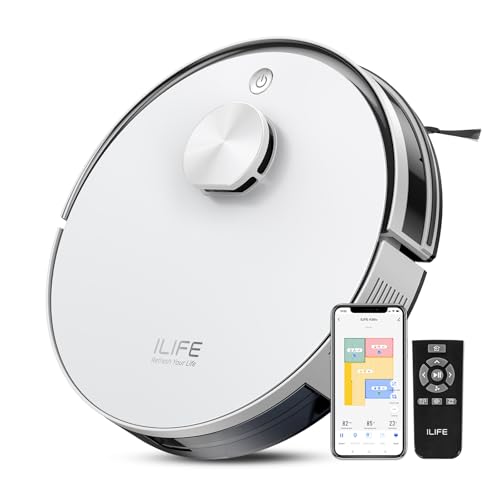
I’m including the ILIFE A30s because if it actually lands under $150, it’s in a completely different league from everything else here. It has LiDAR SLAM navigation, which means it builds a real map of your home and cleans in structured paths, not random bouncing. It also supports no-go zones through the ILIFE Clean App, and it runs for 150 minutes on a charge, the longest battery in this group. That combination at this price would be genuinely exceptional value, especially compared to the random-navigation robots above it.
The caveats are real though, and I want to be direct about them. The A30s is a very new listing and there are no independent lab reviews yet, so I can’t confirm real-world performance from a third-party source. The 10,000 Pa suction figure you’ll see advertised is a peak Spot Mode number, not continuous cleaning suction. Continuous mode is significantly lower. Price under $150 is unconfirmed as of this writing, so verify the current Amazon price before you make a decision. If it’s climbed under $150, the ILIFE A30 Pro (with mop and self-empty dock) is the next-tier sibling at around $169. Check the current price carefully.
#5 Best App Experience (Check Price First): Shark ION Robot RV871
The SharkClean app is the best app experience in this group. It connects to both Alexa and Google Assistant, scheduling is straightforward, and Shark’s brand support in the US is a real advantage over smaller brands like Coredy. Back when I was on the sales floor, Shark was one of the easiest brands to recommend for people who wanted app control without a learning curve. That reputation holds here.
The problem is the price. New units of the RV871 have historically sat at $180 to $230. Getting one under $150 on Amazon likely means you’re looking at a Renewed or refurbished listing. That’s not always a bad thing, but verify what you’re buying before you commit. The battery is also the shortest in this group at 90 minutes, navigation is random bump-and-turn, and Shark doesn’t publish suction in Pa so there’s no independent comparison available. If you find a legitimate new unit at under $150, the app experience alone makes it worth considering. If not, the Coredy R650 Ultra is a better buy at that price point. You can also see how the RV871 compares in my roundup of the best Shark robot vacuums.
What to Look for in the Best Robot Vacuum Under $150
Navigation Type Matters More Than Suction Pa
At this price range, navigation is the spec that actually affects your day-to-day results. A robot with a gyroscopic structured path like the Coredy R650 Ultra will cover more of your floor per run than a random-bounce robot with a higher suction number. Random navigation isn’t broken, it just means some areas get cleaned twice and others get skipped. Over a week it averages out, but it’s not as efficient.
Advertised Suction vs. Real Suction in the Best Robot Vacuum Under $150
The gap between advertised Pa and lab-measured Pa is consistently wide in the budget segment. The eufy 11S MAX is the clearest example: advertised at 2,000 Pa, measured at 1,300 Pa by TechGearLab. That’s not unique to eufy. Take suction claims from any robot in this price tier as rough indicators, not exact comparisons. How the robot moves and how it handles the brush roll will matter more in real use.
Brush Roll and Tangle Risk
If you have pets, the brush roll is the most important hardware decision in this group. Pure bristle rolls wrap hair around the brush and clog. A rubber-and-bristle hybrid, like on the Coredy R650 Ultra, reduces that significantly. The eufy 11S MAX’s bristle roll visibly deformed after one month of continuous use in TechGearLab’s evaluation, and 40% of the pet hair it picked up stayed on the brush instead of going into the dustbin. That means more frequent maintenance and less effective cleaning over time.
App vs. Remote-Only
The eufy 11S MAX and Yeedi k600 have no app at all, just a remote. For some people that’s genuinely simpler and not a problem. For others, scheduling from a phone is the whole point of a robot vacuum. Know which camp you’re in before you buy. The Coredy R650 Ultra and Shark RV871 both have app support. The ILIFE A30s has the most full-featured app in this group if its price qualifies.
Noise Level in Daily Use
The difference between 51.3 dB (eufy 11S MAX) and 65 dB (Coredy R650 Ultra) is noticeable in a home. The eufy runs quietly enough that you can have a conversation over it. The Coredy is louder, more like a traditional vacuum running in another room. Neither is unbearable, but if you’re scheduling these to run during nap time or while someone’s working from home, noise is worth factoring in. It’s one of those things that seems minor until it isn’t.
My Pick
For the best robot vacuum under $150, the Coredy R650 Ultra is the one I’d buy. The structured Z-path navigation is something no other robot in this group offers at this price, and it’s the difference between a robot that covers your whole floor and one that gets most of it. The hybrid brush roll makes it the right call for pet owners specifically. The 65 dB noise is the real trade-off, and it’s a fair one. You can find more on how it holds up against options in the next tier in my guide to the best robot vacuums under $200.
The eufy 11S MAX is my pick if you want quiet and simple. No app, no Wi-Fi, just a remote and 65,000 reviews worth of reliability. The Yeedi k600 makes sense if budget is the primary constraint and you’re mostly on smooth floors. The ILIFE A30s is worth a serious look if the price is sitting under $150 when you check, but verify that before getting excited about it. And the Shark RV871 gets my nod only if you find it new under $150, which takes some hunting. Whatever you go with, keep realistic expectations about the category. A $100 robot vacuum is maintenance help, not a replacement for your full vacuum. If you also deal with a lot of pet hair on carpet, my guide to the best robot vacuums for pet hair covers options up the range that might be worth the extra spend.
FAQs
Can a robot vacuum under $150 actually handle pet hair?
It can, with caveats. On hardwood and short-pile carpet, a robot like the Coredy R650 Ultra does a solid job picking up dog hair daily. The main issue at this price is brush roll design: bristle-only rolls tangle badly with pet hair, so look for a hybrid rubber-and-bristle roll if shedding is your main concern. Don’t expect these robots to deep-clean a thick carpet the way a full upright would. They’re best used as frequent maintenance cleaners between proper vacuuming sessions.
Do I need an app on a budget robot vacuum?
Not necessarily. The eufy 11S MAX and Yeedi k600 are remote-only and both have genuine followings from people who prefer simplicity. An app is most useful if you want scheduling from your phone, custom cleaning zones, or voice assistant integration. If you’re going to press a button and walk away anyway, remote-only is fine. The Coredy R650 Ultra gives you app-based scheduling without a huge price jump, which is a good middle ground.
What does “random navigation” actually mean in practice?
It means the robot doesn’t map your floor. It moves forward, hits something, turns at an angle, and keeps going. Over a full run it will cover most of your space, but not all of it. Some spots get cleaned twice, some corners get skipped. Structured navigation, like the Coredy R650 Ultra’s gyro Z-path, runs in rows like a lawn mower and covers the floor more evenly. For a small apartment or one or two rooms, random navigation is usually fine. For larger spaces it’s a more noticeable issue.
Is the ILIFE A30s actually under $150?
That’s the thing I can’t confirm right now. The A30 Pro (its sibling with a self-empty dock and mop) is priced around $169.99. The A30s, which is vacuum-only, is likely lower, but the current price needs to be verified on Amazon before you go in expecting to spend under $150. If it’s qualified, LiDAR navigation and no-go zones at that price point would be hard to beat in this category. Check the listing before you assume.
How often does a budget robot vacuum need to be emptied?
With two shedding dogs in my house, I empty the dustbin every one to two runs. Most robots in this group have dustbins in the 500-600ml range. On light-debris days with no pet hair, you might get three or four runs before it fills. On a high-traffic day, one run can half-fill it. Emptying is quick, usually under a minute. Just don’t let it fill to capacity because a full dustbin reduces suction noticeably on these budget machines.

Write Your Review
No reviews yet. Be the first to share your experience!