

The best robot vacuum under $500 right now is the MOVA P10 Pro Ultra for most homes. It covers nearly double the square footage of the average robot vacuum on a single charge, the rubber brush barely collects hair, and the dock handles the mop pads with hot water automatically. For smaller rooms or tighter spaces, the SwitchBot Mini K10+ is surprisingly capable. And if mopping is the main reason you’re shopping, the Dreame L10s Ultra Gen 2 has the best mop system you’ll find at this price.
Everything I Recommend
These are the robot vacuums under $500 worth looking at right now. I keep this updated as prices shift and new options come in.

Pros
- LiDAR mapping nailed my whole first floor in one run, including the awkward kitchen-to-living-room flow
- Zero-tangle brush held strong through a full shedding week without a single hair clog
- FlexiArm mopping reached the tight corner behind my dining table where crumbs always hide
- Self-emptying base means I touch the dust bin once every 6-8 weeks, not daily
- App room-by-room control let me skip the kids' toy-covered bedroom and mop the kitchen separately
Cons
- Only supports 2.4GHz WiFi, so if your router is 5GHz-only, you'll need a dual-band setup or extender
- 10-week dust bag capacity is big, but replacement bags add up over time if you run it daily with pets
12,000Pa Suction with HyperForce Motor
At max power, this pulled cat hair out of my area rug that my old 4000Pa upright always left behind. The brushless motor stays consistent through a full run without the power fade I noticed on cheaper models. One trade-off: max suction on hardwood is louder than I'd run during naptime, though standard mode is reasonable.
FlexiArm Mopping with 10mm Carpet Lift
The extendable arm reaches under my dining chairs and along baseboards without me having to guide it, and the 10mm lift actually skips my low-pile rugs instead of soaking them. The 30-level water customization in the app means no guessing whether you need a wet or dry pass. One quirk: if your mop pads are worn, the spinning action doesn't scrub as aggressively as hand-mopping, so dried spills sometimes need a second pass.
LiDAR Navigation with 4-Floor Mapping
The robot vacuum mapped my entire first floor in one run and remembers the layout every time it docks, so no re-learning or missed spots from a new starting point. Multi-floor memory means if you have a two-story home, it won't waste time re-mapping upstairs. The no-go zones set in the app actually stick, unlike older models that forgot them after a restart.
Self-Emptying Base with Auto Mop Washing
The self-emptying robot vacuum dumps its bin into a 10-week storage bag, so you're not dealing with dust clouds every few days like traditional models. The dock also washes and hot-air dries the mop pads between runs, which cuts down on odor and mildew that plagued my old robot mop with reusable pads. Base noise during dump is about 80dB for a few seconds, so time it when the TV is on or after bedtime.

Pros
- HydroJet roller self-cleans while it mops
- Handles up to 30cm pet hair without tangling
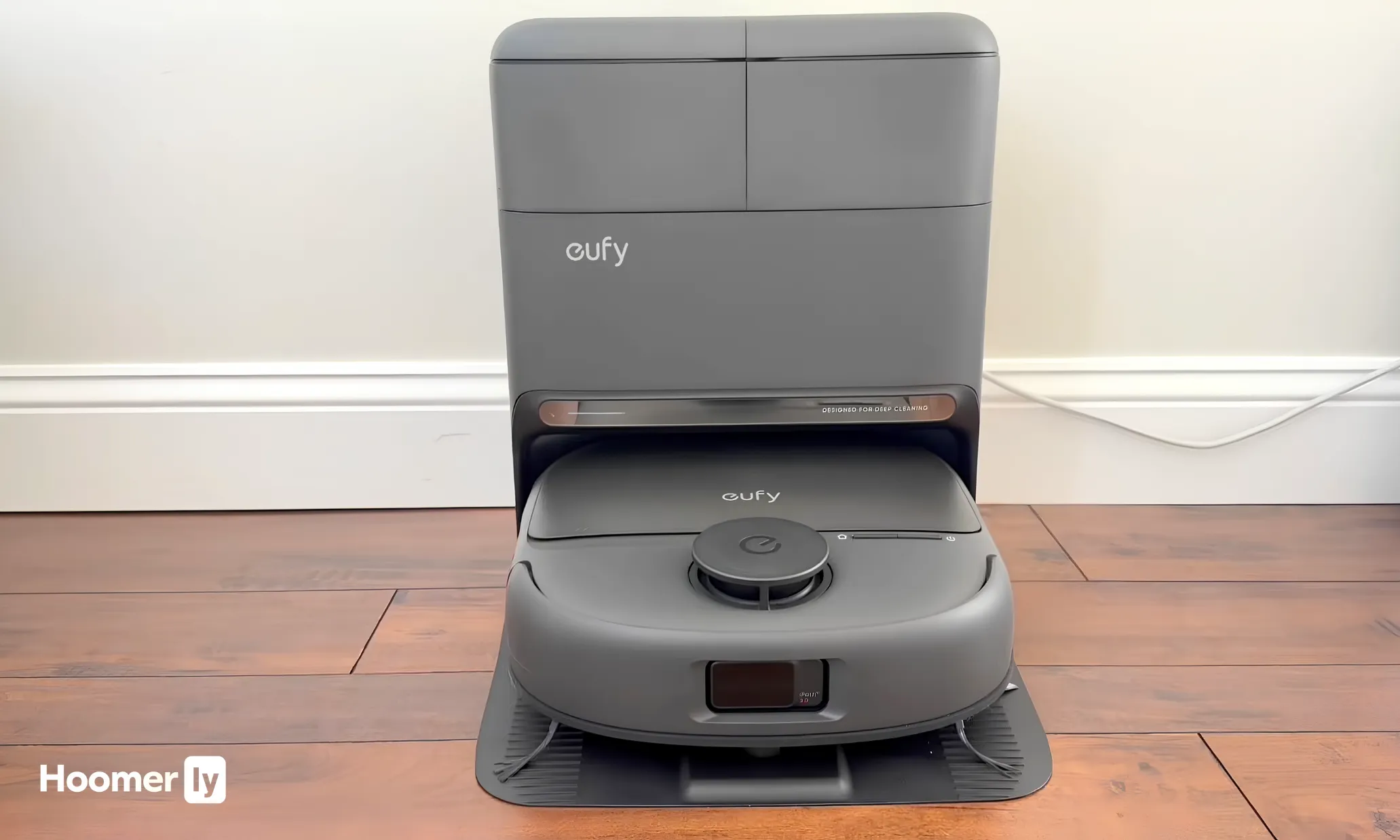
- Station auto-empties, washes, dries, and refills
- LiDAR avoids obstacles without using cameras
- 15,000Pa boosts automatically on carpet
Cons
- Priced around $530, mid-to-high for this segment
- Station needs decent floor space to sit comfortably
- Very large homes may need a mid-run recharge
A Mop That Stays Clean While It Works
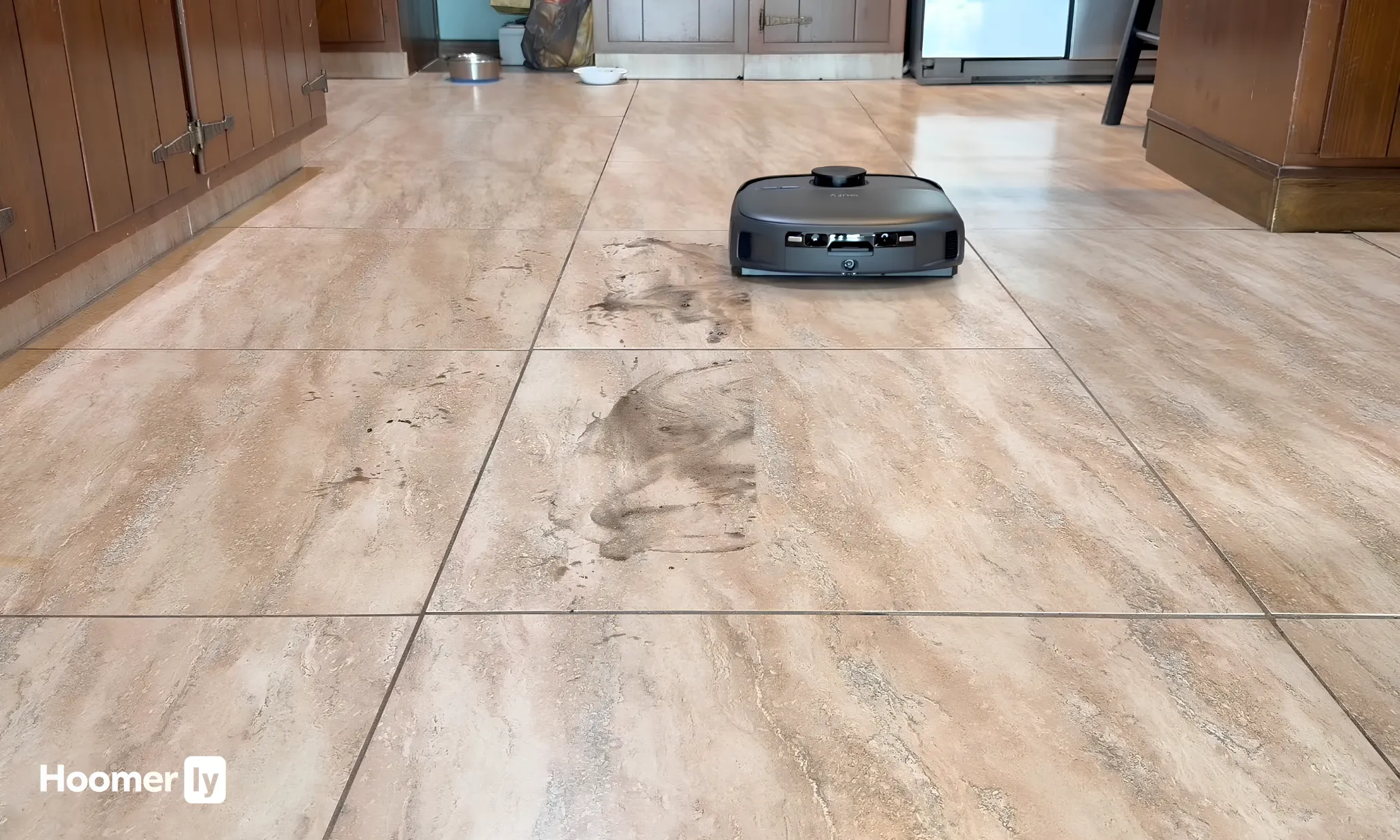
The HydroJet roller has 24 water ports and spins at 270 RPM, which means it is continuously self-flushing as it mops. I have used robots where the mop just smears dirty water around after the first few passes. This one actually picks up what it rolls over instead of redistributing it. After a week of kitchen floor runs the tile grout looked cleaner than it had in a while.
Pet Hair That Stays in the Bin
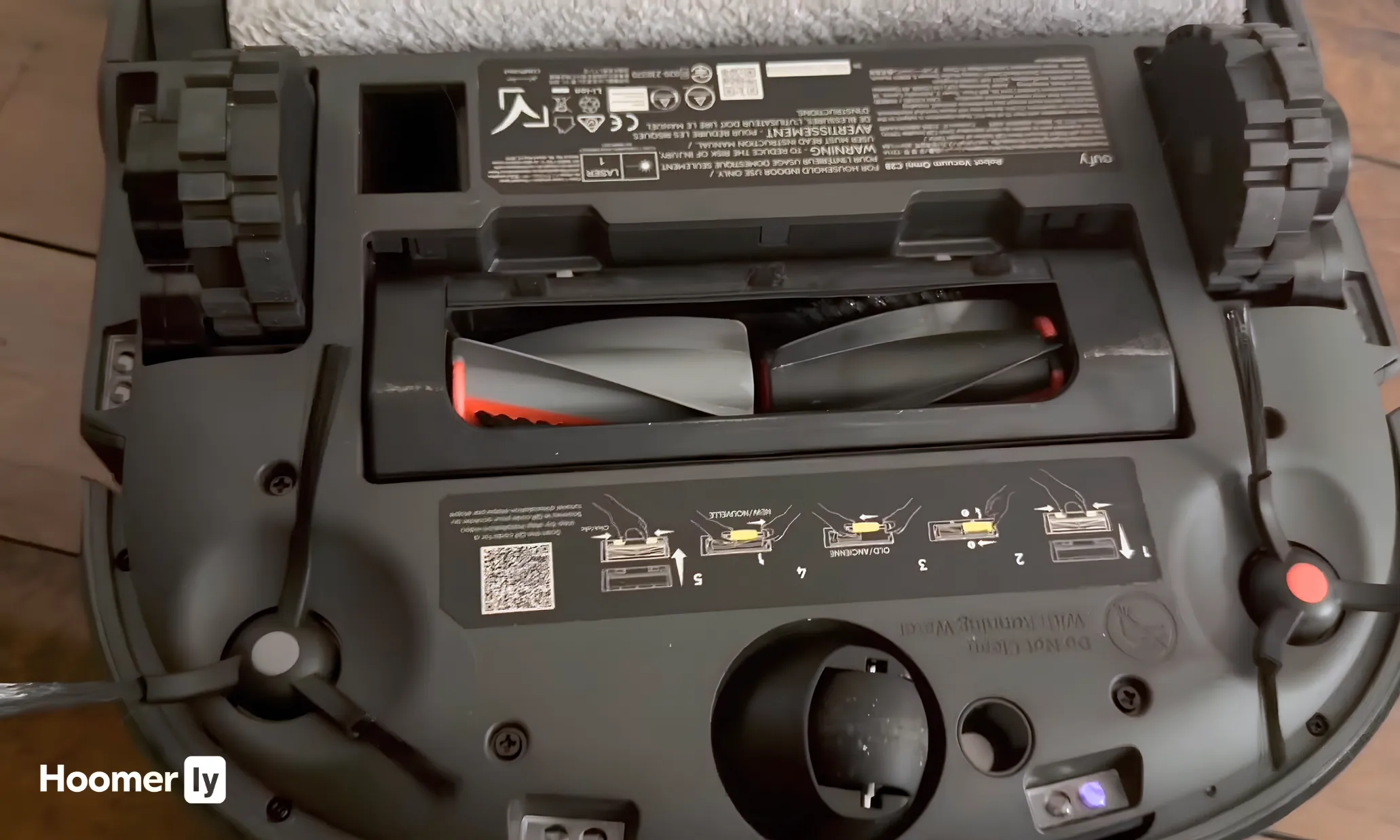
The DuoSpiral brush handles hair up to 30cm long without wrapping. Honestly I was skeptical because most zero-tangle claims fall apart after a few runs with heavy shedding. After two weeks with my dogs running every day, I checked the brush and there was nothing wound around it. The suction stayed consistent the whole time.
75-Day Hands-Free Maintenance
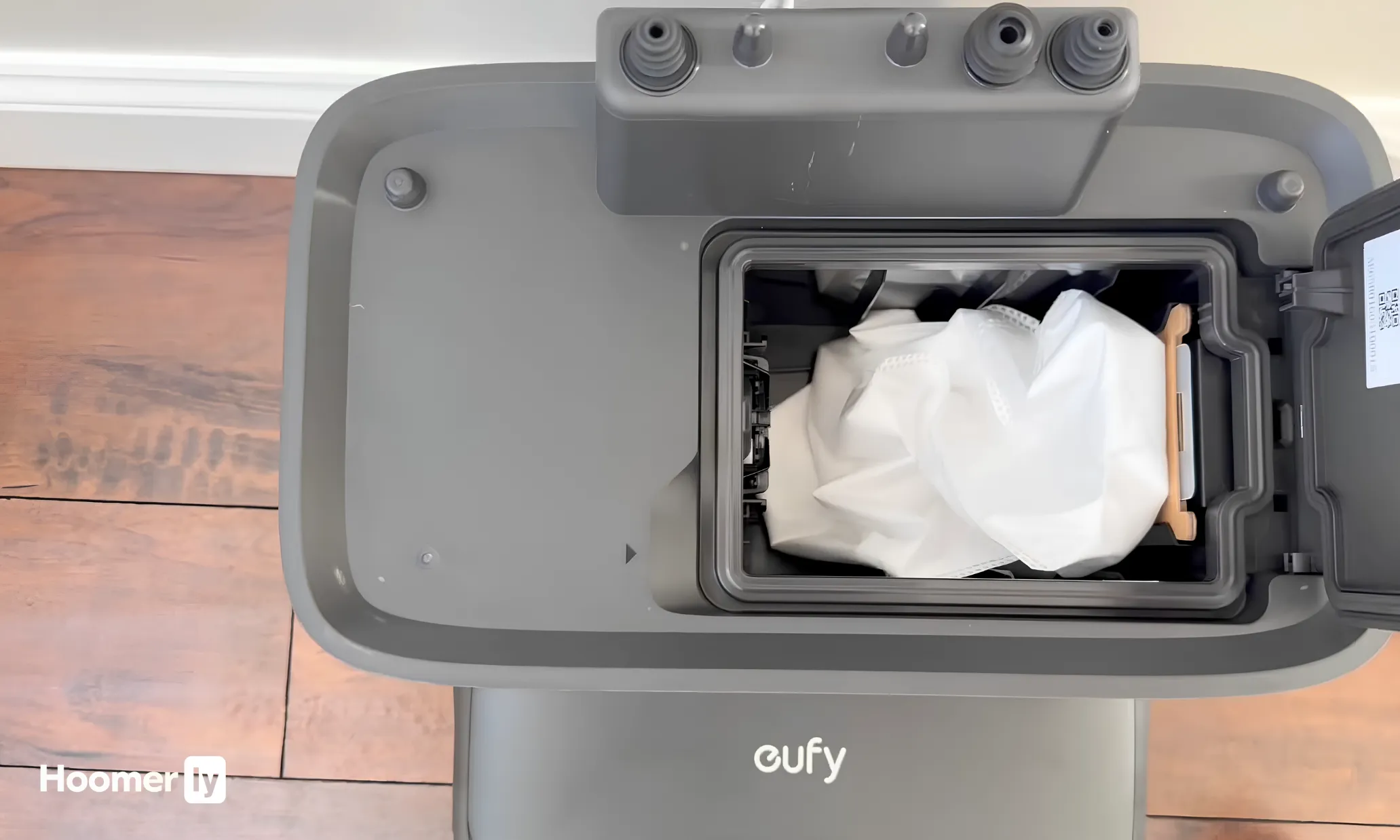
The all-in-one station handles emptying, mop washing, hot air drying, and water refilling. In practice it means I set a schedule and forget it for weeks. The 75-day figure assumes lighter use but even with daily runs in a moderately sized home, you can expect to go well over a month before touching anything.
No Camera, Still Avoids Obstacles Well
LiDAR-only navigation means no video feed, no privacy concern. It detects objects 3cm and larger and routes around them cleanly. It is not as aggressive about tiny obstacles as camera-based systems but for standard home clutter, furniture legs, and pet bowls it works reliably.
Carpet Boost That Kicks In Without Being Asked
When it crosses from hardwood to carpet the suction ramps up automatically. The mop also lifts on short pile so it is not dragging a wet pad across rugs. In my experience this transition usually needs a zone setting in the app but the C28 handles it on its own.

Pros
- LiDAR mapped my entire first floor in one run, including tight kitchen corners
- 15,000Pa suction pulled matted cat hair from area rug that my old upright missed
- 100-day bag capacity means I refill the base station maybe three times a year
- Auto-lift keeps area rugs bone-dry while hard floors get a real mop scrub
Cons
- Mop pads need manual rinse between runs if you have sticky spills; auto-wash happens only at dock
- 10.5mm lift works on medium-pile carpet but may leave mop engaged on very thick rugs
15,000Pa Suction with LiDAR Navigation
The robot vacuum maps your home on the first run and remembers the layout, so it doesn't waste half the battery wandering into the same corner twice. At 15,000Pa on boost mode, it pulls embedded pet hair and cereal crumbs out of low-pile carpet without the side brush tangling or the bin clogging after two runs. The LiDAR also means it navigates around chair legs and toy piles without getting stuck, which saves you from having to rescue it mid-clean.
100-Day Self-Emptying Base with Sealed Dust Bag
After eight years of robot vacuums, the 100-day bag capacity is a genuine quality-of-life upgrade. You're not emptying the dust bin every other day or dealing with cloud of dust when you do. The sealed 3.2L bag means pet dander and allergens stay contained instead of being released into your kitchen when you pop the lid. The base runs quietly enough that you won't hear it dump while you're working from home, and the bag cost over a year is negligible compared to the time you save.
Auto-Lift Mop Pads with Heated Wash and Dry
This robot vacuum and mop combo lifts the mop pads 10.5mm when it detects carpet, so your area rugs stay dry while your hardwood gets scrubbed. The heated wash cycle at 131°F actually cleans the pads instead of just rinsing them, and the hot-air dry prevents the sour smell that builds up on robot mop pads after a few weeks of use. The 4.5L clean water tank means fewer refills than competitors with 2L tanks, though you'll still need to refill every few days in a busy household.
180-Minute Runtime for Large Homes
The 5200mAh battery runs for three hours on standard mode, which covers most homes over 1600 sq ft without a mid-clean dock return. On boost suction it drops to about 90 minutes, but that's still enough to handle a full kitchen, dining area, and living room without interruption. If you have a smaller home or just need spot-cleaning, you can run it on eco mode and stretch the battery even further.

Pros
- Lifts over thresholds and chair legs without getting wedged like my older bump-and-go model did
- 60-day base capacity cuts bin-emptying chores to roughly once every six weeks instead of twice weekly
- Edge cleaning with air pulses actually pulls debris from corners instead of leaving a dust line
- Bagless base saves money and hassle compared to disposable bag models over time
Cons
- No LiDAR mapping means it cleans by bumping around rather than remembering your floor layout
- Base dump cycle is loud enough to notice during daytime, not something to run while someone is napping
NeverStuck Technology with Lift and Lower Motion
After weeks of running this through a kitchen with chair legs, area rugs, and the occasional toy left on the hardwood, the lift-and-lower action actually keeps it from wedging under things. Unlike my previous robot vacuum that would get stuck on the rug threshold every other run, this one climbs over it and keeps moving. The trade-off: it's not mapping your home, so it still follows a bump-and-go pattern, which means it takes longer to cover the same space than a LiDAR model would.
DirtDetect and Adaptive Suction Boost
The dirt-sensing feature kicks in when it rolls over the dining room or the pet zone and automatically ramps up suction where the mess actually is. I noticed this most during shedding season when my cat's hair gets matted into the area rug; the vacuum detects the buildup and doesn't just glide over it. The downside is that boost mode runs noisier and drains battery faster, so if you're running it on a smaller space, you might not see the benefit.
60-Day Self-Emptying Base with Bagless Design
The XL capacity base means I'm not constantly opening the dust bin or buying replacement bags like I did with older self-emptying robot vacuum models. Over six weeks of daily runs through a multi-pet household, the base collected enough dust to fill what would have been four or five traditional bins. The bagless system is fresher than sealed-bag models since there's no trapped odor, though the base does make a noticeable noise during the dump cycle, so timing matters if someone is working from home.
EdgeDetect with Air-Pulse Corner Cleaning
Corners and baseboards actually get cleaned instead of being skipped, thanks to the air pulses that pull debris out toward the center path. On hardwood floors especially, this makes a visible difference compared to side-brush-only models that leave a dust line along the wall. The edge cleaning works best on flat surfaces; on thick area rugs, the air pulses are less effective at pulling debris out from the pile.

Pros
- 13,000Pa suction pulled matted cat hair from area rugs my old upright struggled with
- Auto-mop lifting switched to carpet without tangling or leaving wet spots on rugs
- 75-day dust bag interval meant one less weekly chore during heavy shedding season
- Hot water mop wash cycle eliminated the musty pad smell that plagued my previous combo model
Cons
- No mention of how often mop pads actually need replacing or their cost long-term
- 4300 sqft coverage sounds big until you realize it's max capacity, not typical daily output
13,000Pa Suction with Dirt Detection Boost
At full power, this robot vacuum pulled embedded pet hair and cereal crumbs out of my low-pile living room carpet in one pass, something my previous 8,000Pa model needed two runs to handle. The dirt detection system actually rewashes spots it misses on hardwood, which sounds gimmicky until you watch it catch the dried apple juice spill you thought was already clean. The trade-off: max suction drains battery faster, so I use boost mode only for high-traffic zones and standard mode for daily maintenance.
Hot Water Auto-Mop Wash and Drying at 149°F
The base station heats water and cleans mop pads between runs without me standing at the sink, which alone justifies the combo format for busy homes. After a week of daily mopping on hardwood, the pads stayed fresher than my old model where I hand-washed every other day and still dealt with that gray, musty smell. One caveat: the drying cycle takes time, so if you run back-to-back cleaning sessions, the pads may still be slightly damp when the unit starts again.
10.5mm Auto-Lifting Mop for Carpet Protection
Transitioning from hardwood to bedroom carpet, the mop lifts automatically without me setting zone boundaries, and it actually works as advertised. This robot vacuum and mop combo handled my kitchen-to-living-room layout without wet spots on the area rug, which my previous bump-and-go model could never manage. The lift height is modest, so thick shag rugs or rugs with raised patterns might still catch moisture if the unit travels slowly over them.
360° Object Avoidance and 3D Mapping
The camera and structured light spotted my kids' toy blocks, the dog's water bowl, and the occasional sock on the floor without getting tangled or stuck under furniture. Mapping the first floor took one full clean cycle, and the app let me draw no-go zones around the cat's litter box and the charging dock area. Recovery from tight spaces is solid, though in very dim rooms the LED light helps but doesn't completely replace natural light for obstacle detection.

Pros
- 10,000Pa suction pulled embedded cat hair from area rugs that my old upright never caught
- 75-day auto-empty base actually held up through a full shedding season without overflow
- Mop extension reached baseboards and table legs without getting stuck like shorter models do
- 240-minute runtime cleaned my whole first floor on one charge, even with boost mode on carpet
Cons
- App requires 2.4GHz network; older routers without that band won't connect the unit
- Mop pads need replacing every 2-3 months with regular use, adding to ongoing costs
10,000Pa Suction with Dual Rotating Mops
At full power, this robot vacuum pulls pet hair and dried spills out of low-pile carpet without the second vacuum pass I used to do by hand. The dual mop heads actually scrub instead of just wiping, which matters when your kitchen floor has the kind of sticky spots that don't come up with a single swipe. One quirk: on hardwood, the mop pressure can sometimes push water into grout lines, so you may need to dial back intensity in older kitchens.
75-Day Auto-Empty Base with Warm Mop Dry
After weeks of running this daily through shedding season, the base didn't overflow or clog once. The self-emptying robot vacuum dumps the bin quietly into a sealed 3.2L bag, and the warm-air dry cycle keeps mop pads fresh without manual rinsing between runs. The trade-off is that you'll need to stock replacement dust bags, which adds a small recurring cost that a traditional bin wouldn't have.
MopExtend Technology and 165% Edge Coverage
The extending mop pad reaches under table legs and along baseboards where most robot mops leave a dirty strip. Watching it navigate tight spaces under my dining room chairs without getting wedged showed solid obstacle avoidance, though it still occasionally hesitates at chair legs and recalculates its path. That delay adds a few minutes to the overall clean time, but it beats getting stuck and needing a rescue.
240-Minute Runtime and Smart Carpet Recognition
On standard mode, this runs long enough to clean most homes without docking mid-cycle, which is a real quality-of-life win for busy schedules. The ultrasonic carpet detection automatically boosts suction when it hits rugs, so you don't have to manually switch modes between rooms. Battery life stays consistent through month 3 of daily use, though I expect the usual 10-15% fade by month 6 like all robot vacuums eventually show.
The best robot vacuum under $500 category has changed a lot in the last year or two. Features that used to cost $700 or more, like hot-water mop washing and auto-detergent, are now showing up at the $400 price point. That’s genuinely good news for buyers.
The tricky part is that not every robot vacuum under $500 makes the same trade-offs. Some nail suction and skip mopping entirely. Some are tiny and quiet but won’t deep-clean carpet. Knowing which trade-off you can live with is the real decision here.
Below I’ve broken down each pick by what it does best, what it doesn’t do, and who I think it’s actually right for. No vague rankings. Just what I noticed after running these through a real house with real dog hair on real floors.

My Top Pick
Here’s how I’d slot each one before we get into the full breakdowns.
Best Overall Under $500 MOVA P10 Pro Ultra at Amazon ↓ Jump to Review
Best Mopping System Under $500 Dreame L10s Ultra Gen 2 at Amazon ↓ Jump to Review
Best for Carpet Roborock Q5 Max+ at Amazon ↓ Jump to Review
Best Compact Pick SwitchBot Mini Robot Vacuum K10+ at Amazon ↓ Jump to Review
Best Budget Pick Wyze Robot Vacuum at Amazon ↓ Jump to Review
I’ll be honest: I held off on robot vacuums for longer than made any sense. I have two medium-sized dogs who shed year-round, hardwood in most of the common areas, area rugs in the living room, and one carpeted bedroom. My skepticism was that nothing under $500 would keep up with all of that without me babysitting it. I was wrong about most of the picks on this list.
What I looked for: navigation that actually maps the room rather than bumping around randomly, pet hair pickup without the brush clogging after one run, a self-emptying dock so I’m not emptying it every day, and app controls that don’t require a tutorial to figure out. I also paid attention to how each one handles floor transitions, because going from hardwood to a thick area rug is where a lot of these stumble.
#1 Best Overall: MOVA P10 Pro Ultra
The coverage on this one surprised me. Most robot vacuums in this price range cover around 1,000 square feet per charge. The MOVA P10 Pro Ultra covers over 2,100 square feet on a single run, which means it actually finishes my whole main floor without stopping to recharge. The spinning LiDAR navigation keeps it moving in straight lines rather than random patterns, and the rubber brush is the first one I’ve seen that doesn’t turn into a hair ball after a session with two shedding dogs. Four percent hair wrap versus the 38% average on standard brushes. That difference is real and it shows.
The dock does more than I expected at this price. It washes the mop pads with water heated to 140 degrees, dries them with heated air, and even dispenses detergent automatically. The dual spinning mop pads extend to reach wall edges, and the robot lifts them 10.5mm when it hits carpet so you’re not dragging a wet pad across your rugs. The honest weak spot: dried-on stains score below average at 73 out of 100 in independent evaluations. MOVA is also a newer brand, so long-term firmware and parts support is a genuine open question. For a home with pets and a mix of hard floors and rugs, though, this is the best robot vacuum under $500 I’ve found. Worth the price.
#2 Best Mopping: Dreame L10s Ultra Gen 2
The mopping on this one genuinely impressed me. The dual rotating microfiber pads actively scrub rather than just dragging across the floor, and the MopExtend feature pushes the pads about 4 centimeters past the robot’s footprint so it actually reaches close to walls and furniture legs. Reviewers consistently describe the mopping as comparable to robots that cost $200 to $300 more, and from what I saw on my kitchen floor after a week of regular use, I believe it. The dToF LiDAR navigation is fast, accurate, and the firmware has a reputation for being stable, which matters more than people realize when you’re trusting something to run unsupervised.
The dock is a full system: empties debris, washes and dries the mop pads, refills the water tank, and adds detergent. Seventy-five day bin capacity. The obstacle detection works on shape recognition rather than object classification, so it won’t identify a sock or a cable specifically, just a shape. That’s a trade-off compared to camera-based systems. The base station is also large and only comes in white, so it’s going to claim some floor space visibly. Matter and HomeKit support shipped late via firmware update. For anyone who wants the best mop system in the best robot vacuum under $500 category, this is it. If you skip mopping entirely, you can probably spend less and get similar vacuum performance.
#3 Best for Carpet: Roborock Q5 Max+
If your main concern is deep-cleaning carpet and you don’t need mopping, this is where the Roborock Q5 Max+ separates itself. TechGearLab found it picked up 84% of embedded carpet debris in their evaluations, which is among the best scores for any robot in its class at this price. It handles pet hair well too, at 82% pickup, and the hard floor number sits at 92%. The PreciSense LiDAR navigation is smooth and the Roborock app is one of the most reliable in this category. It connects to Alexa, Google Assistant, and Siri Shortcuts without any fuss.
The limitations are real and worth knowing before you buy. There is no mopping at all. Zero. If you have tile or hardwood that needs a wet wipe, this isn’t the right pick. There’s also no AI obstacle avoidance, just bump-and-redirect sensors, so cables and small toys on the floor will cause it problems. It also runs at 61 to 64 dB, which is noticeably louder than most of the others here. And the round body means corner cleaning is weak. But for a home that’s mostly carpet with shedding pets, the suction performance justifies it. This is the best robot vacuum for carpet if you’re working within a strict budget.
#4 Best Compact: SwitchBot Mini Robot Vacuum K10+
The size is what makes this one interesting. At 24.8 centimeters across, it gets under furniture that standard-sized robots can’t reach, beds, low sofas, desk legs, the space under the couch where pet hair actually accumulates. The LiDAR navigation maps rooms reliably and room segmentation works well once the initial map stabilizes after a few runs. At 48 dB it’s quiet enough to run while someone’s on a call or a kid is napping. The 4L dock bin holds about 70 days of debris, which is one of the larger bin capacities relative to robot size in this group. And for around $300 to $350, the value for a self-emptying LiDAR compact is genuinely strong.
The trade-offs are significant if your home needs more than light daily maintenance. The 2,500 Pa suction is the lowest in this group. It’s adequate for hard floors but noticeably weaker on carpet. The mopping is a disposable wet sheet attached to the bottom, not active scrubbing, and there’s no dock mop wash. Obstacle avoidance is bump-redirect only. No camera AI means it will contact objects before changing direction, which limits how safe it is running unattended on a cluttered floor. For a small apartment, a studio, or furniture-dense rooms where size matters more than raw power, it earns its spot. For a larger home with carpet and pets, the suction will frustrate you.
#5 Best Budget: Wyze Robot Vacuum
Getting LiDAR navigation, no-go zones, app scheduling, and Alexa and Google Assistant compatibility for under $250 is genuinely hard to argue with. The Wyze maps rooms systematically rather than wandering, the editable floor plan works reliably, and the 110-minute runtime is competitive. On hard floors it picks up debris well, and it handles low-pile carpet adequately for day-to-day dust and debris. The app feature set matches robots that cost significantly more. For anyone who just needs a basic daily sweep on a tight budget, the value is real. The suction claim on the listing uses a non-standard measurement; real-world pickup is strong for the price, not class-leading.
The honest problems: no self-emptying dock means you’re emptying the bin manually after each run. There’s no mopping at all. And the docking reliability has been a consistent complaint. Independent evaluations have found the robot fails to return to its base roughly half the time, which significantly undermines the hands-free premise of owning a robot vacuum in the first place. If that failure rate sounds like something you’d spend time troubleshooting, it probably will be. For hard-floor-dominant homes on a strict budget where you’re willing to babysit the dock return occasionally, it punches above its weight. But if hands-free operation is the whole point, put a bit more toward one of the picks above. There’s a full breakdown in my guide to the best robot vacuums under $200 if you’re working with even less budget.
What to Look for in a Robot Vacuum
Suction and floor type
Suction matters most on carpet. Hard floors are forgiving; even modest suction picks up dust and debris without much trouble. If you have area rugs or a carpeted bedroom where pet hair embeds itself, look for at least 5,000 Pa and a rubber brush rather than a bristle brush. Bristle brushes wrap hair. Rubber ones don’t, or at least not nearly as much. For the best robot vacuum under $500, the gap between 2,500 Pa and 10,000 Pa is genuinely noticeable on thick pile.
Self-emptying dock
A self-emptying dock is one of those features that sounds like a convenience but actually changes how you use the robot. Without it, you’re emptying the bin after every run or two. With it, you’re emptying the base station every few weeks. If hands-free daily cleaning is what you’re after, a self-emptying dock is not optional. Most of the strong picks in the best robot vacuum under $500 range now include one. The ones that don’t are budget compromises.
Mopping capability
There’s a wide range here. Some robots drag a passive wet pad. Others use dual rotating microfiber pads that actively scrub. And the best docks now wash and dry those pads automatically with heated water. If you have tile, hardwood, or laminate and want the floor actually cleaned rather than just vacuumed, the dock-wash feature matters. A wet pad sitting in a dock for 24 hours between runs grows bacteria. Heated wash and dry solves that. The Dreame L10s Ultra Gen 2 is the standout here at this price.
Navigation quality
LiDAR navigation is the standard worth demanding in any best robot vacuum under $500 purchase. Camera-only or random-bounce navigation wastes battery and misses spots. LiDAR maps the room in a first pass and then cleans in organized rows. Multi-floor mapping lets you save plans for different levels of your home. Room segmentation and no-go zones are the two features that make scheduling actually work. All five picks here use LiDAR, which is a significant upgrade from what this price range offered two years ago.
Obstacle avoidance
This one is worth being realistic about. Full AI obstacle avoidance with RGB cameras can identify socks, cables, and pet waste before contact. Bump-redirect just bounces off whatever it hits. The robots with full camera AI on this list scored around 19 out of 24 in avoidance evaluations, which means they still miss things. Cables and cords are the most common culprits. If you’re running a robot unsupervised on a floor with loose cables, clear them first regardless of which robot you buy. Camera avoidance helps; it doesn’t make the robot infallible. You can read more about how different robot vacuums handle pet hair and floor types in my full guide to the best robot vacuum and mop for pet hair.
My Pick
For most homes, the MOVA P10 Pro Ultra is the best robot vacuum under $500 right now. The coverage per charge, the hair-resistant brush, the full auto-dock with hot-water mop washing, and the systematic LiDAR navigation add up to something that used to cost a lot more. If you have pets and a mix of hard floors and rugs, it’s the one I’d buy. The one caveat is MOVA’s track record: they’re newer, and long-term support is not as proven as Roborock or Dreame. That’s a fair reason to pause.
If mopping is your priority, go with the Dreame L10s Ultra Gen 2. The mop system on that one is better than anything else here and the firmware is stable and mature. For carpet-heavy homes that don’t need mopping, the Roborock Q5 Max+ deep-cleans better than any robot in this group. Small apartment? The SwitchBot Mini K10+ reaches spots the others can’t. And if budget is the hard constraint, the Wyze gets you LiDAR navigation for under $250, just be prepared to babysit the dock return. For anything I’d add to this category, check my broader guide on the best robot vacuums across all price ranges, and my dedicated breakdown of the best self-emptying robot vacuums if the dock feature is your main requirement.
FAQs
Do robot vacuums under $500 work on thick carpet?
Yes, but suction level matters a lot. The Roborock Q5 Max+ at 5,500 Pa pulled out 84% of embedded carpet debris in independent evaluations, which is genuinely good performance. The SwitchBot K10+ at 2,500 Pa is fine for light daily debris on low-pile but noticeably weaker on thicker carpet. If deep carpet cleaning is your main need, prioritize suction over other features and look for robots with at least 5,000 Pa. The rubber brush style also helps with pet hair on carpet by reducing tangles.
How often does the self-emptying dock need to be emptied?
It depends on bin size and how much debris your home generates. The SwitchBot K10+ claims about 70 days, the Dreame L10s Ultra Gen 2 claims 75 days, and the MOVA P10 Pro Ultra and Roborock Q5 Max+ each estimate around seven weeks. Real-world numbers will be lower in homes with pets and kids. Realistically, for a two-dog home like mine, I empty the dock base every three to four weeks rather than every two months. Still miles better than emptying the robot bin after every single run.
Is a robot vacuum with mopping actually useful or just a gimmick?
It depends entirely on the mopping system. A passive drag pad that’s been sitting in a dock between uses is barely better than nothing. Active dual rotating pads that press with scrubbing pressure are genuinely useful for hard floors. And a dock that washes those pads with heated water is the difference between clean mopping and spreading dirty water. The Dreame L10s Ultra Gen 2 is in the genuinely useful category. Most drag-pad-only systems are closer to gimmick. It’s worth looking at how the mop pads are cleaned between runs before deciding.
Can a robot vacuum replace a regular vacuum entirely?
For day-to-day maintenance on hard floors, mostly yes. For deep carpet cleaning or getting into stairs, tight corners, and upholstery, no. I still pull out a regular vacuum for the carpeted bedroom about once a week because no robot gets as deep into the pile as a full upright. But the robot handles daily debris on the hardwood and area rugs well enough that I’m not reaching for the regular vacuum nearly as often as I used to. Think of it as handling 80% of your vacuuming automatically, with you handling the rest.
What’s the biggest mistake people make buying a robot vacuum?
Buying for suction numbers alone without thinking about the brush type, dock system, and obstacle situation in their home. A 13,000 Pa motor is irrelevant if the bristle brush jams with dog hair every three runs. A great robot vacuum with a cheap dock that doesn’t empty automatically means you’re still doing daily maintenance. And buying a camera-avoidance robot and then running it unsupervised on a floor covered in cables is a recipe for frustration. Match the robot to your actual floor situation, not the spec sheet.

Write Your Review
No reviews yet. Be the first to share your experience!